Momscode - Ringlus Production
Product Master
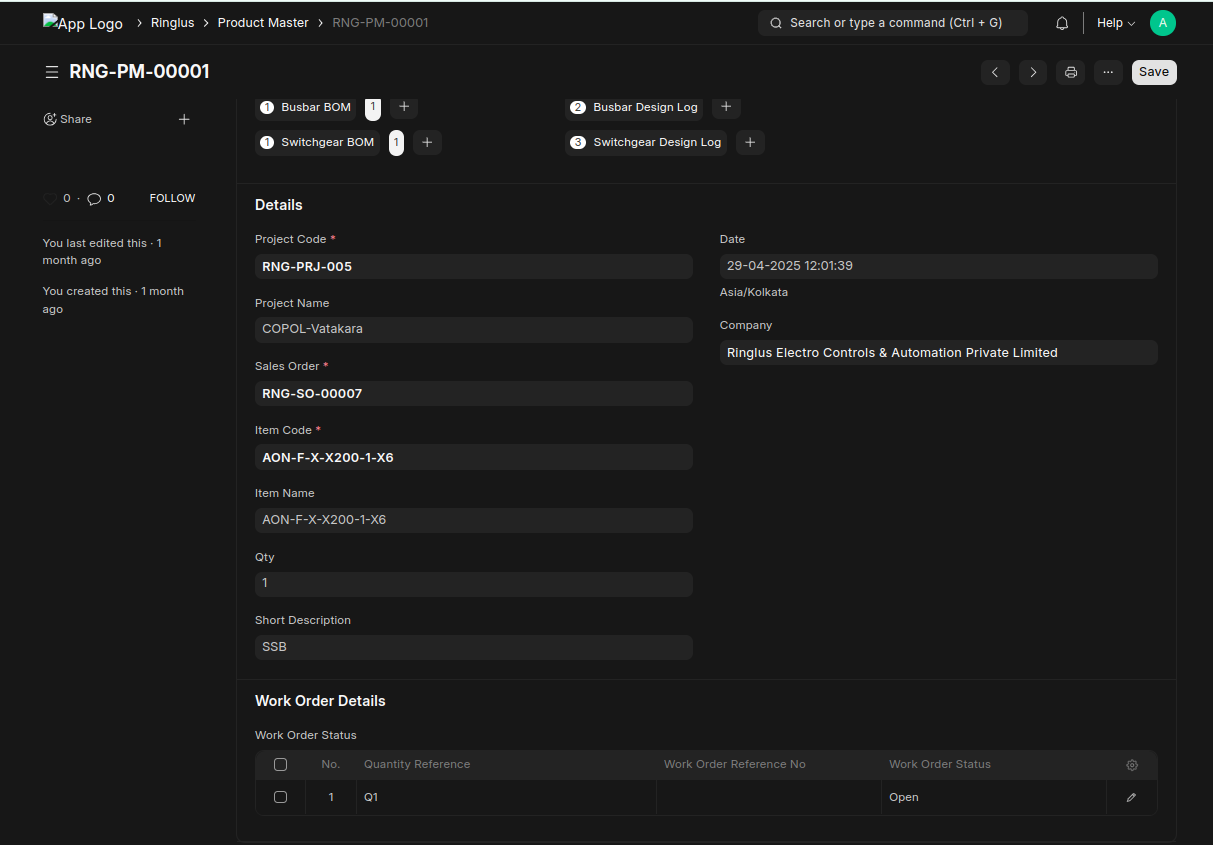
- Enter the project code first
- Select the sales order (only list the sales orders under project)
- Select the item (only display the items under sales order)
- Only one product master is allowed with project, sales order and item combination.
- Work Order status child table automatically filled after save the document with reference to the qty of the item in sales order.
- We can create enclosure bom, busabar bom and switchgear bom against this one product master. (One active bom is allowed)
- They can create design logs (enclosure design log, busbar design log, and switchgear design log) against Product master.
Enclosure BOM, Busbar BOM, Switchgear BOM
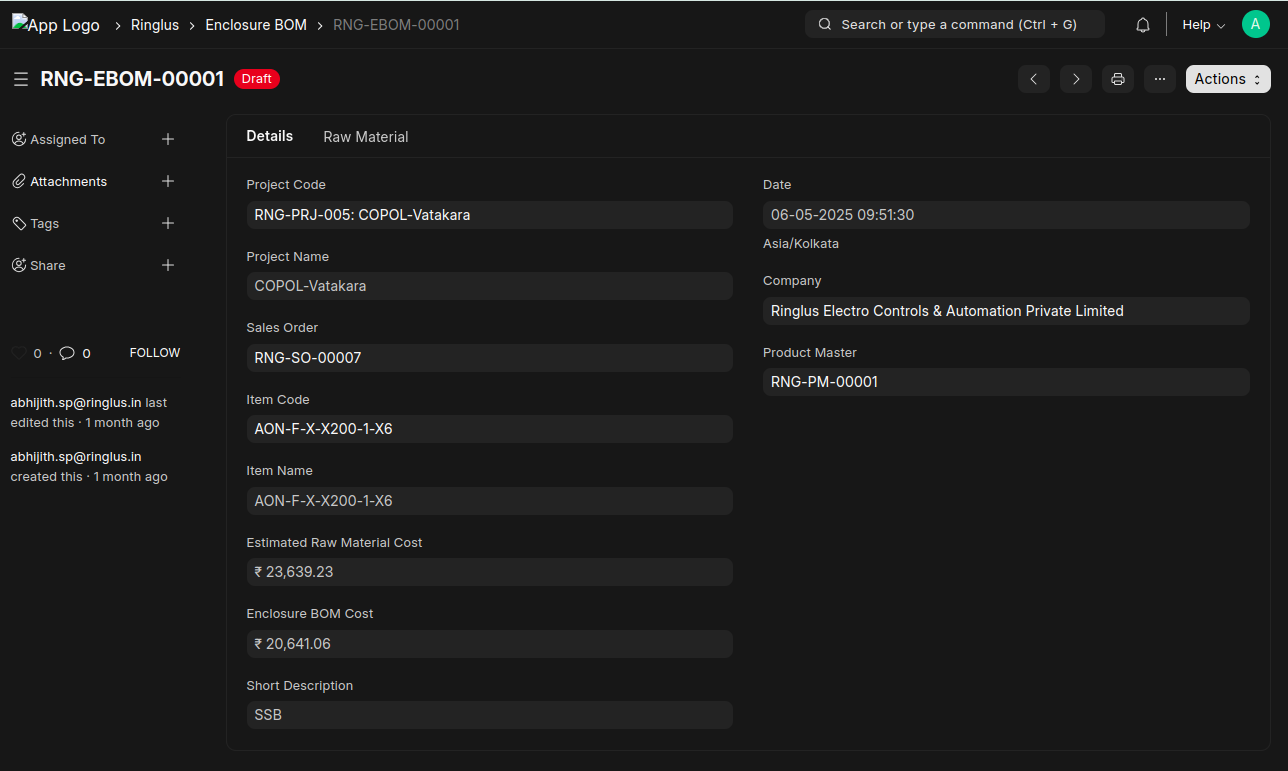
- Automatically fetch the basic information from Product Master
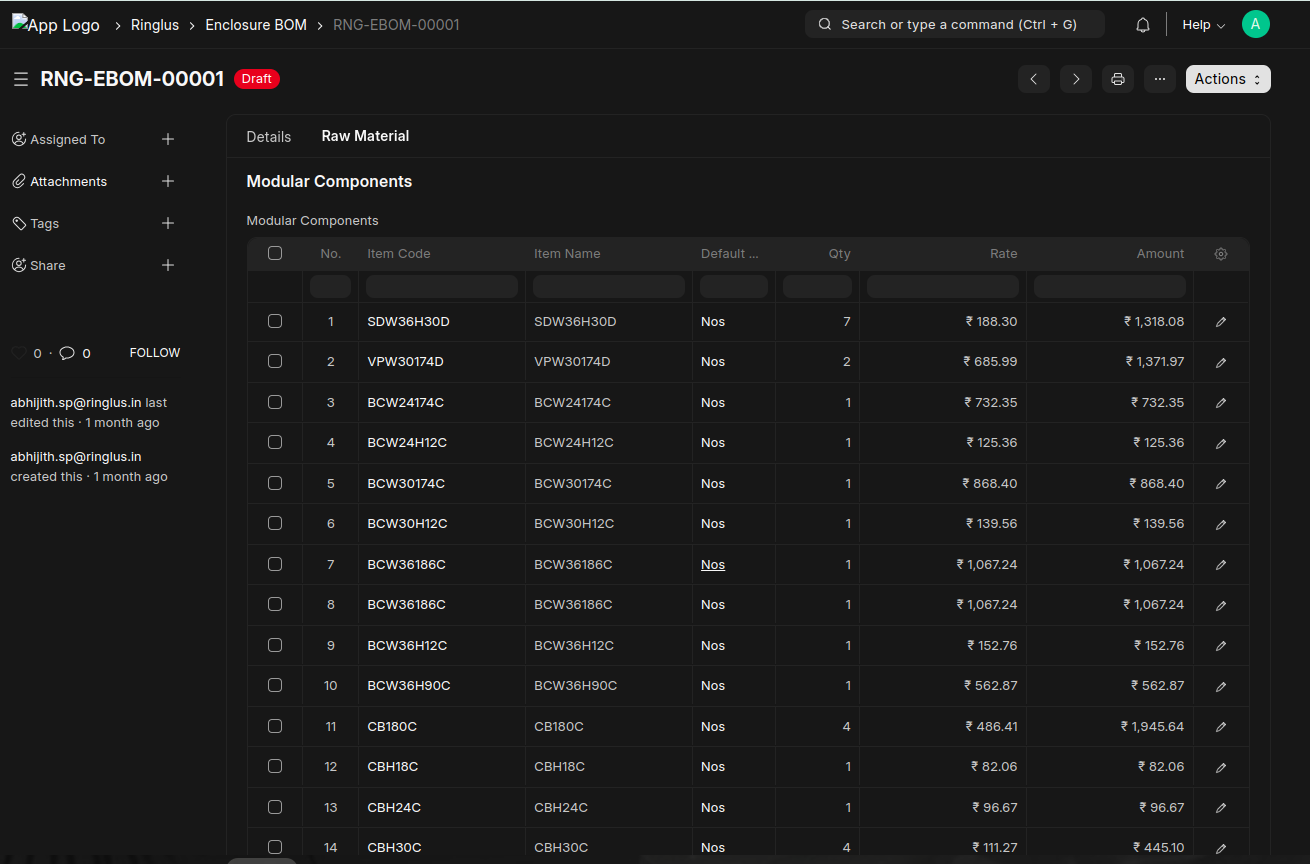
- Manually Enter each items and the qty in Raw Materials Tab
- Price will take from estimation price list.
- After saving each bom,the 'Estimated Raw Material Cost' and 'Bom Cost' will be calculated automatically. Estimated raw Material Cost will be taken from the sales order and bom cost will be calculated based on the selected items.
- It will not be allowed to save the bom if the bom cost is greater than the estimated raw material cost.
Panel Work Order
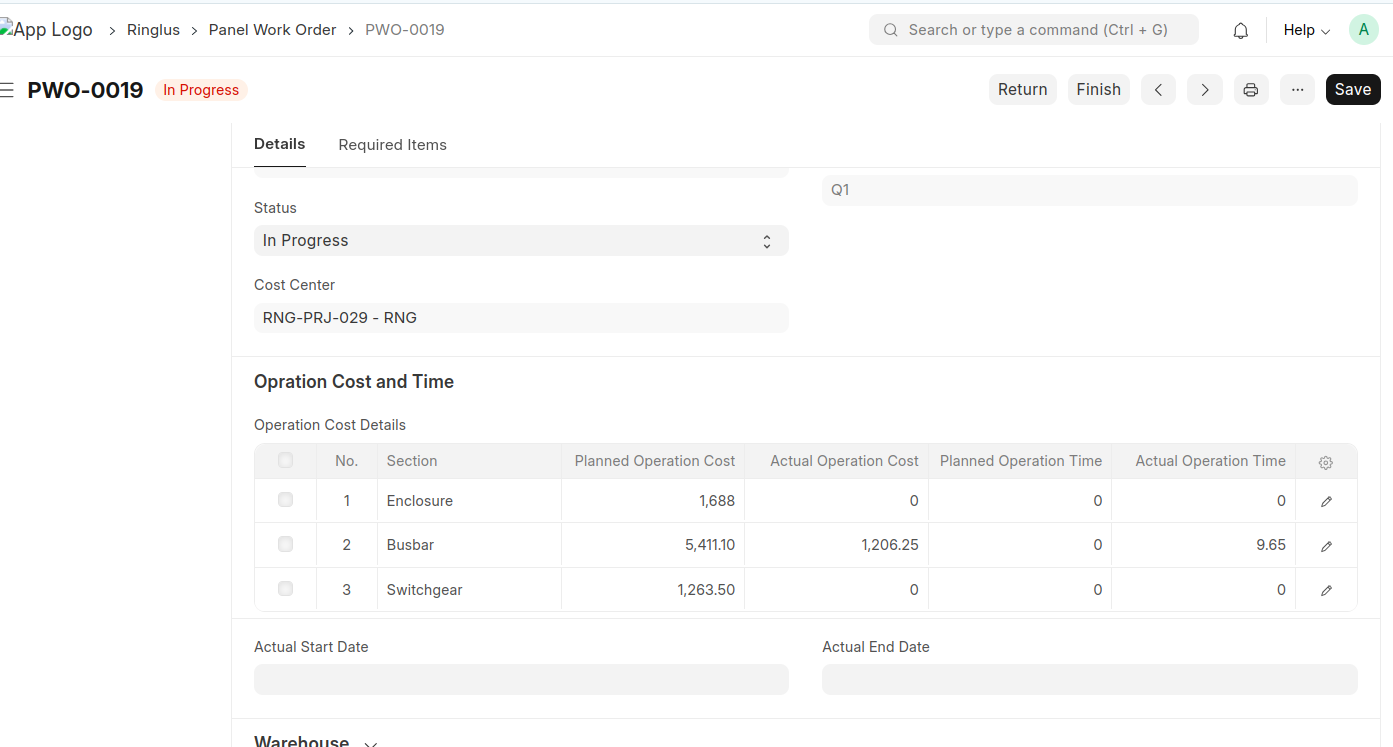
- We can create panel work order from product master using Create button in the child table.
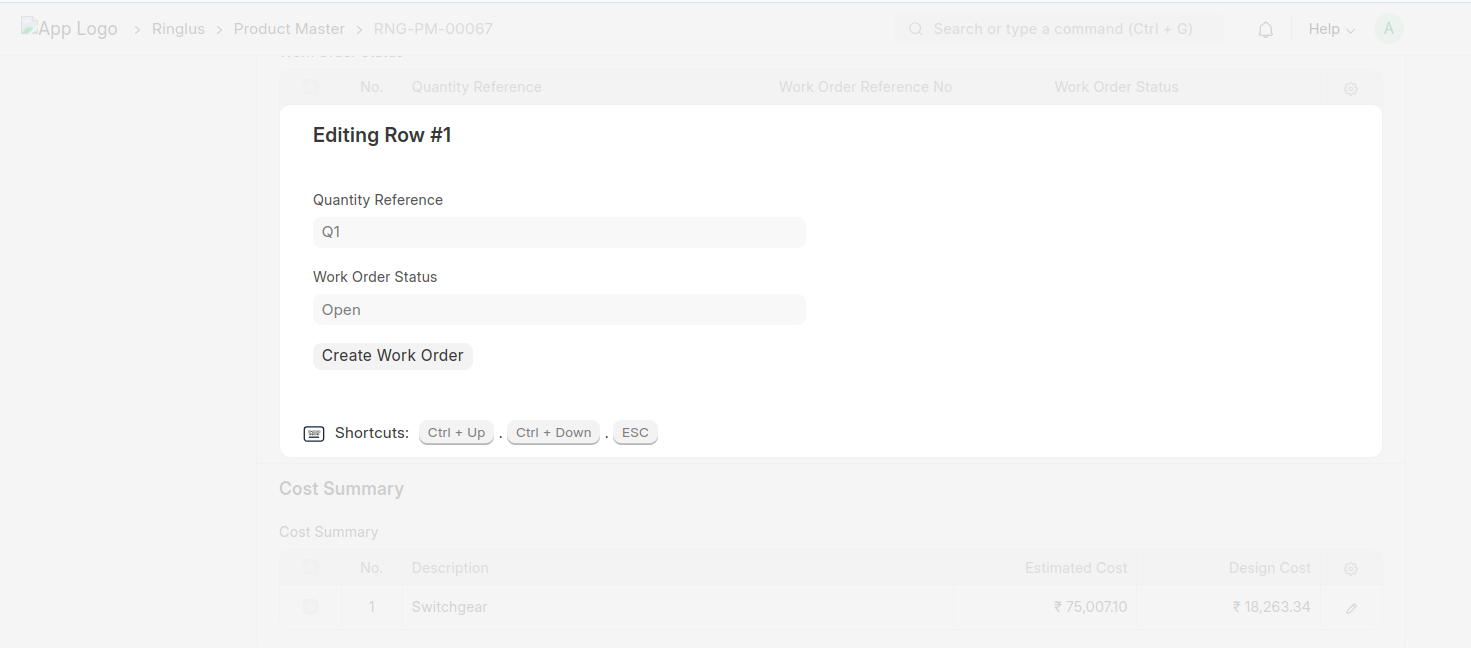
- While saving panel work order the raw material table will be filled automatically.
- Only submitted BOMS will be considered in the raw materials list.
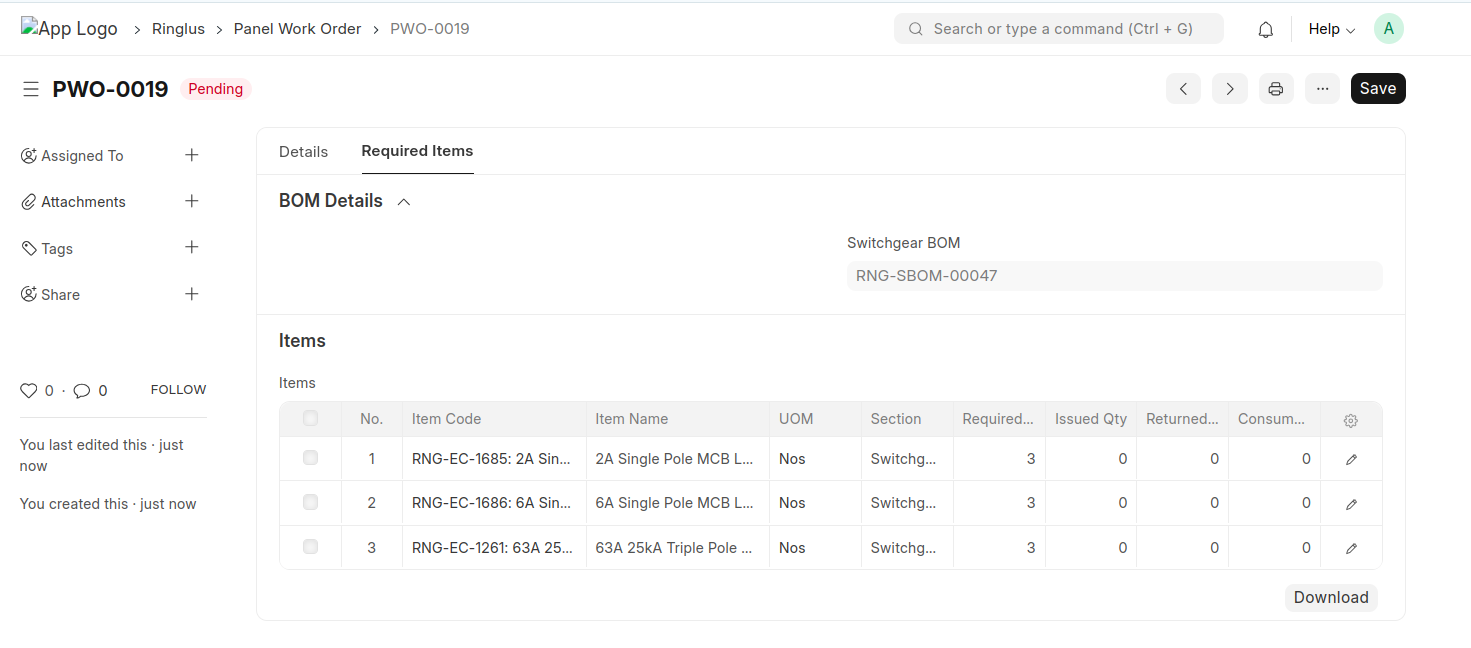
- When submitting any BOM like Enclosure, Busbar or Switchgear the items will be automatically updated to the raw material list of Panel Work Order.
Production Material Request
- The Production Material Request used to request the required materials.
- The Items will be listed based on the selected section in Production Material Request.
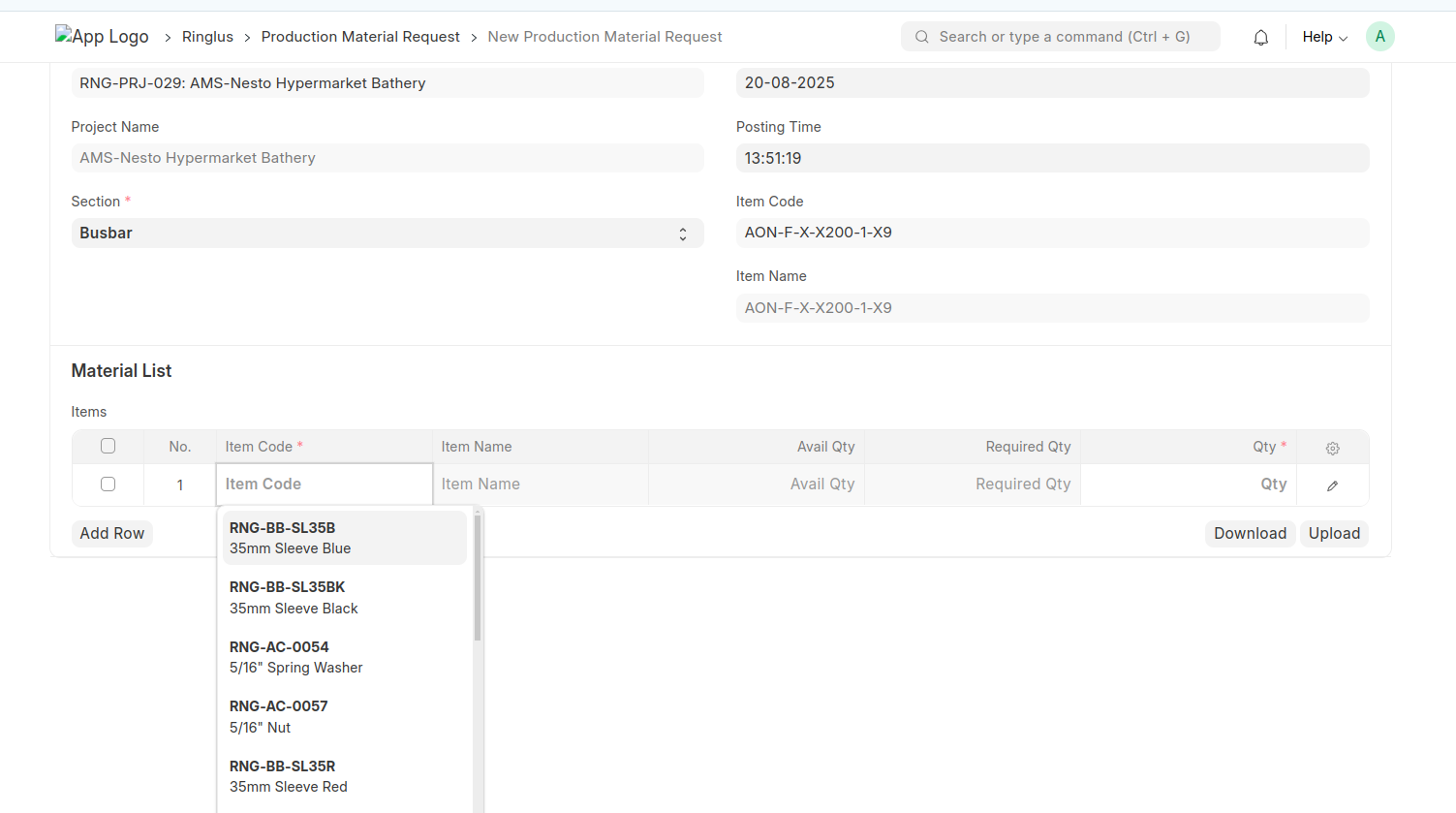
- It will display the items available qty in the store and how much qty required for the production.
- Based on this info we can put the qty to be required.
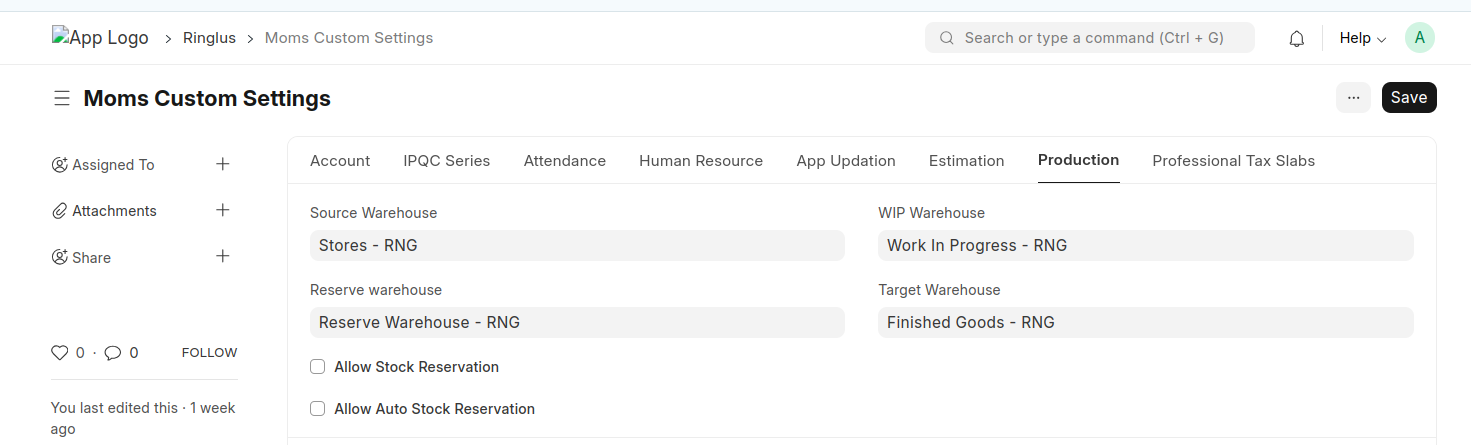
- A stock entry will be generated after submitting the Production Material Request and the stock will be moved from store to wip warehouse.
- Set the warehouse list in moms custom settings.
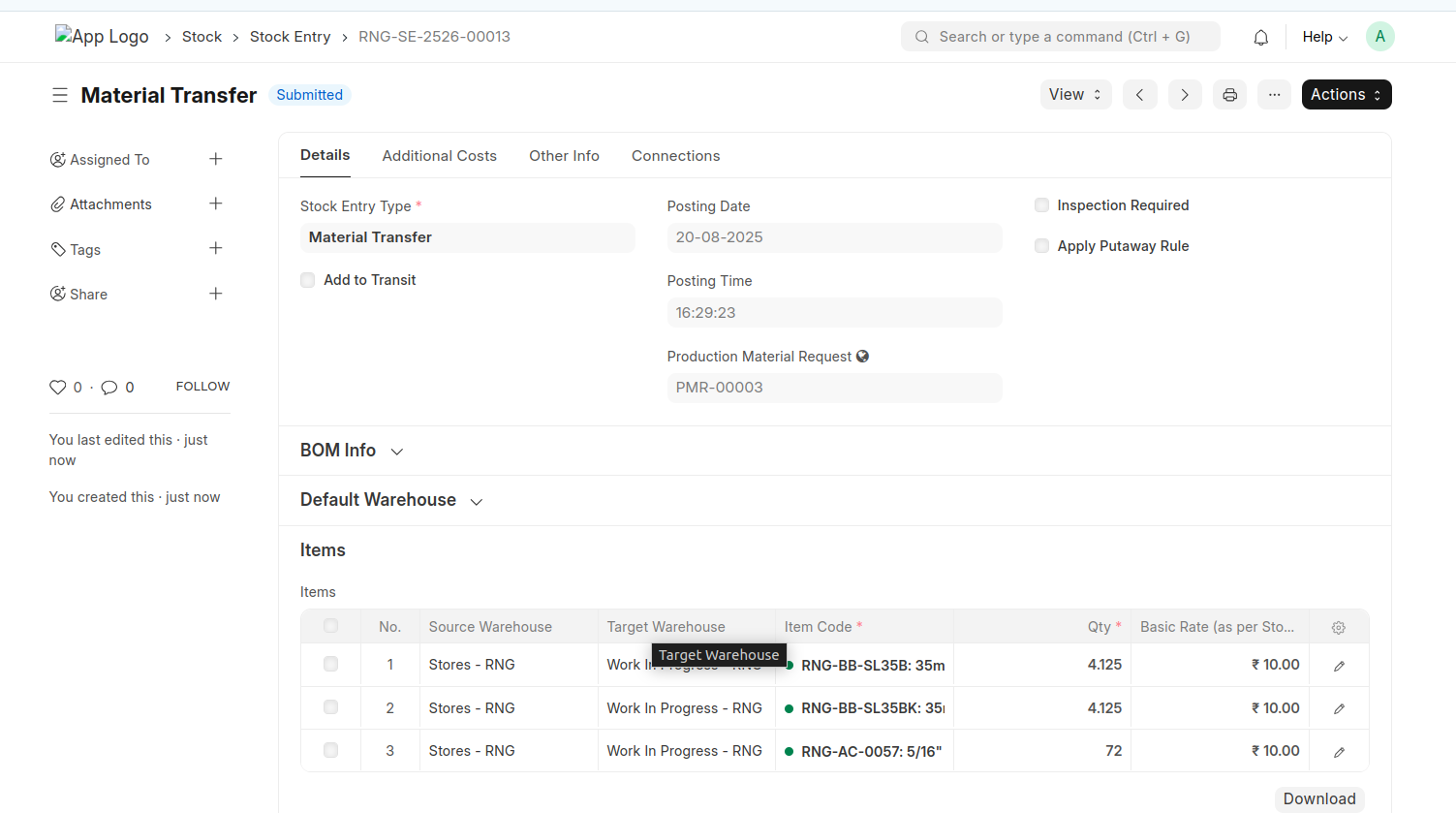
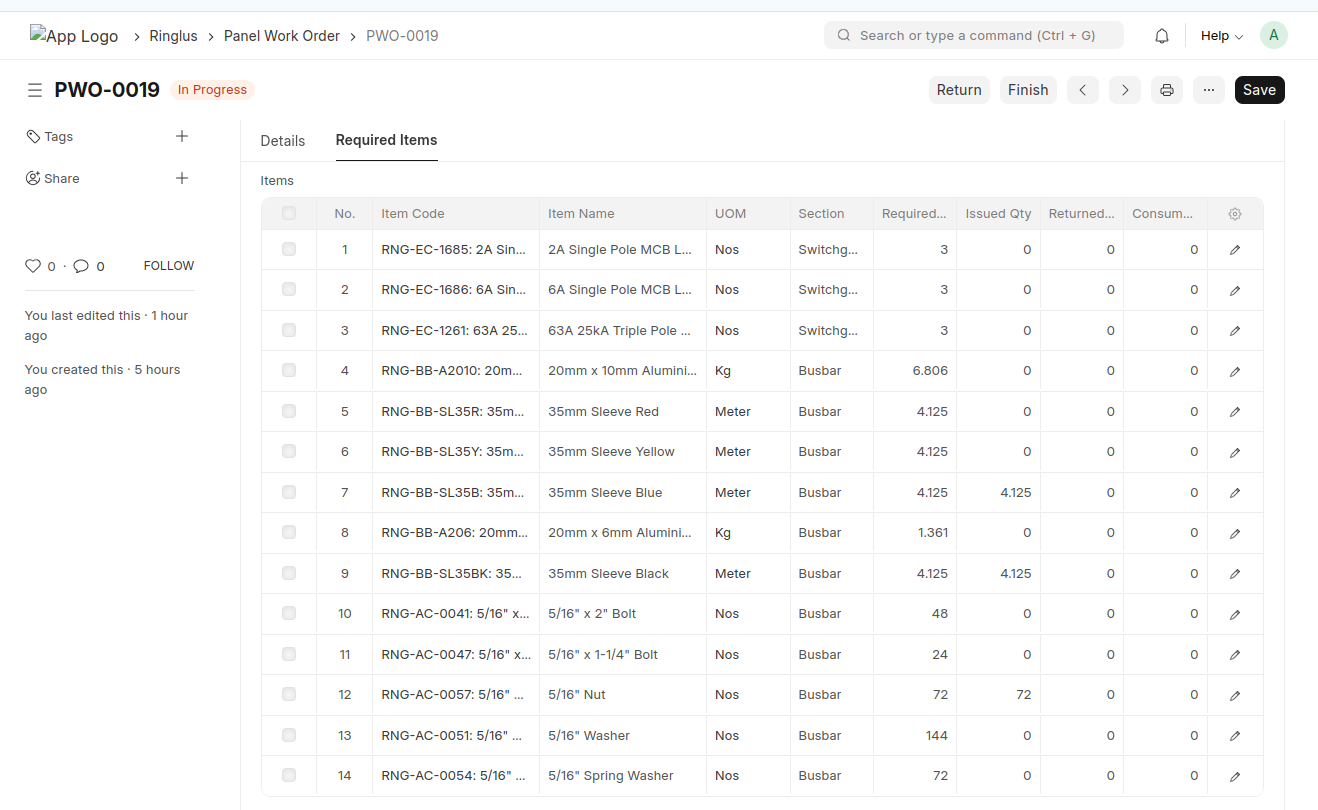
- While submitting the qty of the raw materials will be updated into issued qty of the Panel Work Order Items.
Panel Job Card
- Create Panel Job Card from Panel Work Order.
- Select the Section
- select the employee / Production Staff.
- Enter the from date and to date
- While saving auto calculate the total working hour duration and operation cost of the employee and production staff.
- Wage per Hour = (Base/30)/8
- Operation Cost = Wage Per Hour * duration
- OT Operation Cost = (Wage Per Hour * duration) * OT Factor
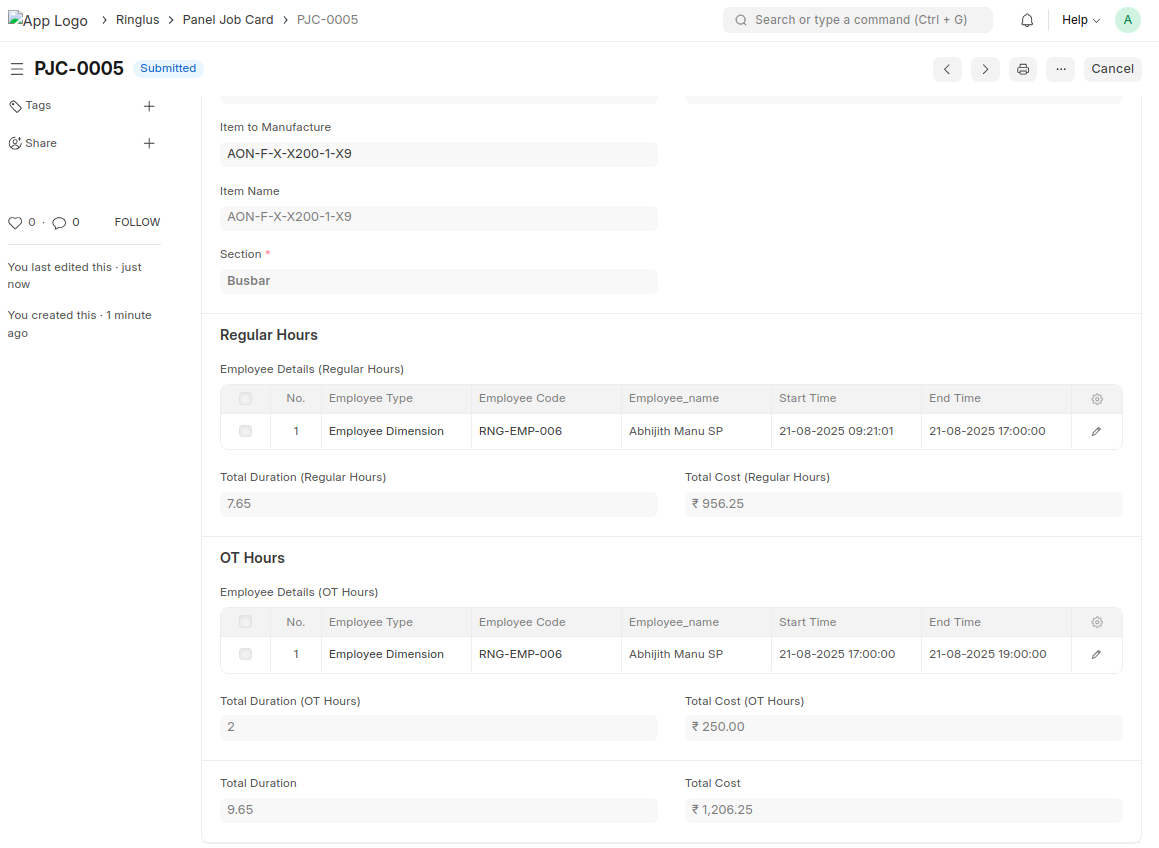
- While saving the duration and the cost will updated in to the Operation cost details table of the panel work order.