Momscode-AMIDC POC Sales
Sales Order
- Open a new sales order, select the Customer, Customer Location and Sales Type as POC (RaaS/Outright/POC).
- Enter the items along with the quantities, then save and submit.
- POC Delivery and POC Return Buttons will be displayed after submit the Sales order.
- We will not do Delivery Note Against POC Sales.
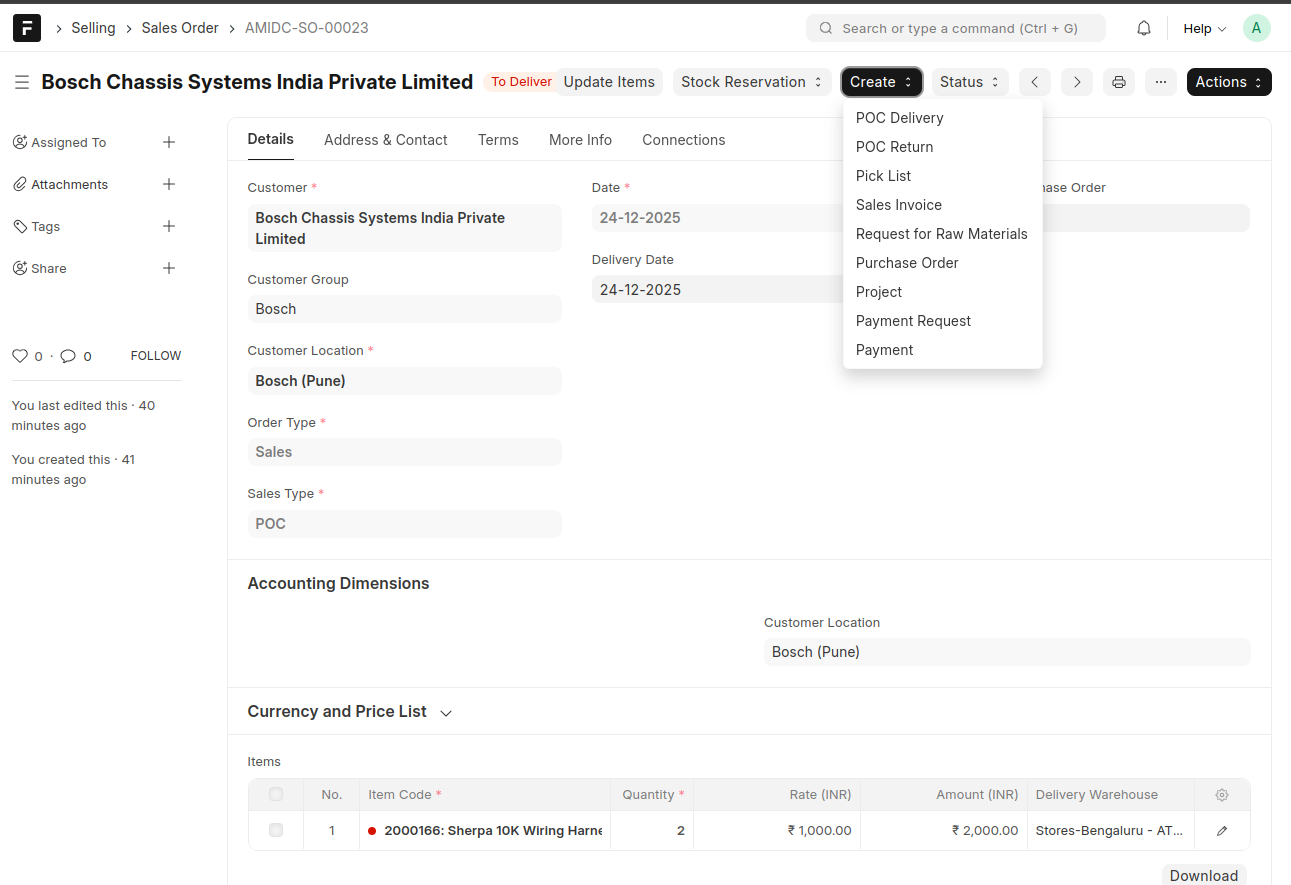
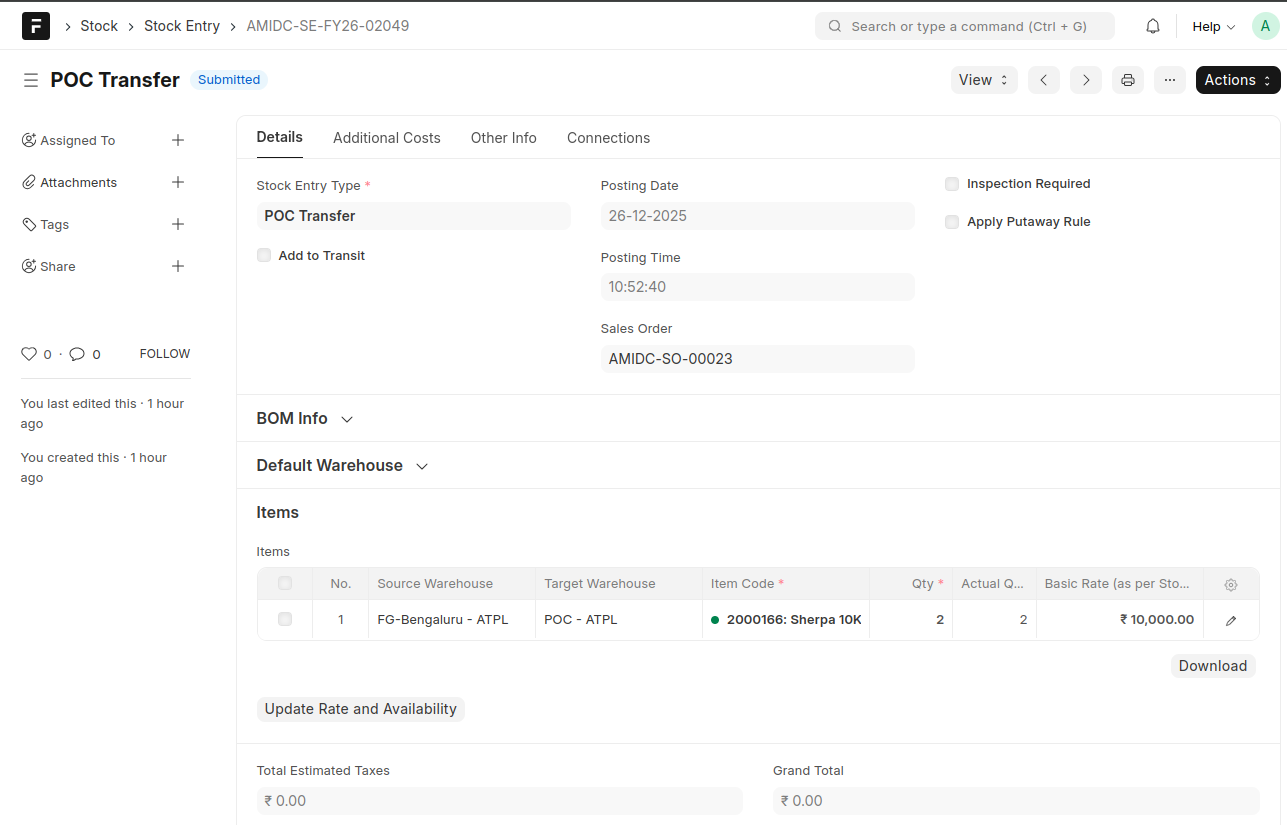
- Click on POC Delivery to be redirected to the Stock Entry, where the stock will be transferred from the AMIDC Finished Goods Warehouse to the POC Warehouse.
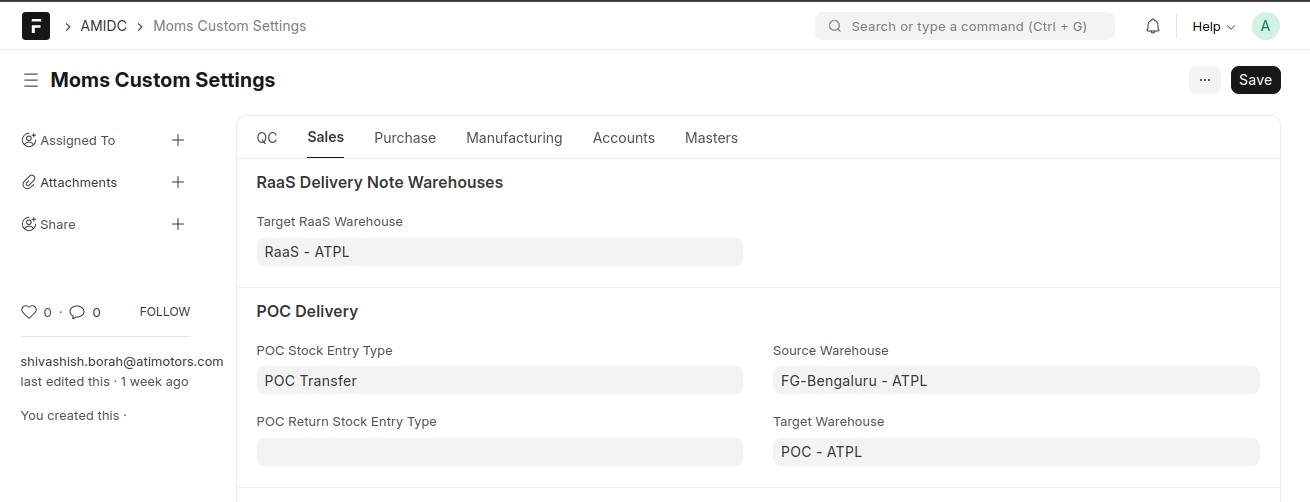
- Please configure default settings in Moms Custom Settings.
- Also we can create Sales Invoice Against Sales Order.
- After the POC period, the items can be returned using the POC Return button.