Momscode-AMSECC Deposit Request Customization
Deposit Request is Customized in the MOMS_Genix App.
prerequisites
Moms Custom Settings
- Set default Deposit Request Account for Deposit Request in Moms Custom Settings.
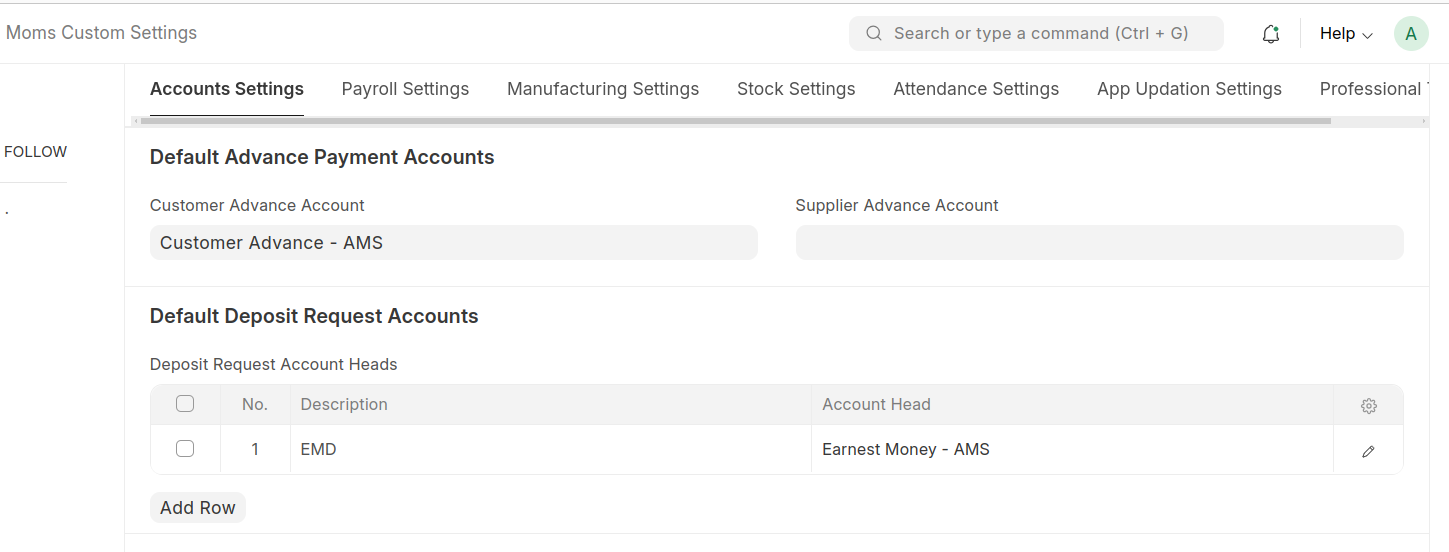
- Set default Deposit Request Account for Deposit Request in Moms Custom Settings.
- Accounting Dimension
- Create an Accounting Dimension for the Deposit Request document.
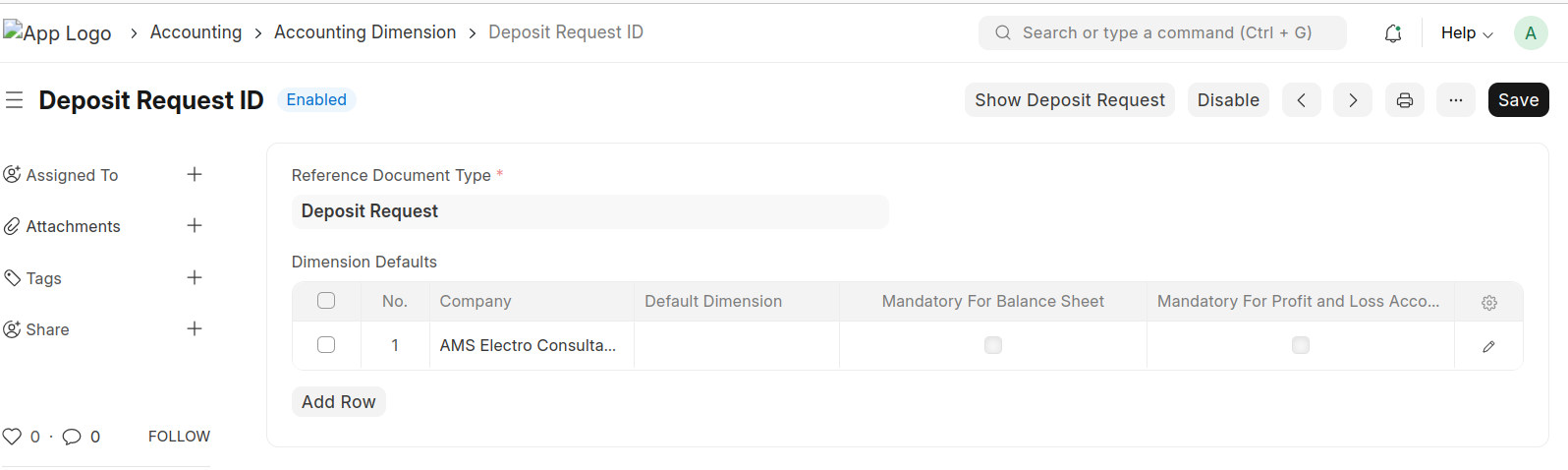
- Create an Accounting Dimension for the Deposit Request document.
Deposit Request Customization
- Fill in all the necessary fields in the Deposit Request form.
- The value of the Account Head field is automatically fetched from Moms Custom Settings.
- Ensure that all mandatory fields are completed before submitting the form.
- Once the form is completed, click Submit.
- Upon submission, Create -> Journal Entry button will appear at the top of the document.
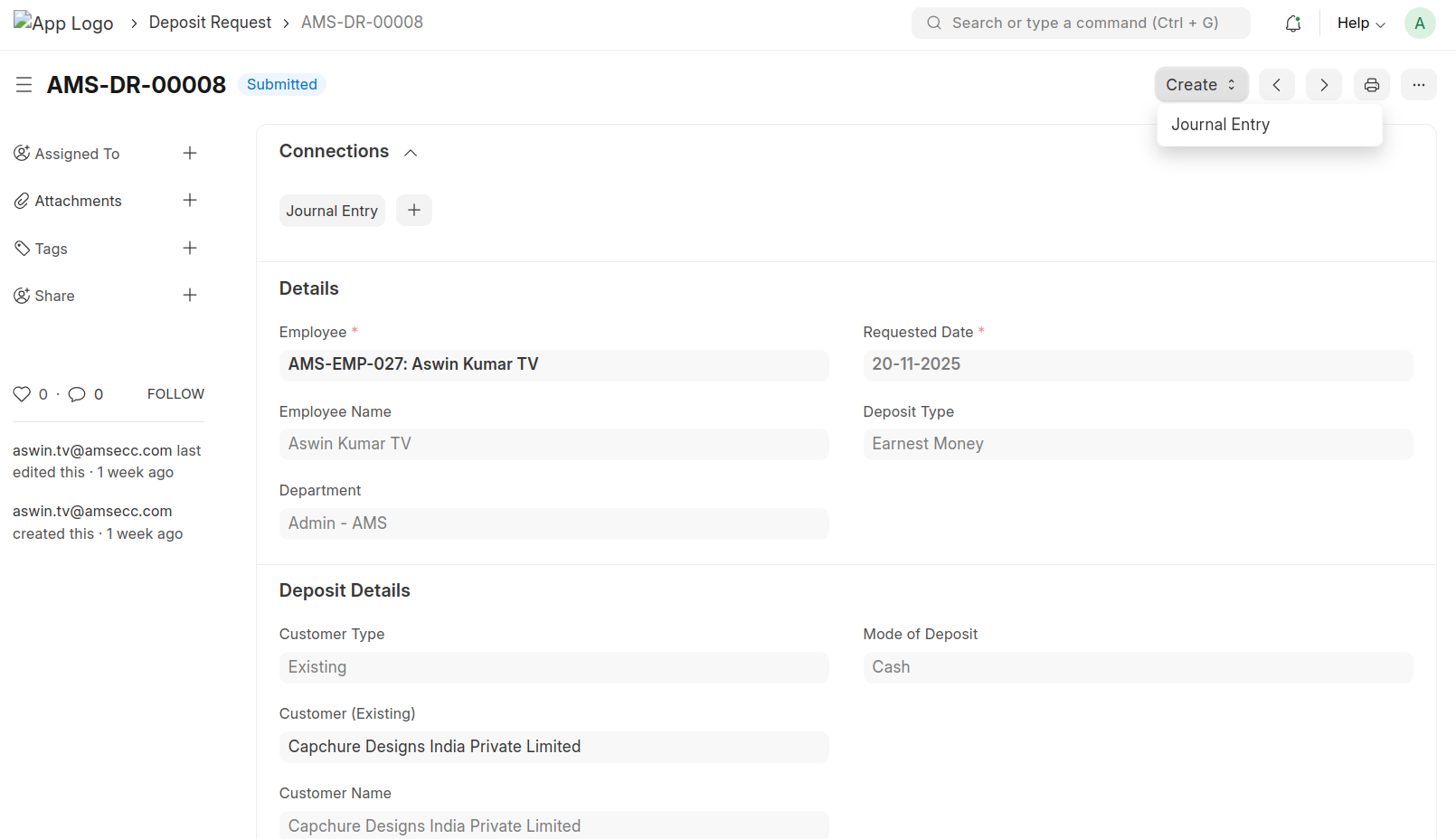
- When the Journal Entry button is clicked, a Journal Entry will be automatically created.
- Once a Journal Entry has been created from the Deposit Request, the "Create" button will be disabled to prevent duplicate entries.
- This ensures that only one Journal Entry is created per Deposit Request.
- In the generated Journal Entry, the Bank Account (determined by the selected Payment Mode) will be credited.
- The Account Head (as specified in the Deposit Request) will be debited.
- The Journal Entry created from the Deposit Request will be in Draft status by default.
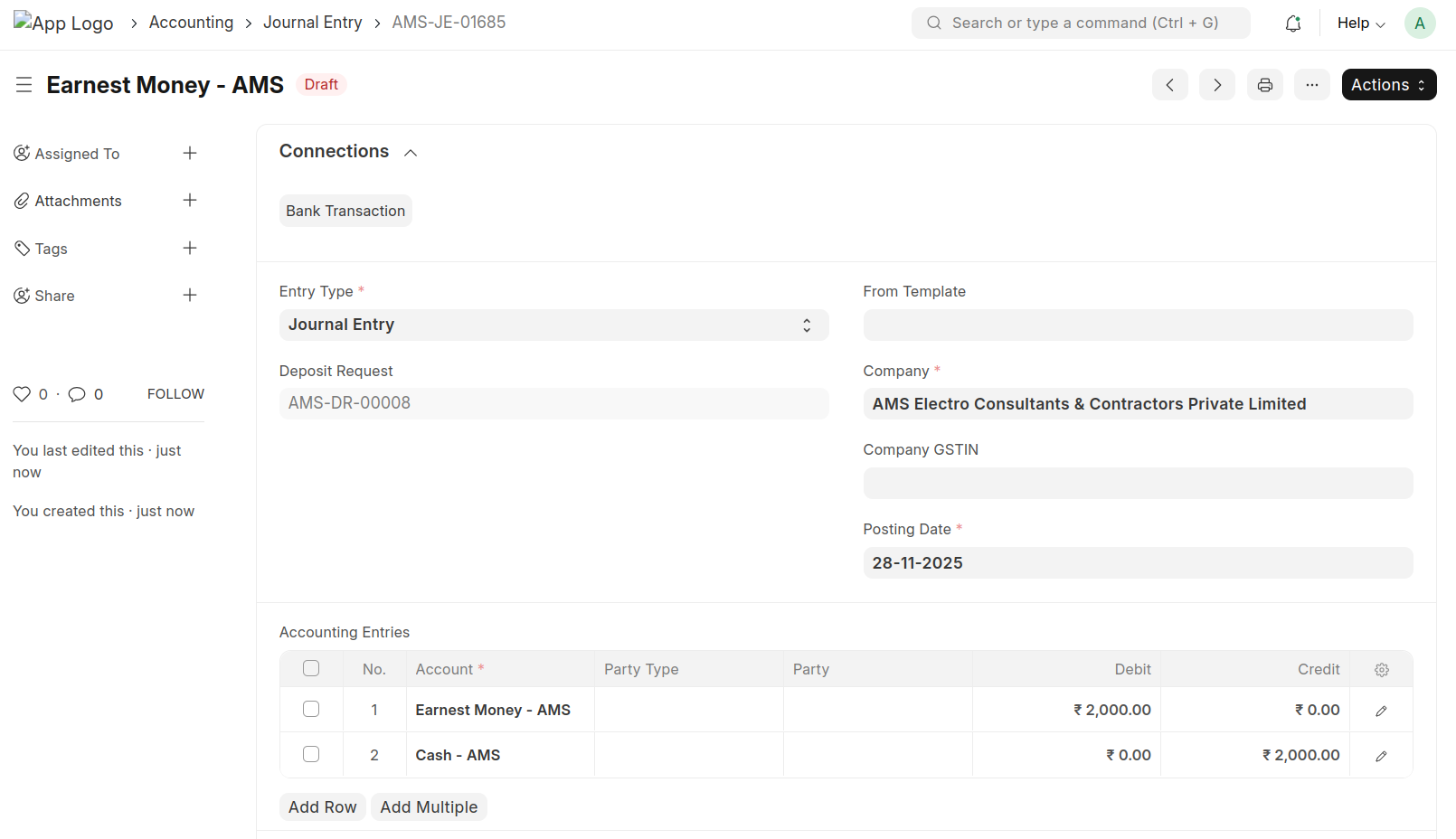
- The Deposit Request ID is automatically tagged as an Accounting Dimension in the Journal Entry.
- Users can review and make any necessary adjustments before submitting the Journal Entry.
- If a Deposit Request is linked to a Journal Entry, you cannot cancel the Deposit Request unless the linked Journal Entry is cancelled first.