Momscode - AMIDC Expense Claim
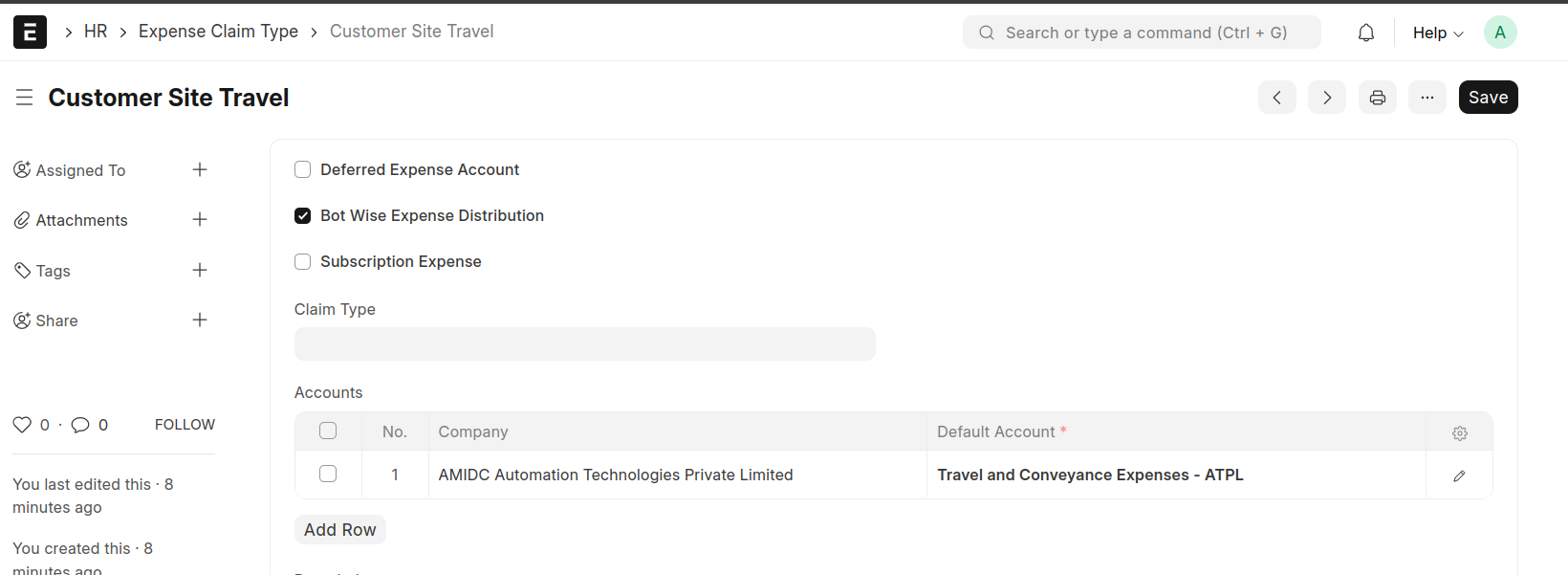
Expense Claim Type
- Create expense claim types
- "Bot Wise Expense Distribution" – this checkbox is used to equally distribute an expense amount among multiple bots belonging to a single customer.
- "Subscription Expense" - This checkbox is used to generate a subscription log while creating expense claim including subscription expense enabled expense claim type.
Expense Claim
Bot Wise Expense Distribution
- Enter the details
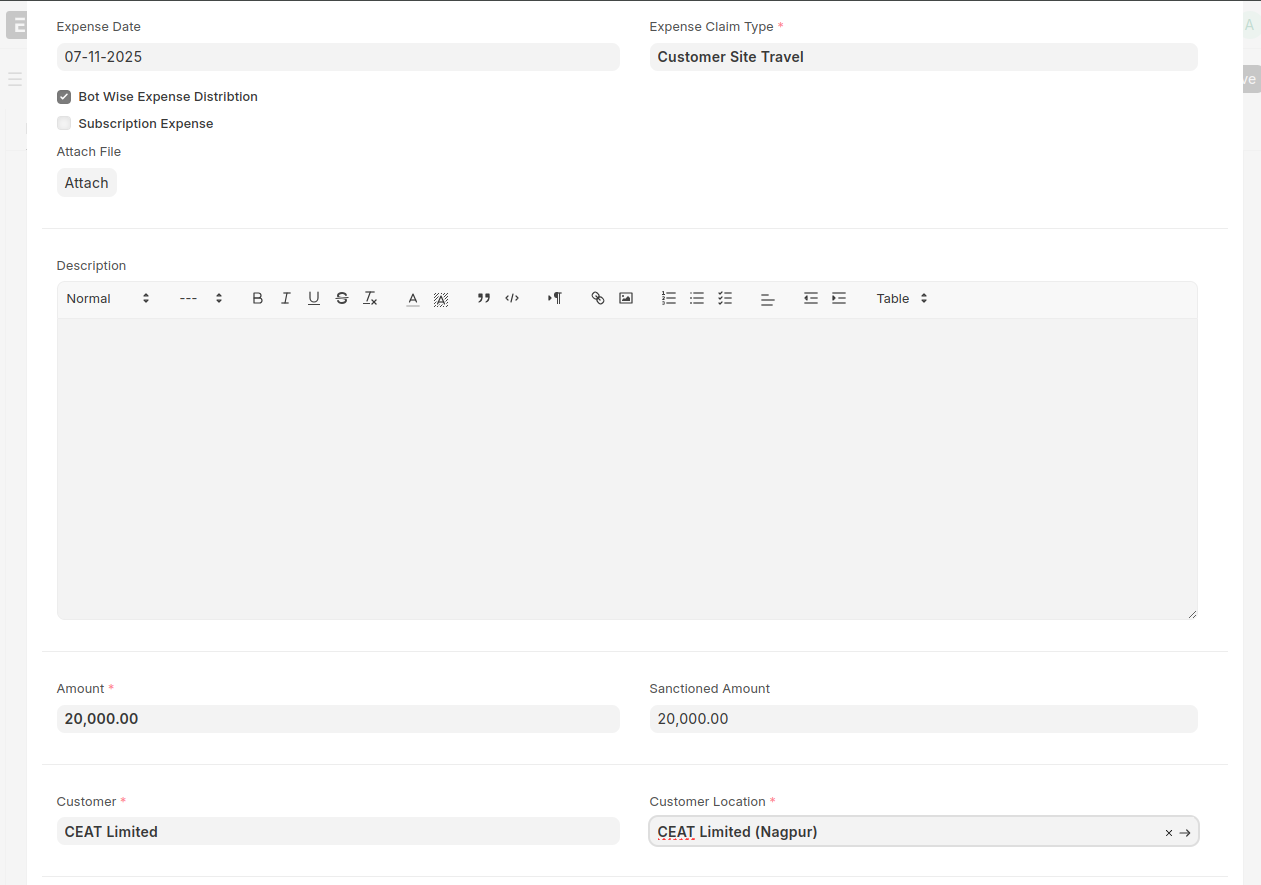
- Select the expense claim type and enter the amount.
- If the expense claim type has "Bot Wise Expense Distribution" enabled, the expense claim requester must select the Customer and Customer Location in that particular row.
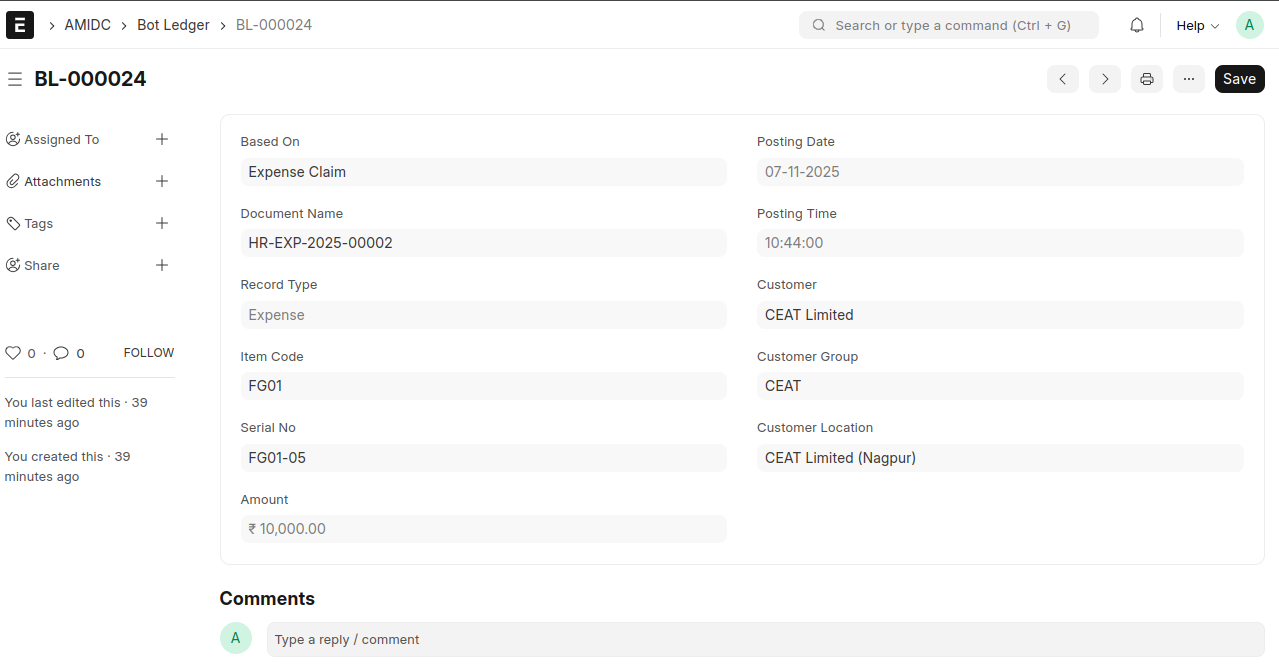
- A Bot Ledger will be created for the number of bots associated with the selected customer location during the submission of the Expense Claim, if it includes any expense claim type with "Bot Wise Expense Distribution" enabled.
- The expense amount will be equally distributed among all bots linked to the selected customer location. Example: If the total expense is ₹20,000 and there are 2 bots under that customer location, each bot will be allocated ₹10,000.
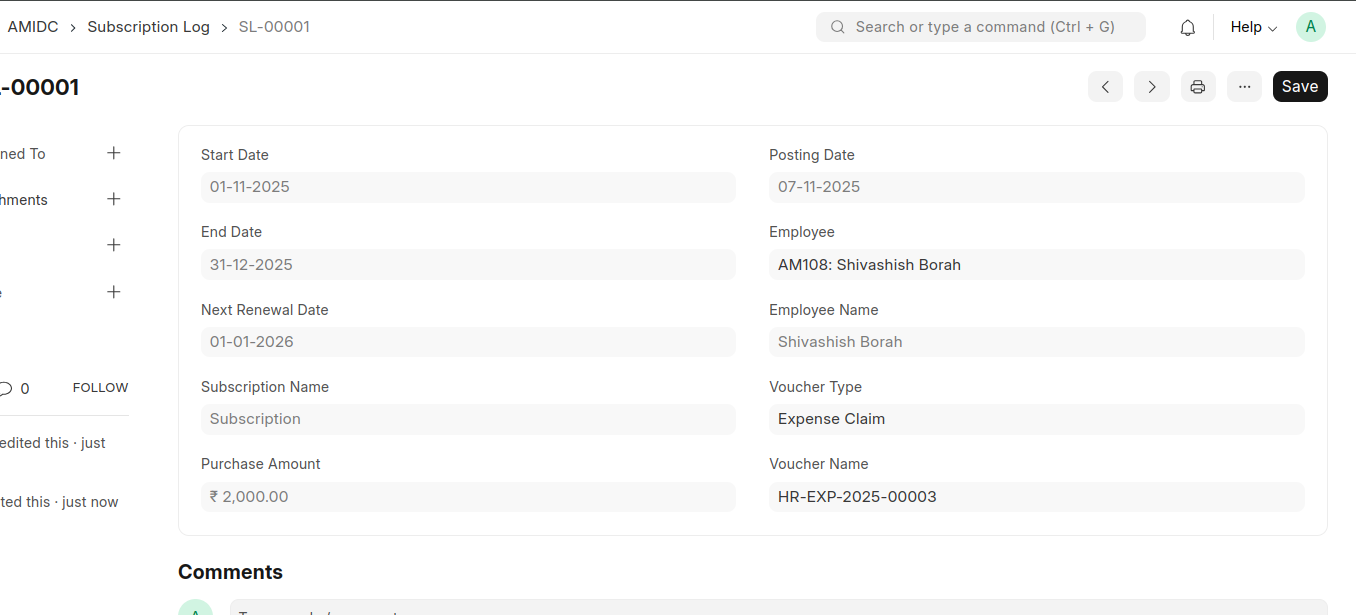
Subscription Expense
- If the Expense claim type has enabled 'Subscription Expense',Then must select the Start Date, End Date and Next Renewal Date in the particular row.
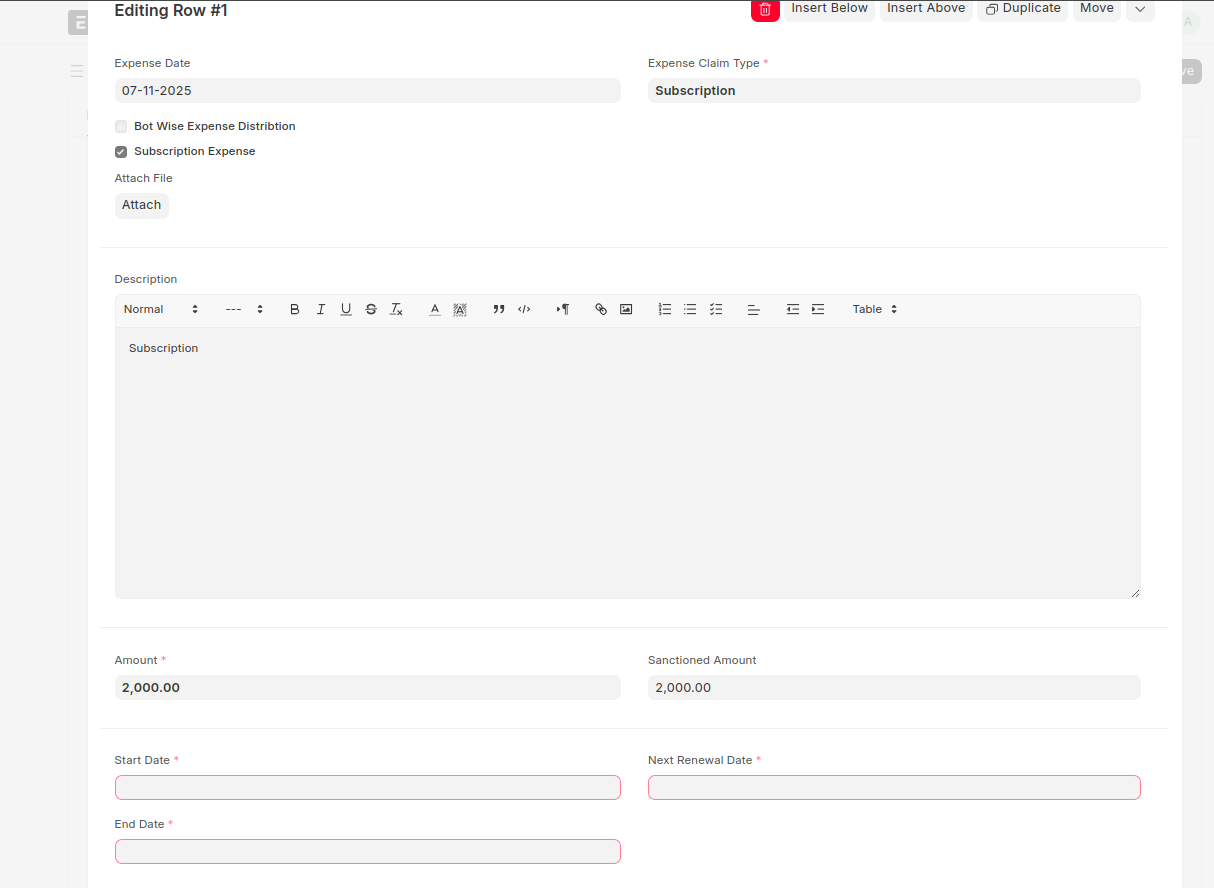
- Automatically created one subscription Log against Expense claim while submit the document.