Momscode-AMIDC Service Material Request
Service Material Request
- Select the Service Type (Warranty/Non-Warranty/AMC).
- Select the Delivery Type (Returnable/Non-returnable).
- If the Delivery Type is set to Non-returnable, a Bill Type field will appear with two options: Sales and FOC.
If Sales is selected, the Delivery Note status will be set to To Bill.
If FOC is selected, the Delivery Note status will change to Completed. - Select the Customer and Customer Location.
- Only the Bot IDs associated with the selected customer location will be displayed in the items table.
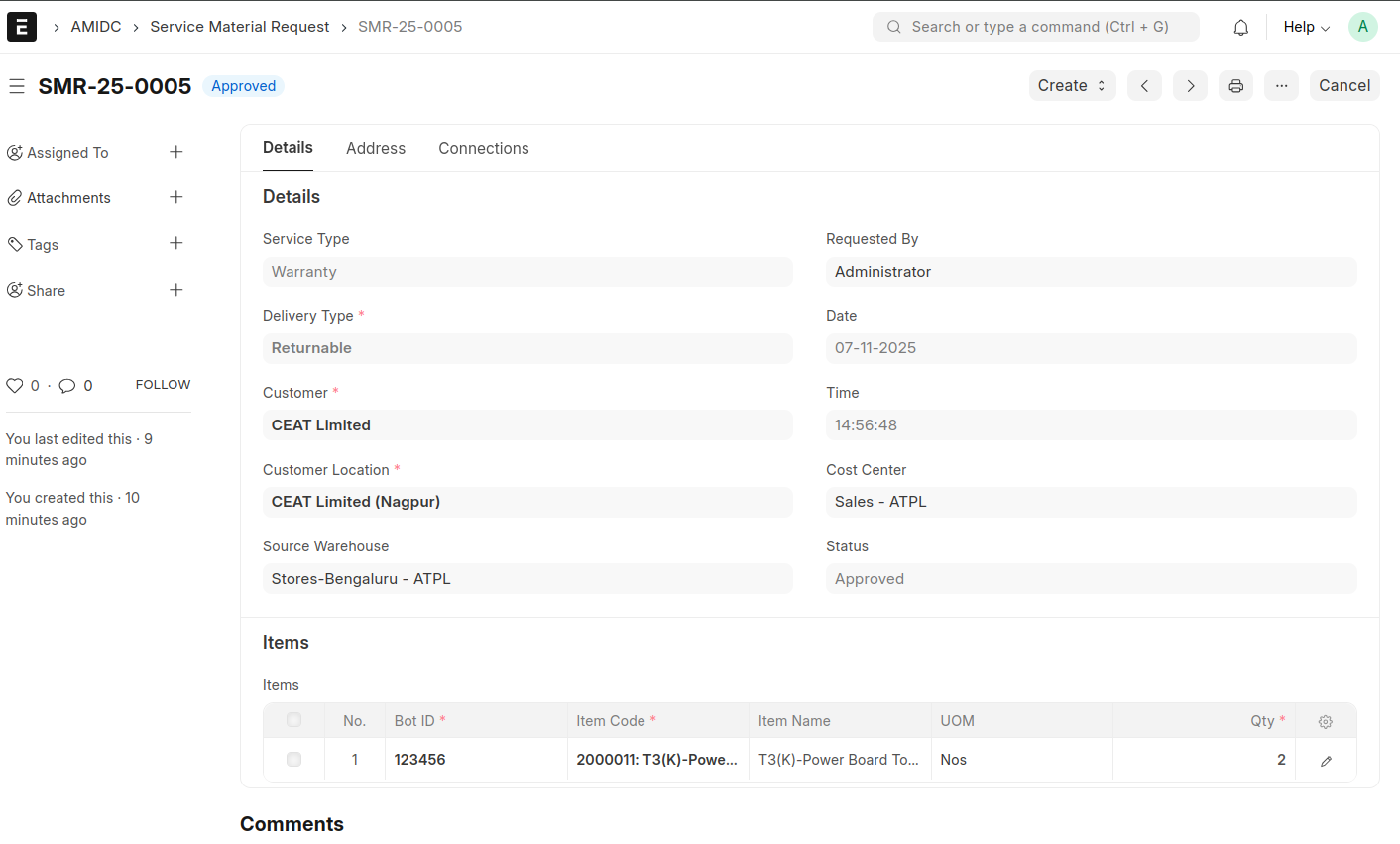
- Create Delivery Note after submit the Service Material Request.

- Save and Submit the Delivery Note
- If the Service Material Request is Returnable then we can create Sales Invoice against the Delivery Note.
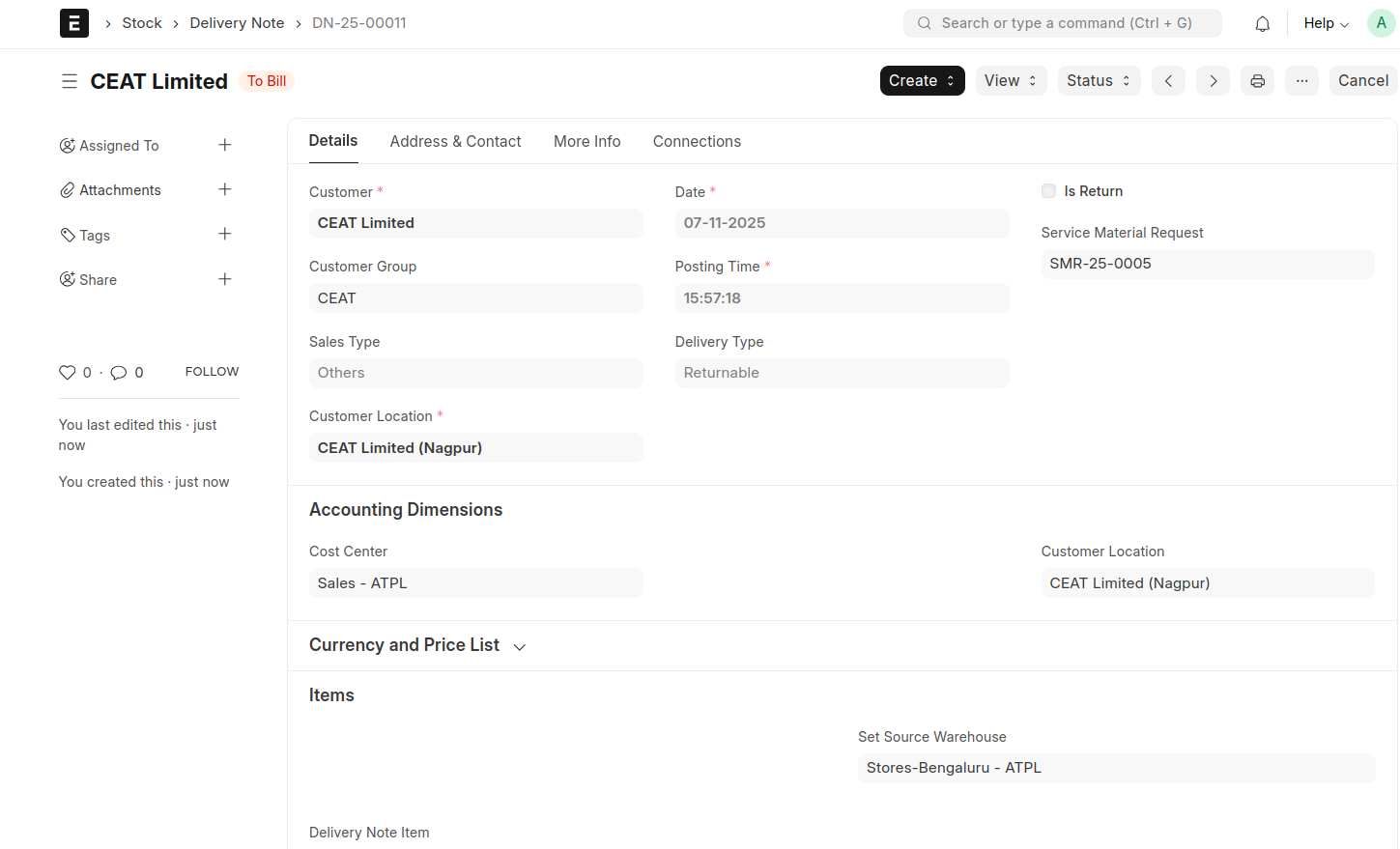
After submit the Delivery Note the status of the Service Material Request will be changed into Returnable if the Delivery Type in Service Material Request is 'Returnable' otherwise it will be changed to 'Completed'.
After creating the Delivery Note, a button will appear in the Service Material Request to create the Service Material Return if the Delivery Type is Returnable.
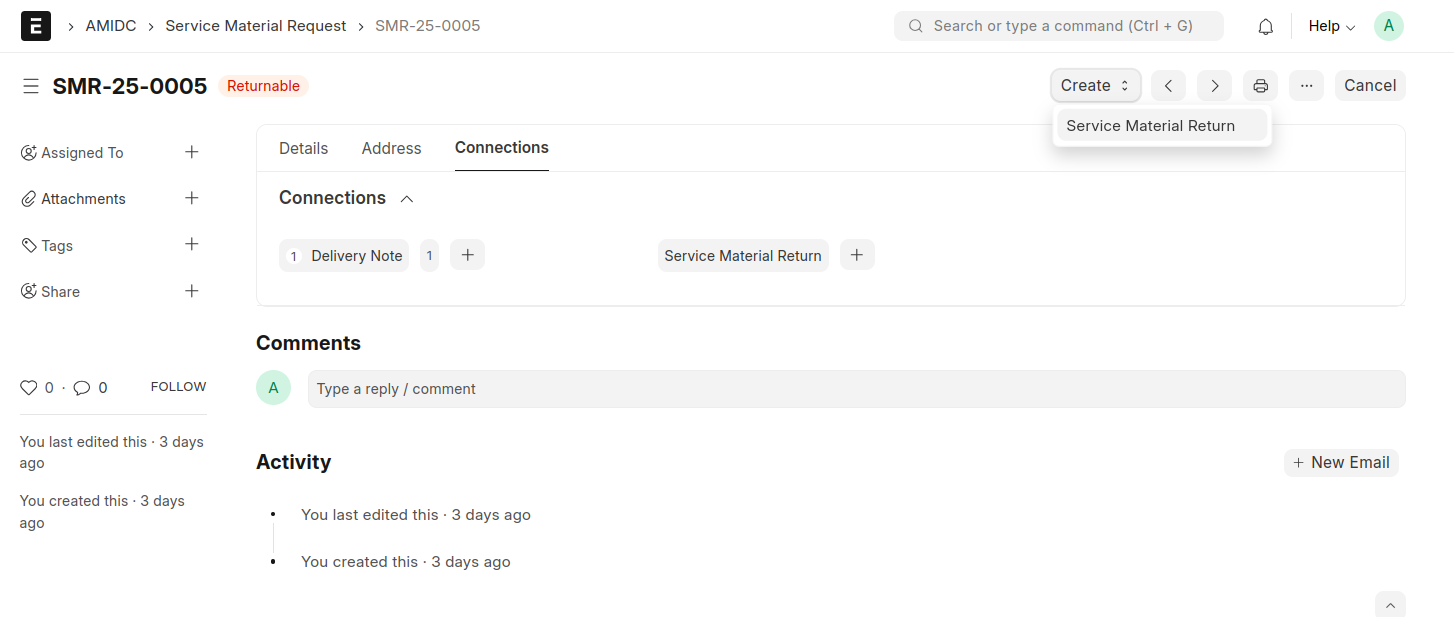
- While clicking the button, all the information from the Service Material Request will be fetched to Service Material Return.then save and submit the document.
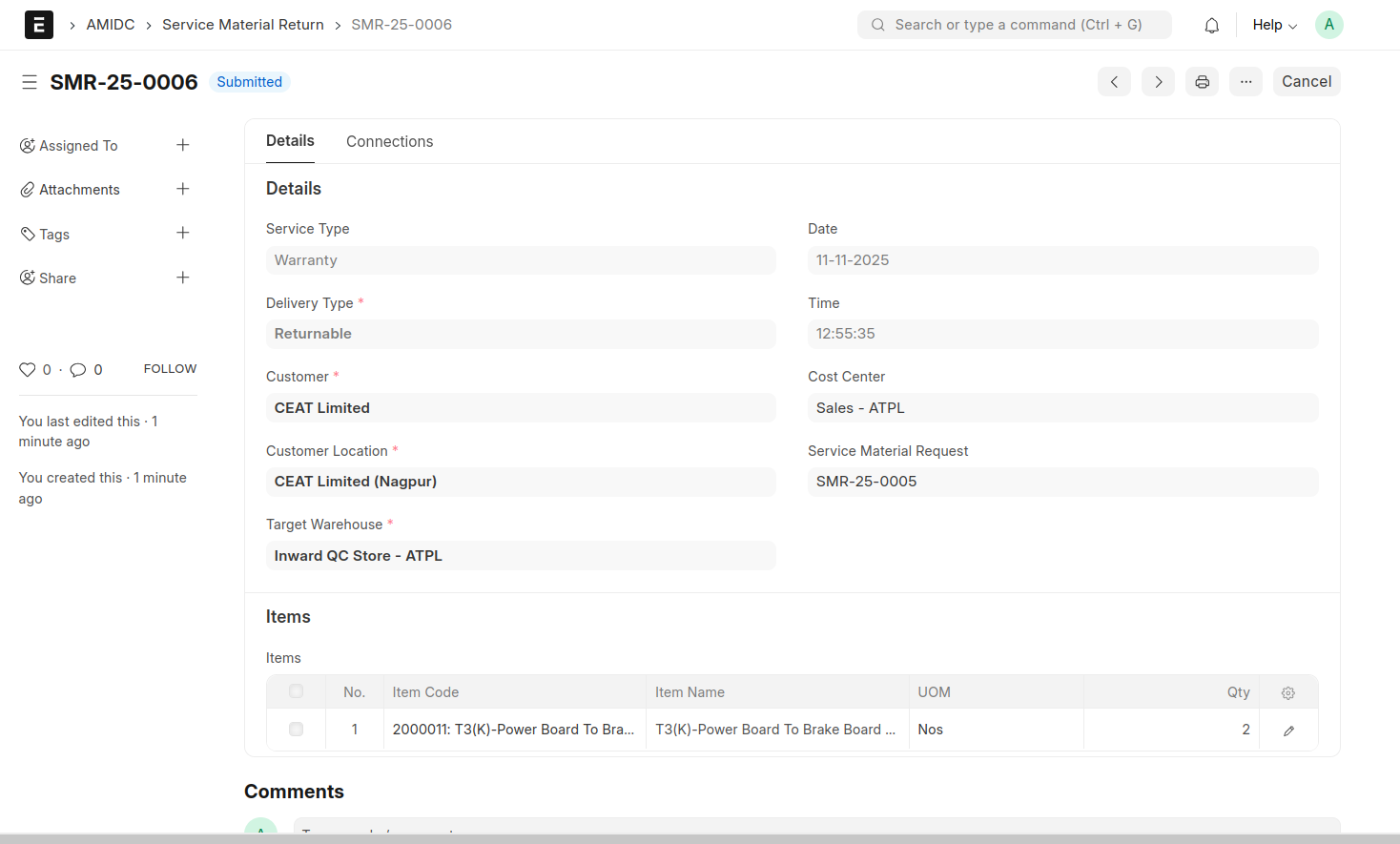
- While submit the Service Material Return a Material Receipt Stock Entry will be generated and the status of Service Material Request will be changed to 'Completed'.