Momscode-Trient Estimation Customization
Pre-requisite
1. Opportunity
2. Service Name
3. Activity Types
4. Item
* Estimate BOM, Opportunity, Quotation, Service Name, Activity Types and Item Category are the doctype used for the Estimation.
* Create the Service Name, Opportunity, Activity Type.
Service Name
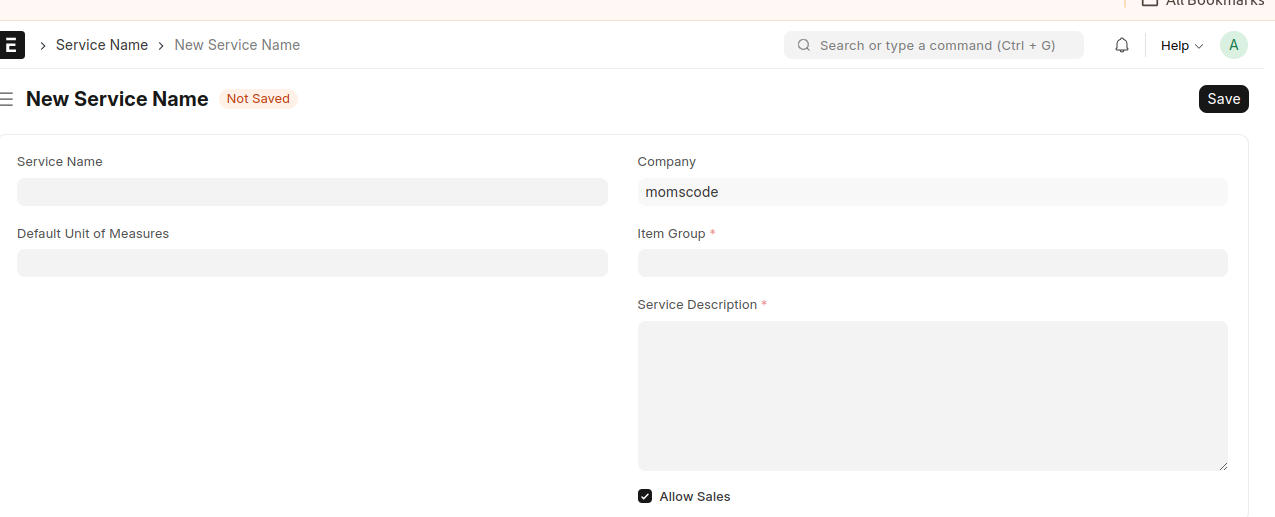
- Select the Service Name Document.
- Insert the values like Service Name, Default Unit of Measures, Item Group and Service Description.
- Save the document.
- After saving the document, an Item Group of 'Estimate BOM Service Items' is created in the Item master.
Activity Types
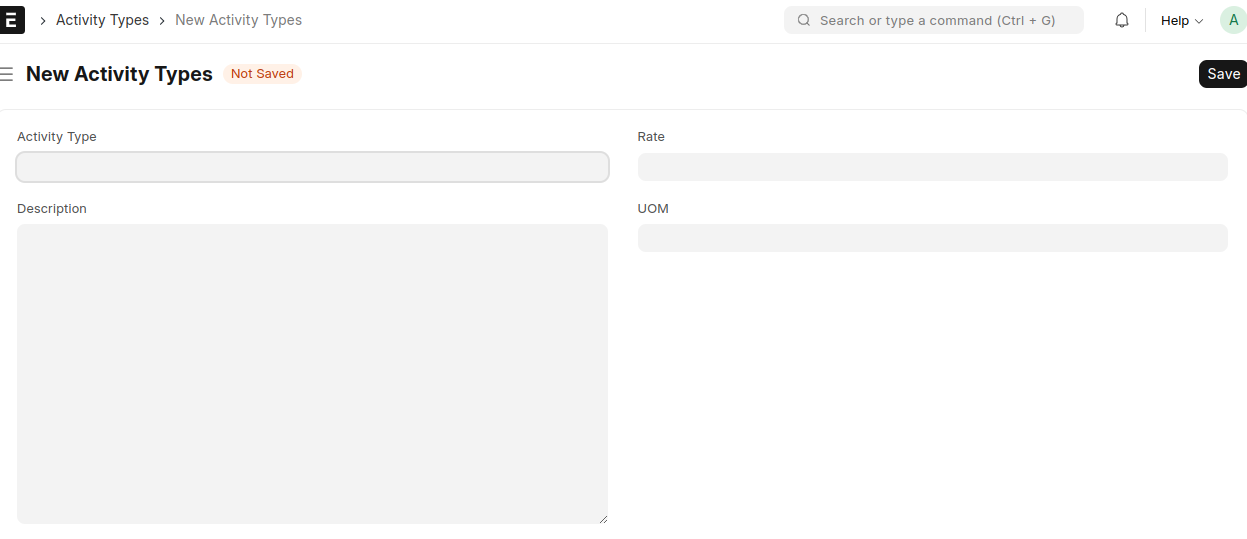
- Select the Activity Types Document.
- Add the values Activity Type, Description, Rate and UOM.
- Save the document.
Opportunity
- Create the Opportunity from Customer/Lead.
- Insert the value in the field and save the document.
- Click the E-BOM from the Create Button.
- The page will redirect to the Estimate BOM Doctype.
Estimate BOM
- Select the Estimate BOM Doctype.
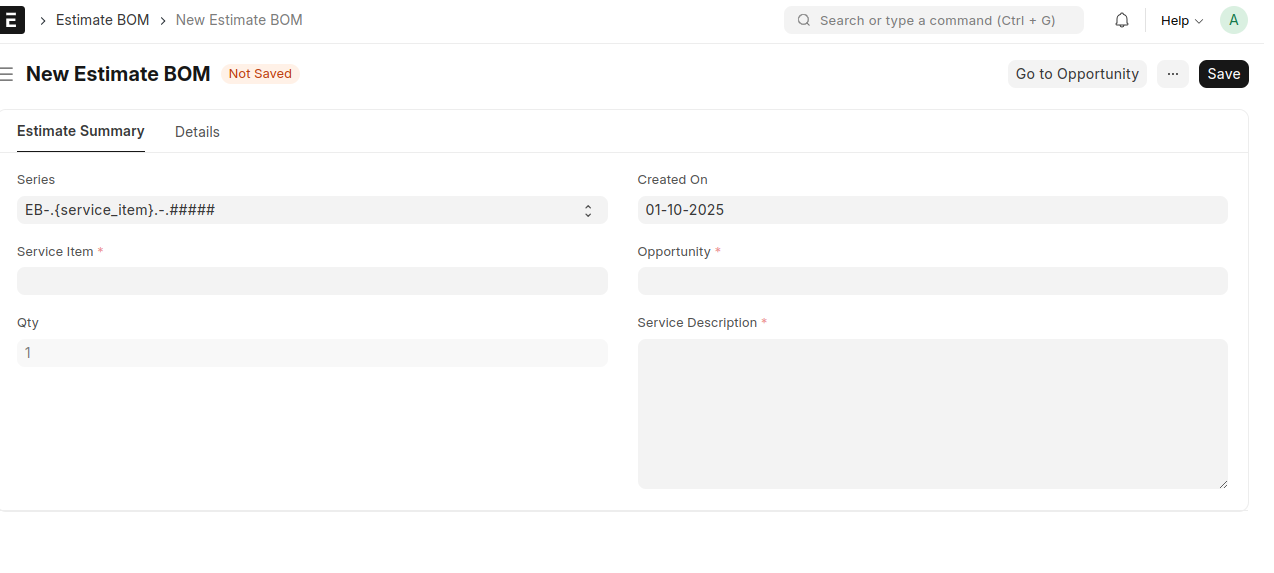
- Estimate BOM contains two tabs
* Estimate Summary
* Details * Estimate Summary Tab contains the informations about the Service Item, Created On, Opportunity, Qty and Service Description.
- Details Tab contains the informations about the Raw Materials and Activities.
- Select the Raw Material Items.The Item Group is not equal to the Estimate BOM Service Items is selected as the Items.
- Based on the Raw Material Selection the Item Name,List Price(Price List Rate) is fetched.
- Add the Margin and based on the Margin(%) the Price after Margin and Amount is is calculated.
- Activities contains the activity Type and based on the quantity and rate the amount will be calculated.
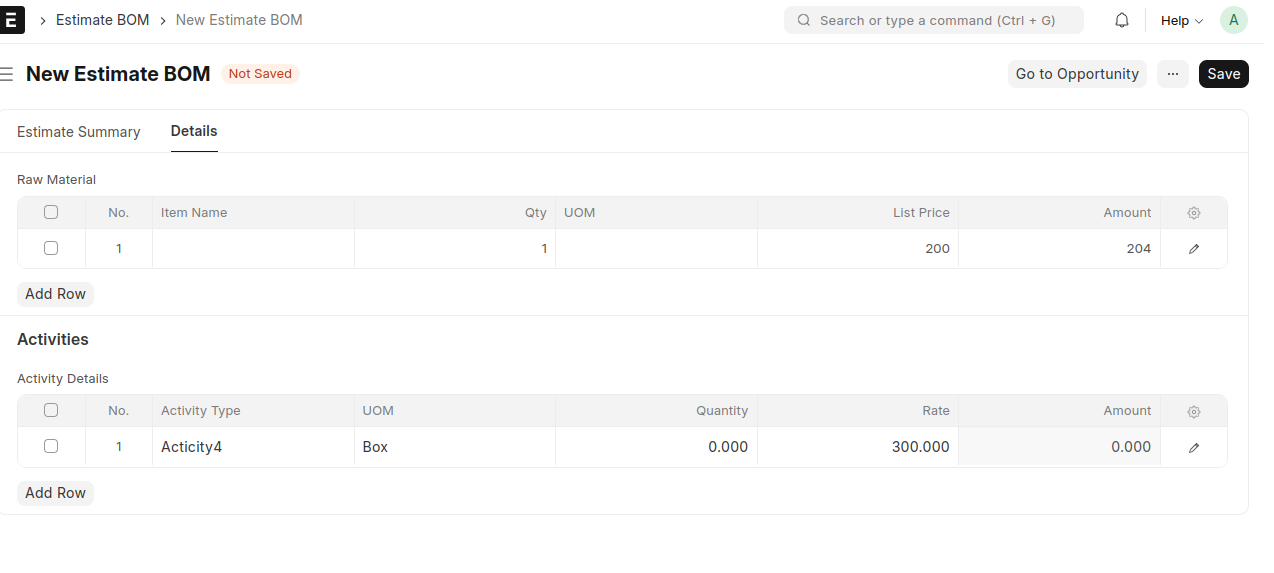
- Details Tab contains the informations about the Raw Materials and Activities.
- Save the document.
- Based on the value in the Raw Material and Activities the Total Raw Material Cost,Total Activity Cost and Total Cost are calculated.
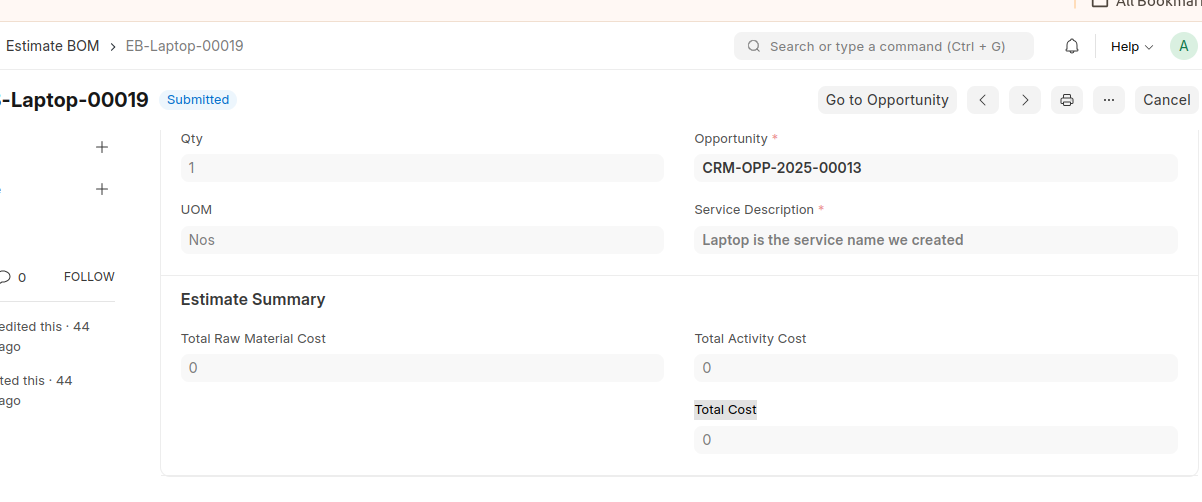
- Submit the Document.
- After submitting the document click the Go to Opportunity Button.It will redirect to the corresponding Opportunity Doctype.
- Create the Quotation against the Opportunity.
- In the Quotation Document fetches the Items.In the Item Table contains the Estimate BOM Material Cost and Estimate BOM Activity Cost .
- Save and submit the document.
- Create the Sales Order from the Submitted Quotation.