Momscode-Lending Module
Lending Module In ERPNEXT
The Lending module in ERPNext is designed for organizations that provide loans, credit, or financing services. It helps financial institutions (banks, microfinance companies, NBFCs, co-operatives, etc.) manage the complete loan lifecycle — from application and disbursement to repayment tracking and closure.
Purpose of the Lending Module
- Streamline Loan Management – Automates loan application, approval, and disbursement processes.
- Repayment Tracking – Maintains repayment schedules, interest calculations, and overdue alerts.
- Reduce Risk – Ensures proper documentation, loan terms, and compliance are tracked.
- Transparency – Both management and customers can view loan balances, installments, and pending dues.
- Integration – Works seamlessly with ERPNext’s Accounts, HR, and CRM modules.
Pre-Requisite
- Loan Security Type
- Loan Security List
- Loan Security Price
- Loan Product
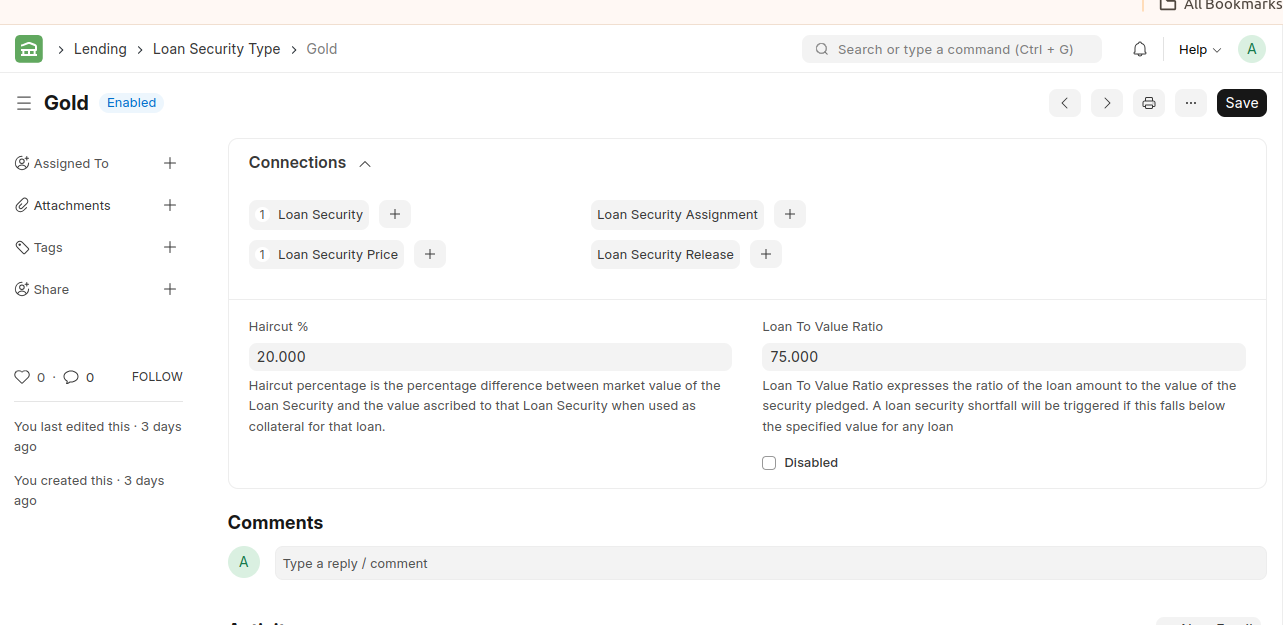
1. Loan Security Type
Loan Security Type defines the type of security that can be pledged against a loan.
For Example : Gold,FD,Property/Real Estate
2. Loan Security
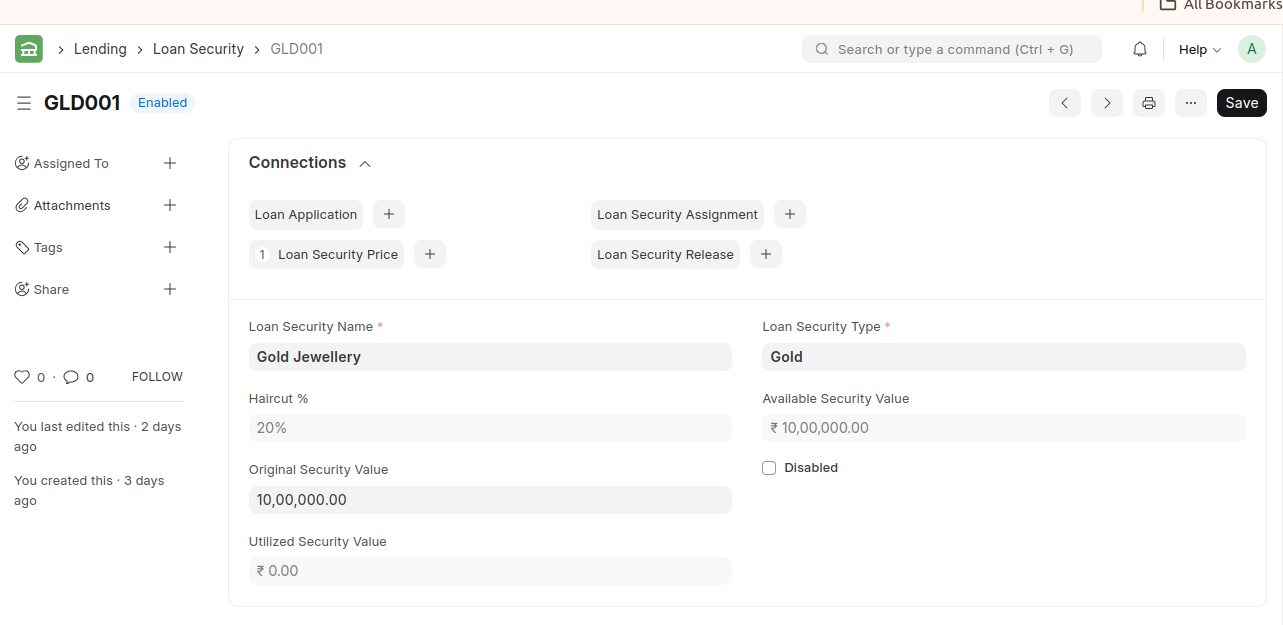
A Loan Security is the actual security that is going to be pledged against a loan.
For Example : Gold Jewellery,Residential Property – Flat
Original Security Value
*This is the initial or total assessed value of the security at the time it was pledged or recorded.
Available Security Value
* This represents the portion of the security’s value that is still available (unutilized) for pledging against a loan.
3. Loan Security Price
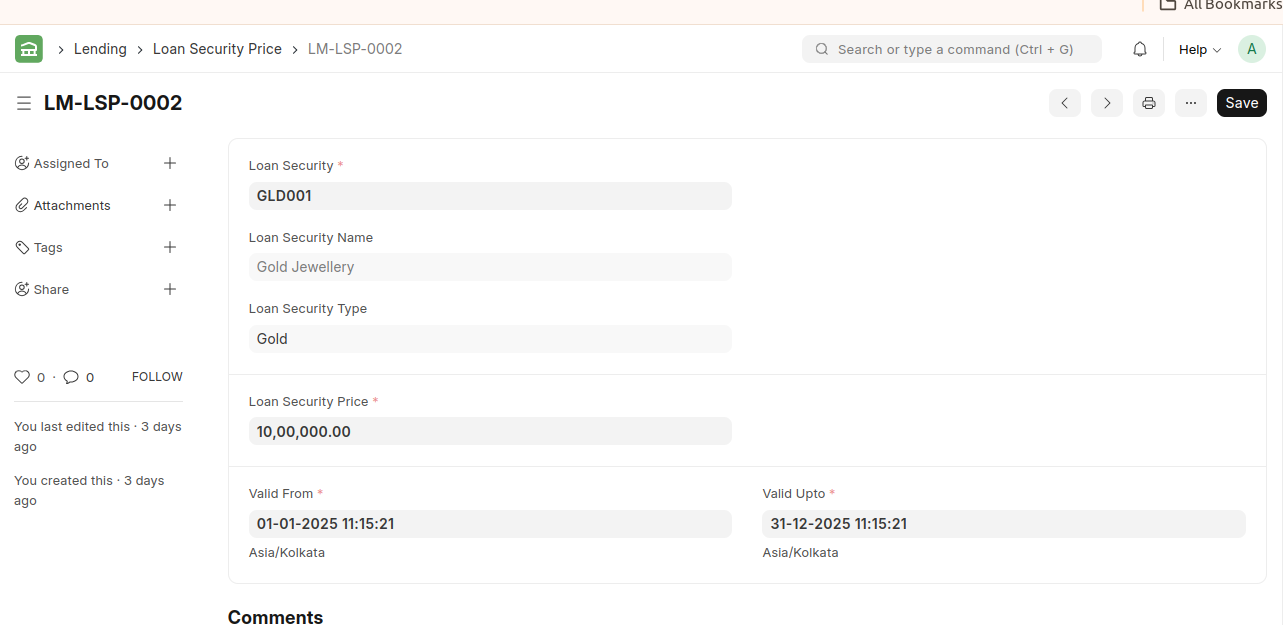
* A Loan Security Price is the security/collateral rate pledged against a loan for a specific period.
* This rate is auto-applied if a loan security is pledged/assigned against a loan during that specific period.
Note : Demand Loan and Term Loan
* Demand Loan is a type of financial solution that can be repaid at any time with no fixed tenor.
* A term Loan comes with a fixed repayment schedule.
4. Loan Product
* Supports different loan schemes like personal loan, vehicle loan, housing loan, microfinance, etc.
* Each loan type can have its own interest rate, repayment method, and terms.
For Example : Housing Loan,Medical Loan,Vehicle Loan
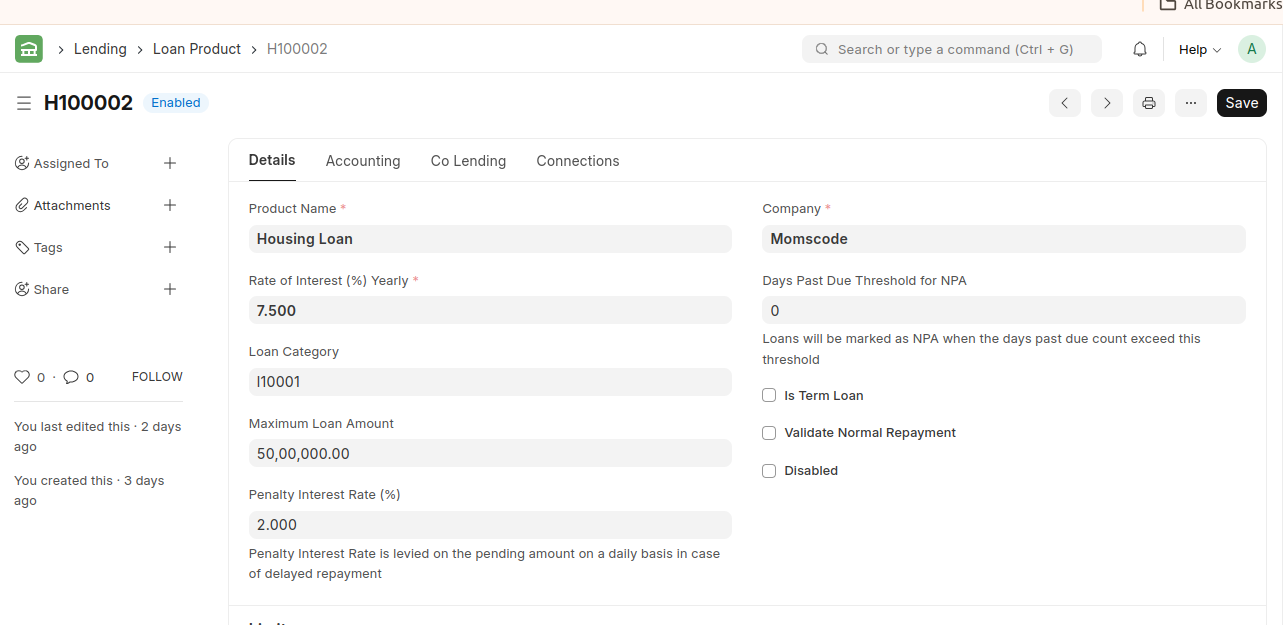
The Maximum Loan Amount is specified in the Loan Product. The Loan Amount entered in the Loan Application cannot exceed this Maximum Loan Amount.
*Collection Offset Sequence
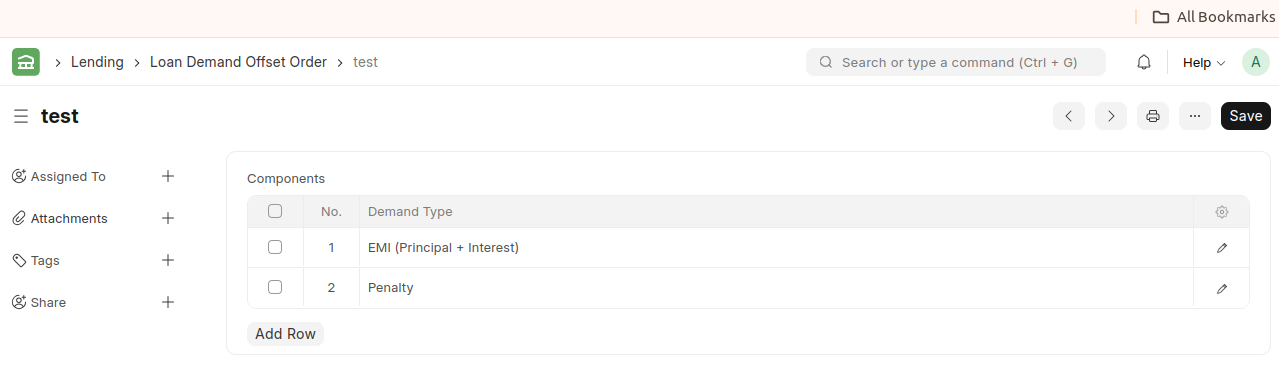
Collection Offset Sequence for Standard Asset- The Collection Offset Sequence defines the order in which collected payments are adjusted (or offset) against different components of a loan — such as interest, penalty, fees, and principal.
- The Collection Offset Sequence tells the system which part of the loan should be paid off first when a borrower makes a payment.
- Example: Standard Asset
- For a Standard Asset (a normal performing loan), the Collection Offset Sequence usually follows this default order:
- Penalty → any overdue or late payment charges
- Interest → accrued interest up to the payment date
- Principal → the main loan amount (balance outstanding)
So, if a borrower pays ₹10,000, ERPNext applies it like this:
₹500 → Penalty
₹2,500 → Interest
₹7,000 → Principal- Loan Demand Offset Order (or sometimes Collection Offset Sequence) both refer to the same underlying concept — the order or sequence in which loan repayments (collections) are adjusted against different loan components.
- The Collection Offset Sequence defines the order in which collected payments are adjusted (or offset) against different components of a loan — such as interest, penalty, fees, and principal.
Collection Offset Sequence for Sub Standard Asset
* Sub-Standard Asset means:
* A loan that has become overdue or not performing for a specific period (usually more than 90 days).
* This is a non-performing loan (NPA) where repayments are delayed, and the system needs to prioritize how recovered amounts are adjusted when the borrower starts paying again.
Collection Offset Sequence for Written Off Asset
* A Written-Off Asset is a loan that has been declared non-recoverable — meaning the lender has decided to write off the outstanding amount from its books.
* Non-recoverable, but may have post-write-off recovery.
* Order of adjustment if a payment is received after the loan is written off.
* Suppose a borrower’s loan has been written off with:
* ₹1,000 penalty
* ₹3,000 interest
* ₹6,000 principal
Collection Offset Sequence for Settlement Collection
- When loan is closed through negotiated settlement
- A Settlement Collection happens when:
- The borrower and lender agree to settle the loan — usually for a negotiated or discounted amount — instead of collecting the full outstanding balance.
- Example:
- If the borrower owes ₹1,00,000, but both agree to settle it at ₹80,000 — that ₹80,000 is a Settlement Collection.
- This defines the order in which ERPNext will apply the settlement amount against the different components of the loan (penalty, interest, principal).
- Example
- Suppose a borrower’s total dues are:
- Penalty = ₹2,000
- Interest = ₹8,000
- Principal = ₹90,000
- The lender and borrower agree to settle for ₹50,000.
5. Loan Demand Offset Order
A Loan Demand Offset Order is a document used to offset (settle) pending loan demands (installments, interest, or penalties due) against available funds in another account or through another source.
It acts as a link between the Loan Demand record (amounts due) and the funds available (from deposits, collections, or salary disbursals) to clear that demand automatically.
The primary purpose is to:
- Automate loan recovery from linked sources.
- Reduce manual tracking of pending demands.
- Ensure timely adjustment of dues (principal, interest, or penalty) when funds are available.
- Maintain auditability and accounting accuracy for offsets.
6. Loan Application
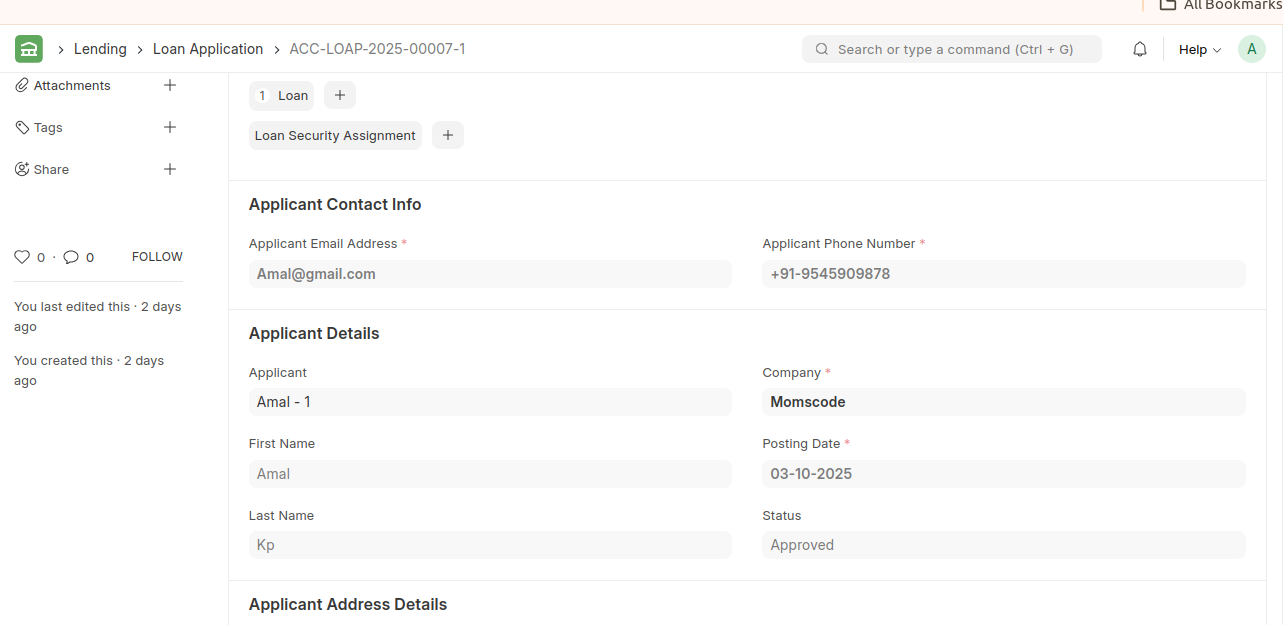
* A Loan Application contains details about the applicant and loan security details for review.
* After saving the loan application, if the applicant is a customer, a record is created in the Customer master.
* During a loan process, the first step a customer or employee has to do is submit a Loan Application for review. In case of a secured loan, a Loan Application can also contain proposed loan securities.
* After Submitting the Loan Application the Create Loan Button is visible.
* Create the Loan from that Loan Application.
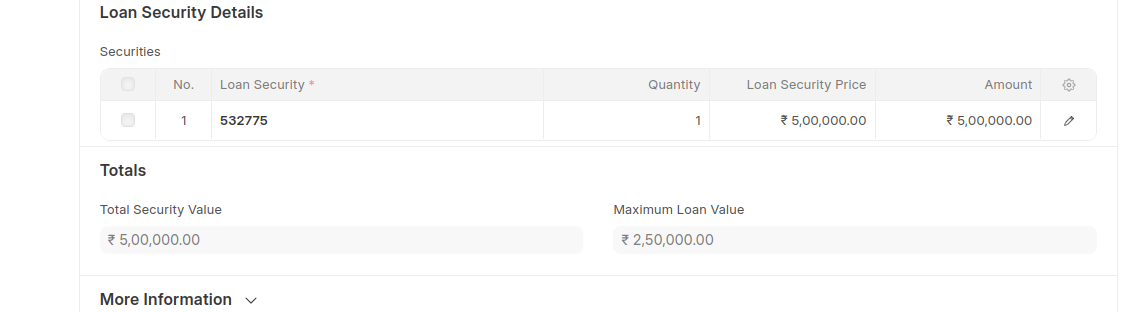
 7. Loan Security Assignment
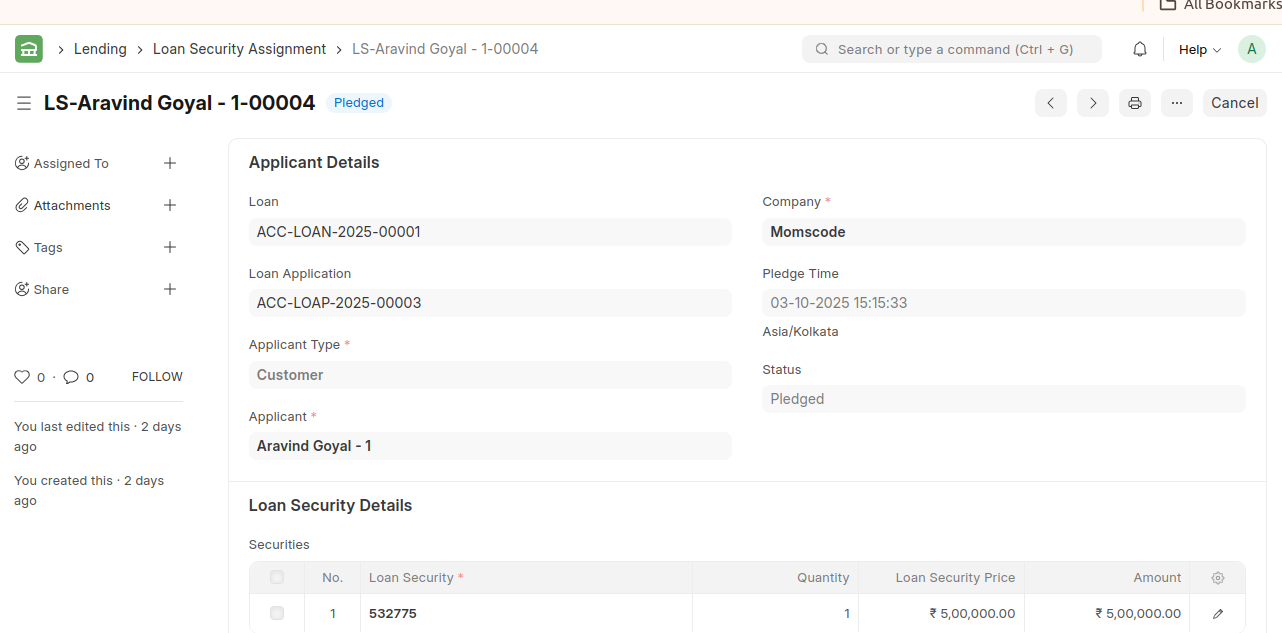
* Security or collateral assignment in loans refers to the process by which a borrower pledges certain assets as security or collateral for a loan.
* After Submitting the Loan Document the Loan Security Assignment Status becomes Pledged.The Loan has status disbursed and the create button of Loan Repayment,Loan Write Off,Loan Refund are visible.
* Before the status is Pledge Requested.
8. Loan
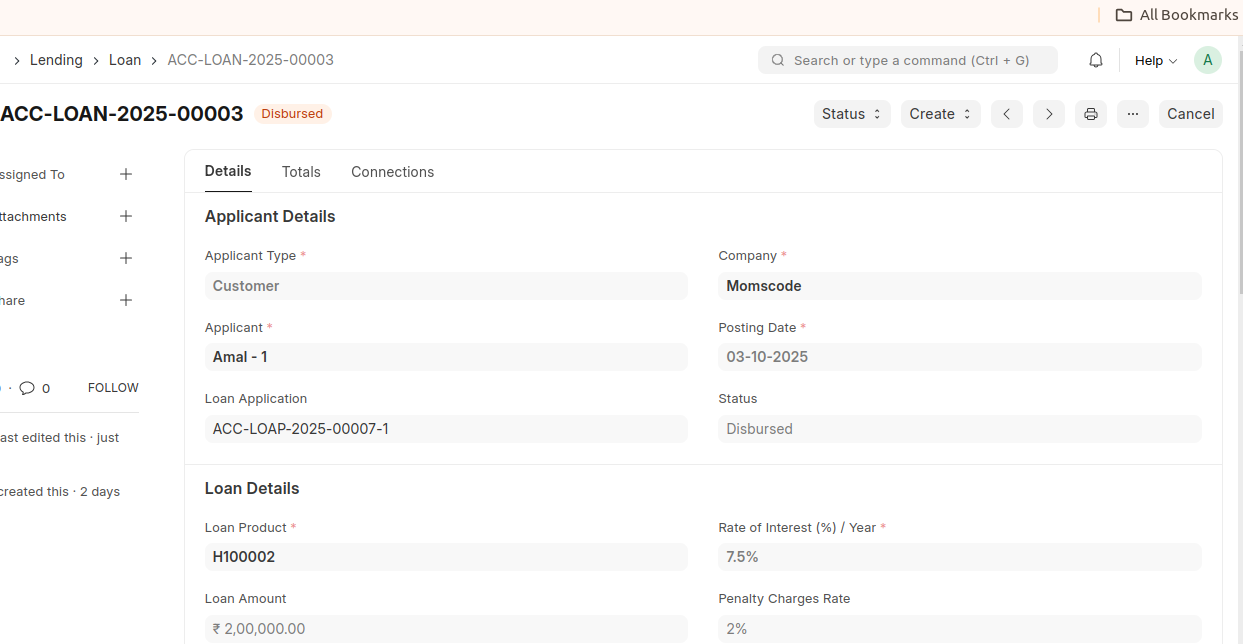
- Loan record is the loan account which contains all the information regarding a loan.
- Loan record acts as a loan account which contains all the applicant details, repayment schedule, and repayment info.
- All the loan related documents like Loan Disbursement, Loan Repayment, etc are linked to a Loan.
9. Loan Interest Accrual
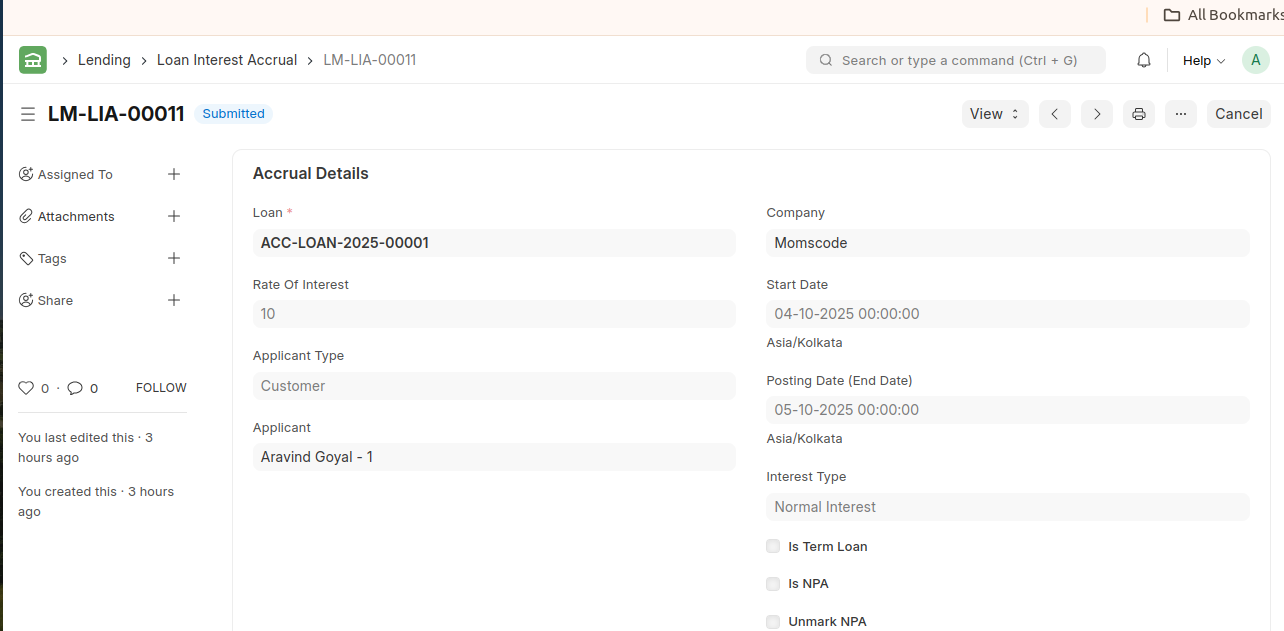
- Loan Interest will be accrued monthly on first day of every month for demand loans and one day before payment day for term loans.
10. Process Loan Interest Accrual
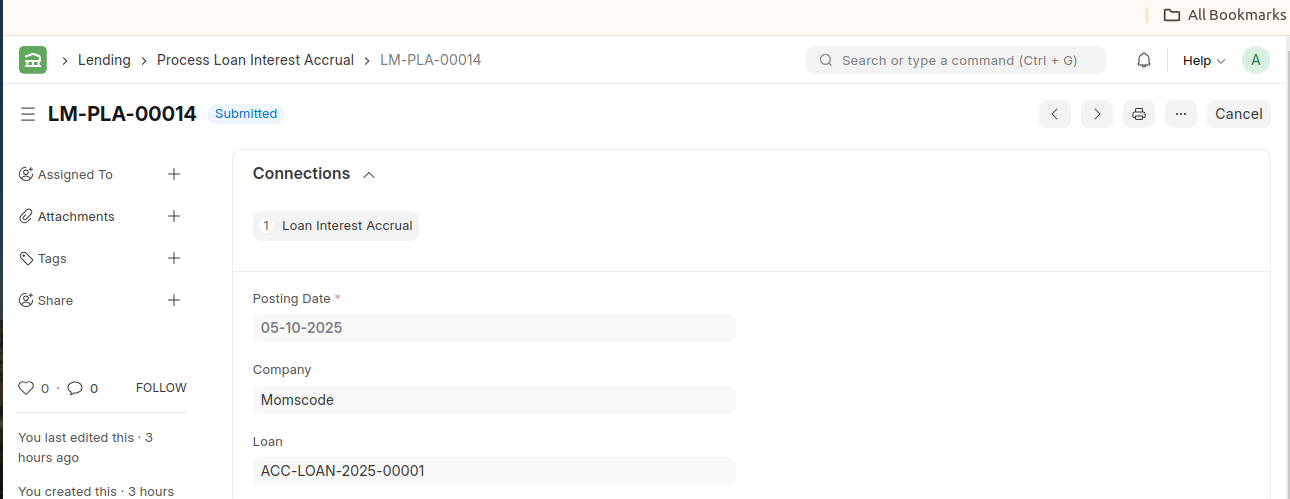
- Process Loan Interest record is created on every loan Interest accrual cycle and is also used for manually processing loan interest accrual.
11. Loan Disbursement
Once a Loan is sanctioned, the loan amount is ready to be disbursed. For that, a Loan Disbursement entry is created.
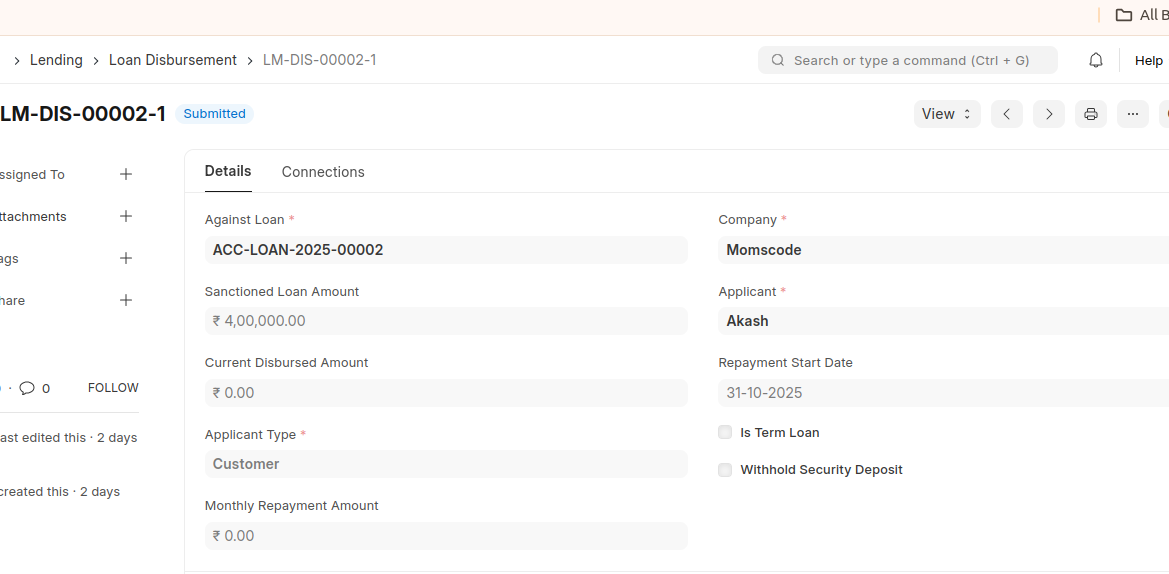
You can also create a Loan Disbursement from a sanctioned Loan via the Create button on the top right.
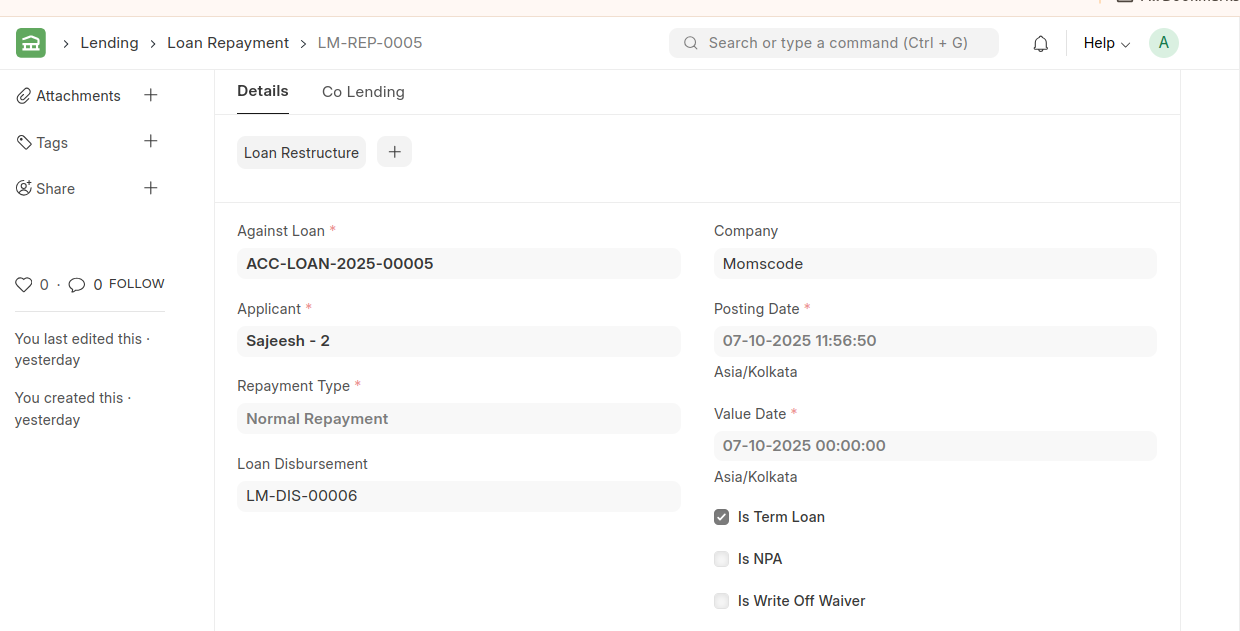
12. Loan Repayment
- Loan repayment refers to the process of paying back the borrowed amount (loan principal) along with any interest and fees over a specified period, according to the terms agreed upon between the borrower and the lender.
- Loan repayment can occur through periodic payments (monthly, quarterly, etc.) or in a lump sum, depending on the loan agreement.
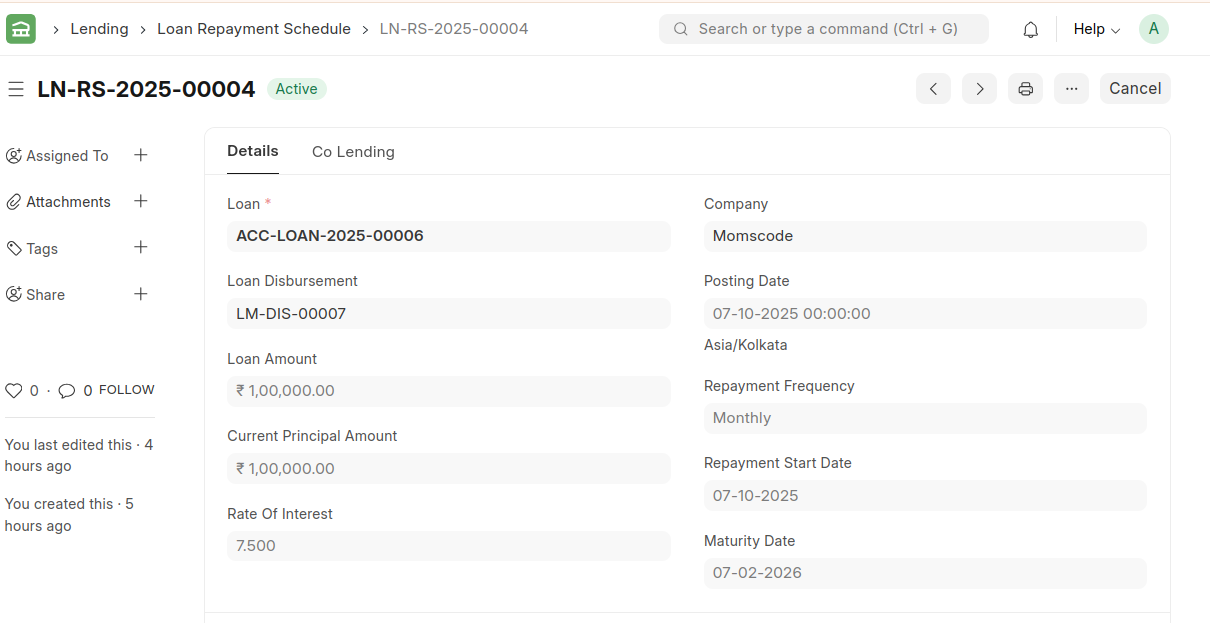
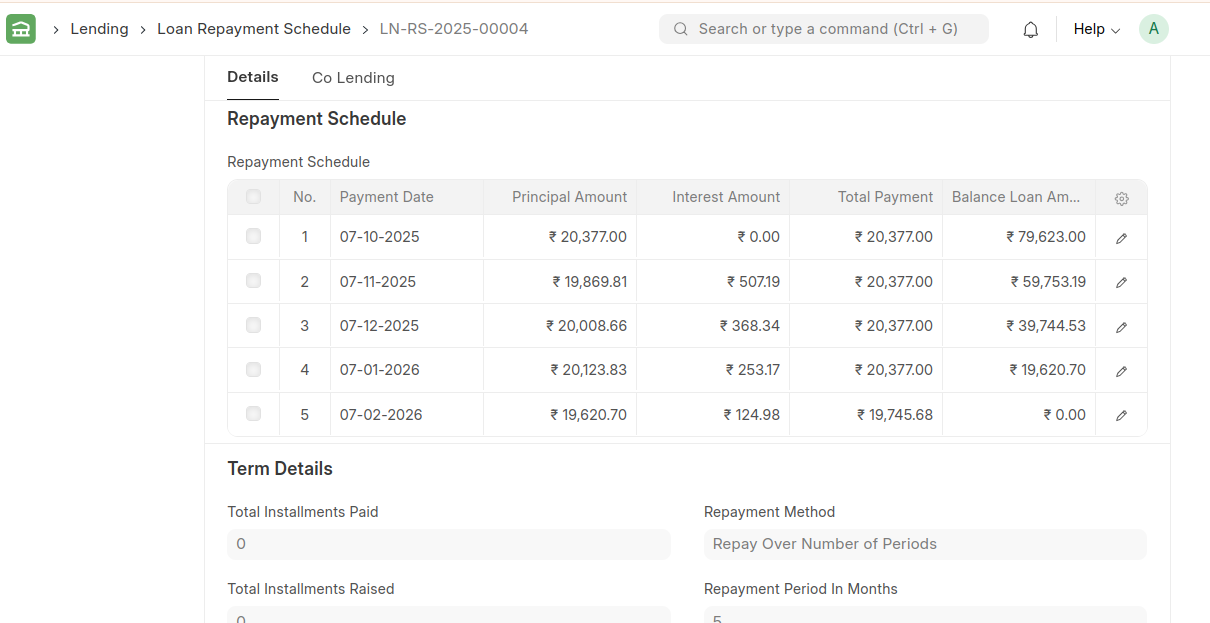
13. Repayment Schedule
- Automatically generates installment schedules (EMIs) based on loan terms.
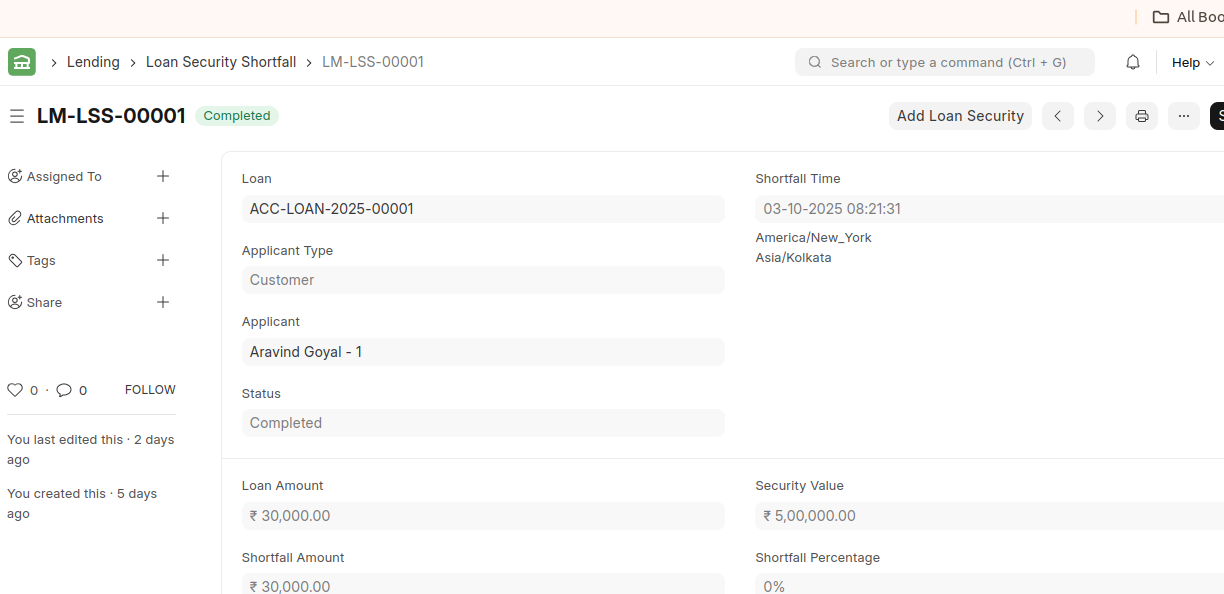
14. Loan Security Shortfall
- If loan to security value ratio falls below a specific value, a Loan Security Shortfall is automatically created for that specific loan.
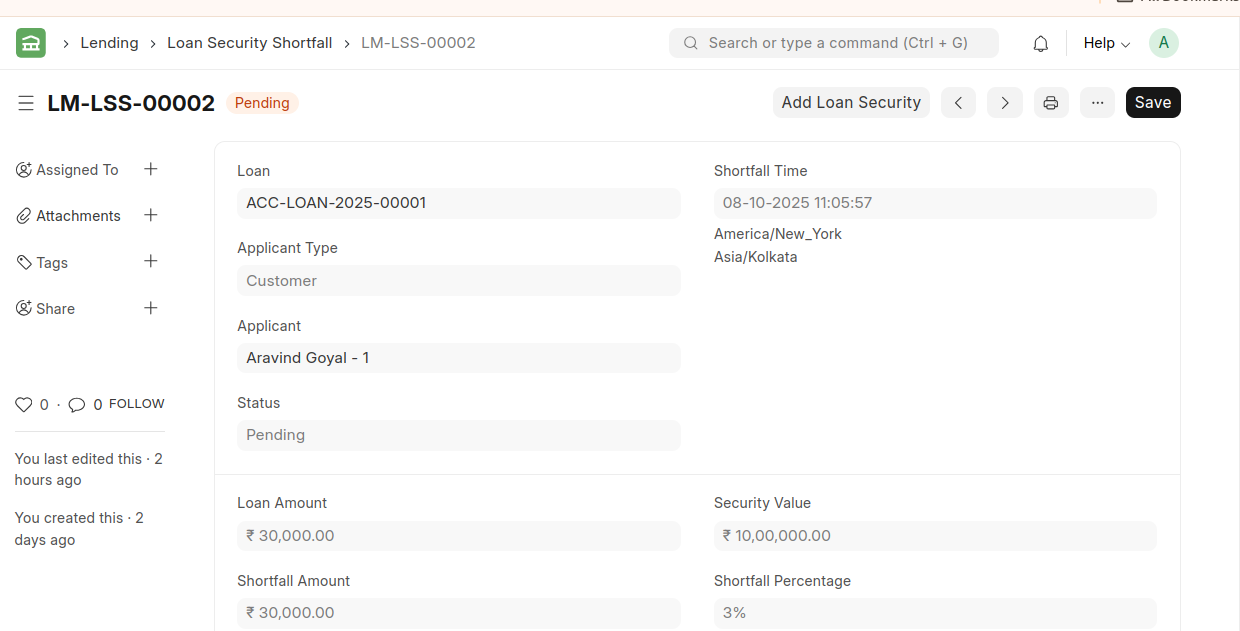
A Loan Security Shortfall contains the details about:
- Loan : The Loan against which there is a Loan to security value shortfall.
- Shortfall Time : The time at which the shortfall record was created.
Status : The status of the shortfall. Pending is the default status and it changes to Complete once a payment is made or additional security is pledged against the loan to satisfy the shortfall.
Loan Amount : Loan amount is the pending loan amount which is used for shortfall calculation.
Security Value : Security Value is the current pledged security value.
- Shortfall Amount : Shortfall amount is the difference between the loan amount and the security value which needs to be repaid to complete the shortfall.
- Loan : The Loan against which there is a Loan to security value shortfall.
*Additional Loan Security can be pledged against a loan from the Loan Security Shortfall itself via the Add Loan Security button on the top right.
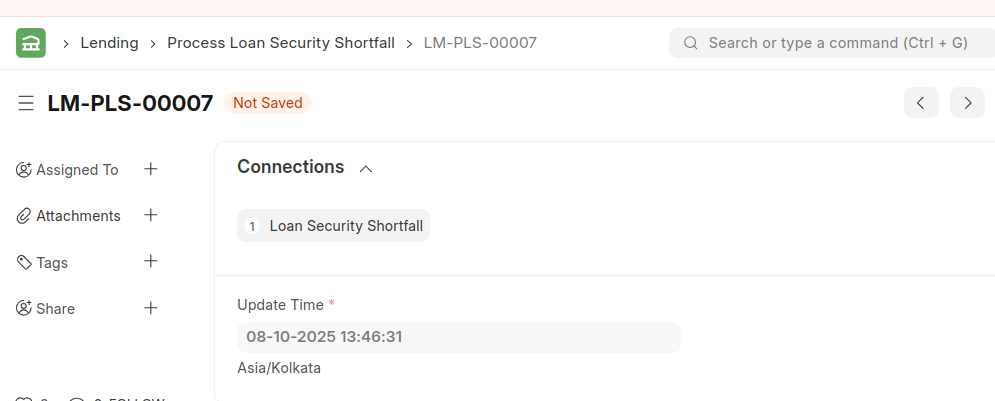
15. Process Loan Security Shortfall
- Process Loan Security Shortfall record is created on loan security price update and is also used for manual processing of Loan Security Price.
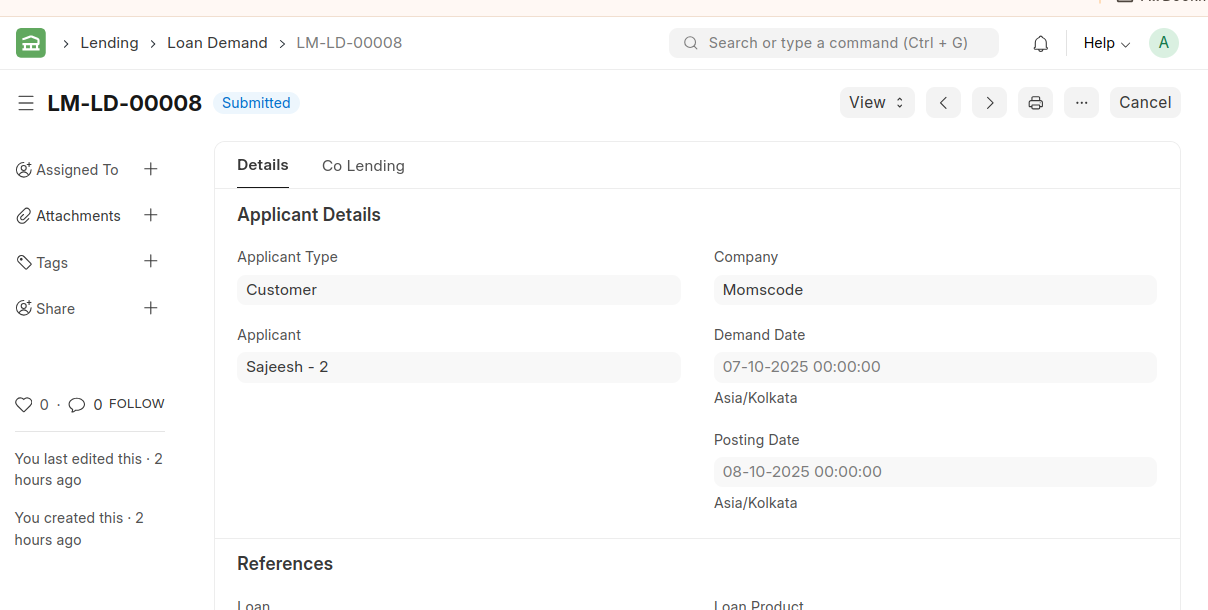
16. Loan Demand
- A loan demand, often referred to as a demand for repayment or demand notice, is a formal request made by a lender to a borrower, requiring the borrower to repay the outstanding loan balance.
- These loan demands are automatically generated by the system as soon as the payment date for a specific loan is reached
- Once the loan demand is generated for the interest component, the accrued amount is moved to the customer-receivable account
17. Loan Write Off
- Loan Write Off is used to write off the pending principal amount against a loan in order to close the loan.
Write off principal amount against a loan
- Loan Write Off allows you to write off any bad debts against a loan and request loan closure.
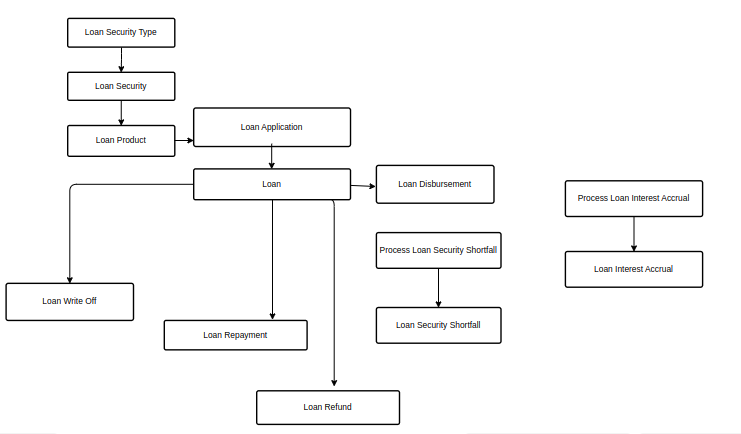
Flow Chart