Momscode - Keltech-Payroll Processing
Payroll Processing
- Salary Component: Different Salary components(Earning/Deduction) Should be configured including Account Head.
- Salary Structure: Salary Structure should be configured.
- Salary Structure Assignment: For each employee a salary structure need to be assigned.'Base' field should be updated with OT Calculation reference amount.
- Employee Master: Employee Master should be updated with Salary components and the corresponding amounts applicable to that employee.
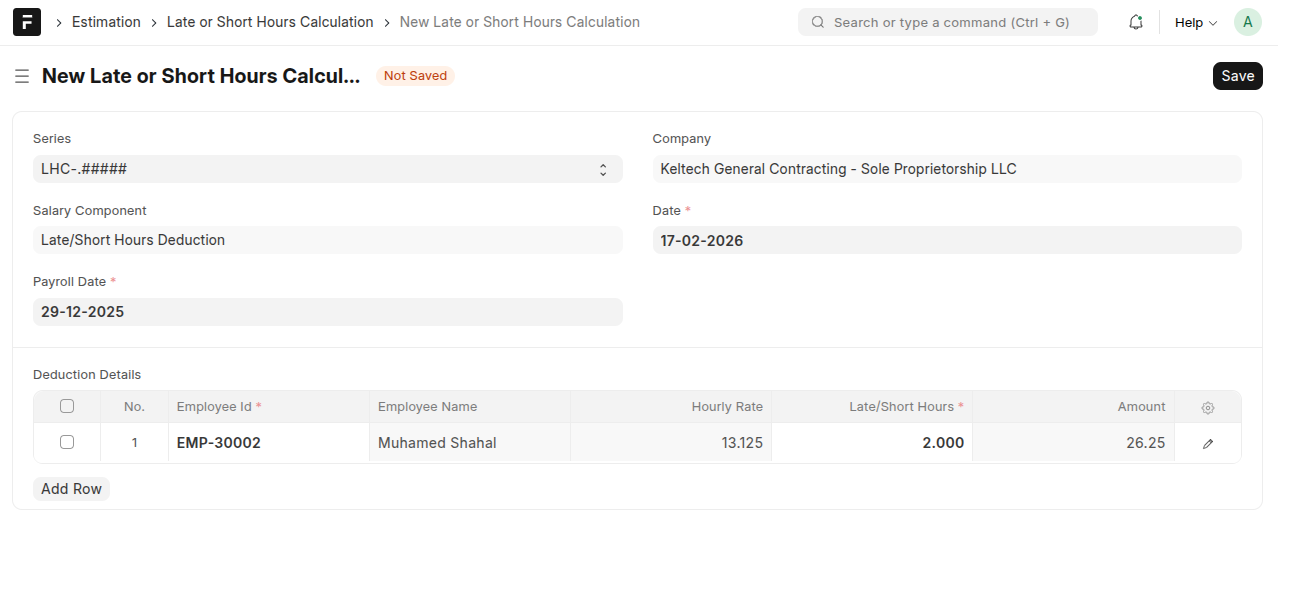
- Late or Short Hours Calculation:
- Set the Late/Short Hours Deduction component in Custom Settings(one time).
- This is used to calculate the late or short hours deduction amount in a selected payroll date for the selected employees.
- The amount will be calculated based on Hourly Rate and Late/Short hours entered.
- This amount will be deducted from the total salary of employee while processing the Payroll.
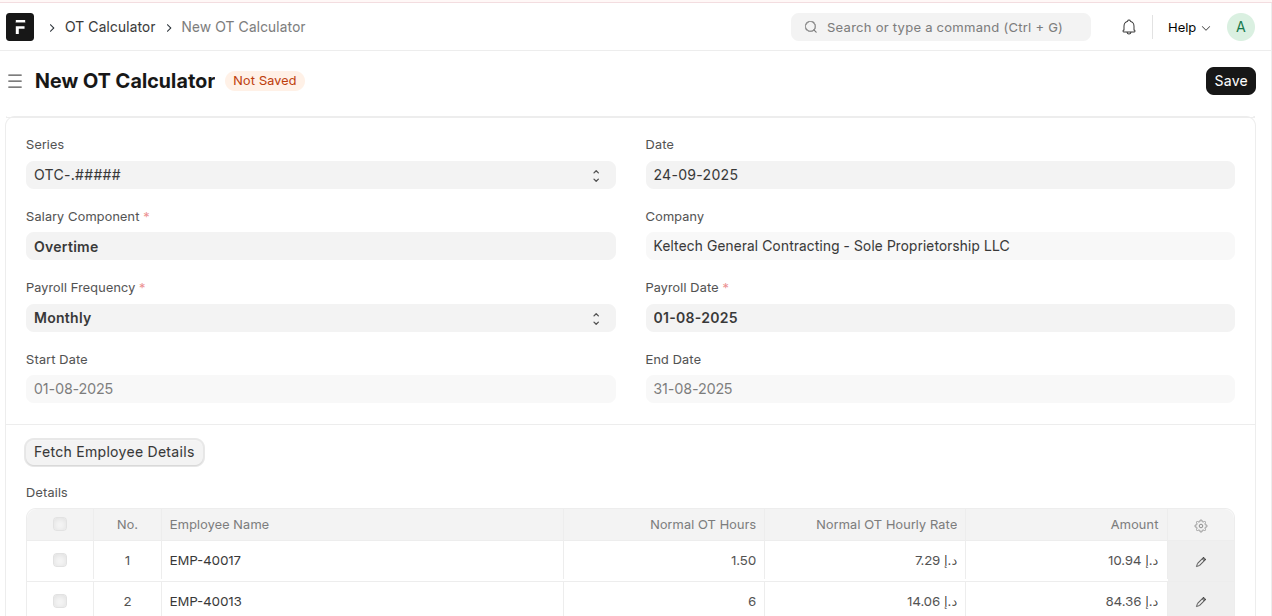
- OT Calculator:
- After selecting salary component and payroll date click on Fetch Employee Details button, then based on the attendance request within the start and end date calculate the total OT hour for that employee for the selected salary component(overtime/holiday overtime).
- To calculate hourly rate 'base' field value from the Salary Structure Assignment is considered.
- Employee should have a Salary Struture and Salary Structure Assignment with field 'Base' set with OT Calculation reference amount.
- Employee details are displayed only if the OT value is greater than zero.
- On submitting OT Calculator, Additional Salary will be created and submitted.
- This additional salary will be referenced for payroll processing.
- In the salary slip the details such as OT Hours,Hourly Rate for the additional salary component is displayed.
- Payroll Entry: A Payroll Entry need be created for the payroll period.salary slip will be created based on this.verify the salary slip and submit the salary slip from the Payroll Entry using 'Submit Salary Slip' button.
Note:
- Leaves need to be marked through Leave Application.
- Please note that do not submit salary slip in individual
Payment Deduction Against Punishment
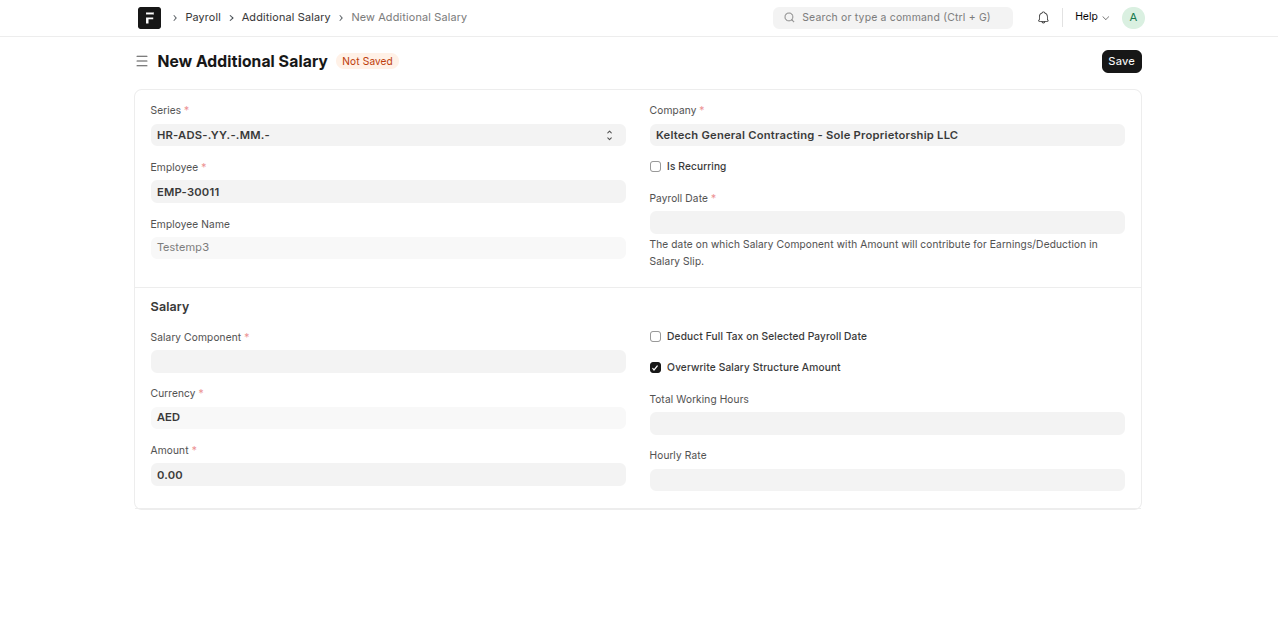
- Additional Salary Creation: Additional Salary with the amount of deduction need to be created against the payroll period.Employee,Payroll Date,Salary Component(Deduction),Amount need to be entered on creating this document.This Additional Salary amount will be considered as deduction for Payroll Processing.
While you are processing the salary advance the following steps need to be done through system:
- Creation of Employee Advance document (the requited fields need to be filled up)
- Payment entry should be done against the employee advance.