Momscode - Janatha Milk - Production
Janatha Milk Production Process
- BOM Creation
- Go to the BOM List and click Add BOM.
- Select BOM Type as “Dairy Product”.
- Choose the Item Code for which the BOM needs to be created.
- Enter the required quantity.
- After giving all these add the raw materials required to manufacture the selected item.
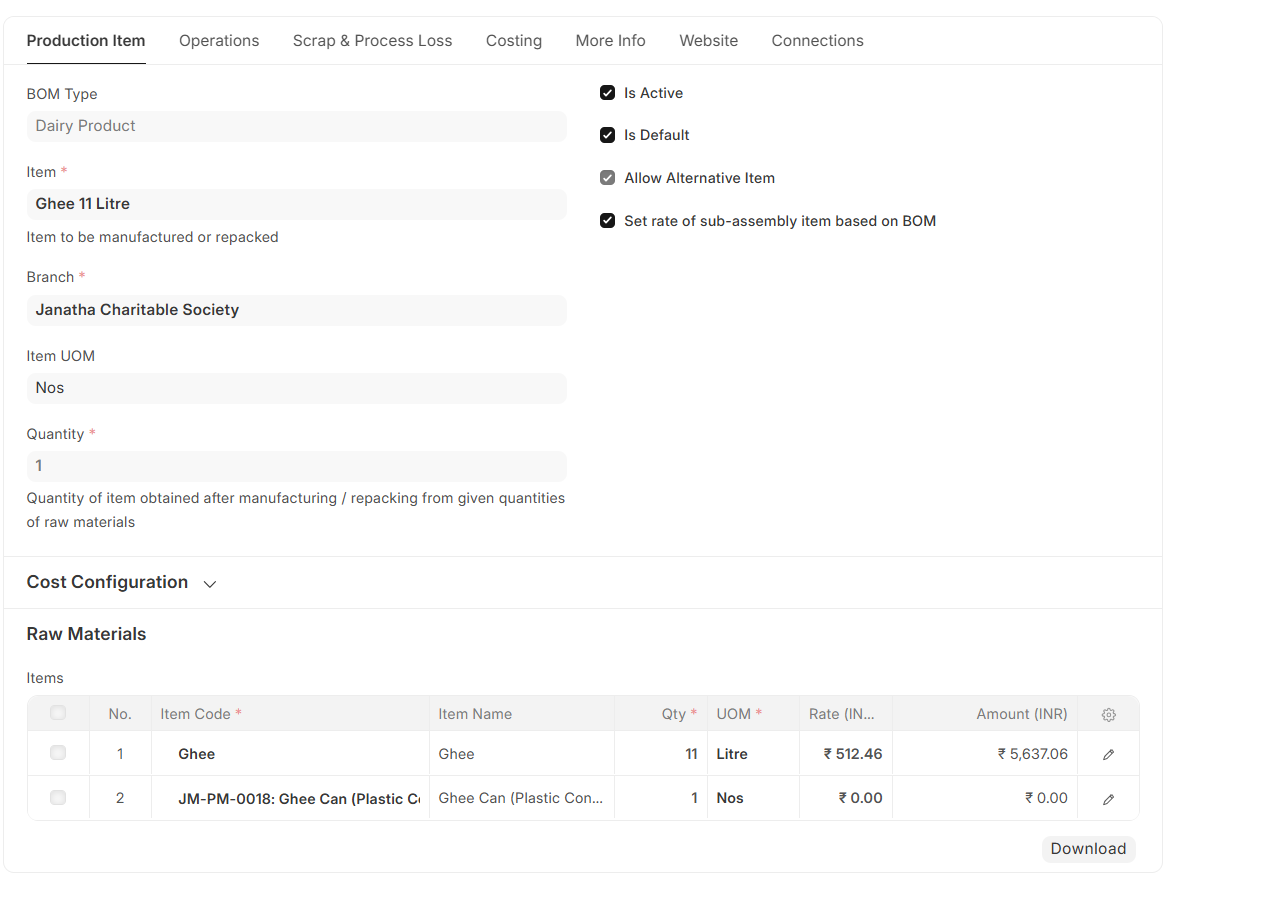
After creating the BOM, the next step is to create a Work Order. A Work Order is used to plan and manage the manufacturing of an item.
Work Order
To create a Work Order, select the respective BOM, click on the Create button, and select Work Order.

Enter the quantity to be manufactured in the Work Order. Once the BOM is selected, the item to manufacture, BOM reference, company, and required raw materials will be fetched automatically.
- Then, select the Source Warehouse from where the raw materials will be issued, and in the Configuration section, specify the Target Warehouse where the finished goods will be stored.
- After entering all the required details, save and submit the Work Order.
- Once it is submitted, click on the Finish button to proceed with production. The system will then automatically redirect you to the Stock Entry (Manufacture) page, where the Stock Entry Type, Work Order number, items, and warehouse details will be auto-filled. Finally, enter the Manufacturer Batch ID (if required), and save and submit the Stock Entry to complete the manufacturing process.
Milk BOM Customization in workorder
As per Janatha’s requirement, some items follow a formula-based quantity calculation. To meet this requirement, this feature has been customized in the Work Order in ERPNext. Currently, this formula-based quantity calculation is applicable to the following items:
- Homogenized Toned Milk (JM)
- Double Toned Milk (JM)
- Toned Milk (JM)
- Standardized Milk (JM)
Steps to Enable Formula-Based Raw Material Auto Calculation
- Go to the Item, select the required item
- Navigate to the Manufacturing section
- Enable the “Finished Good with Formula based Raw Material” checkbox → Then save the item.
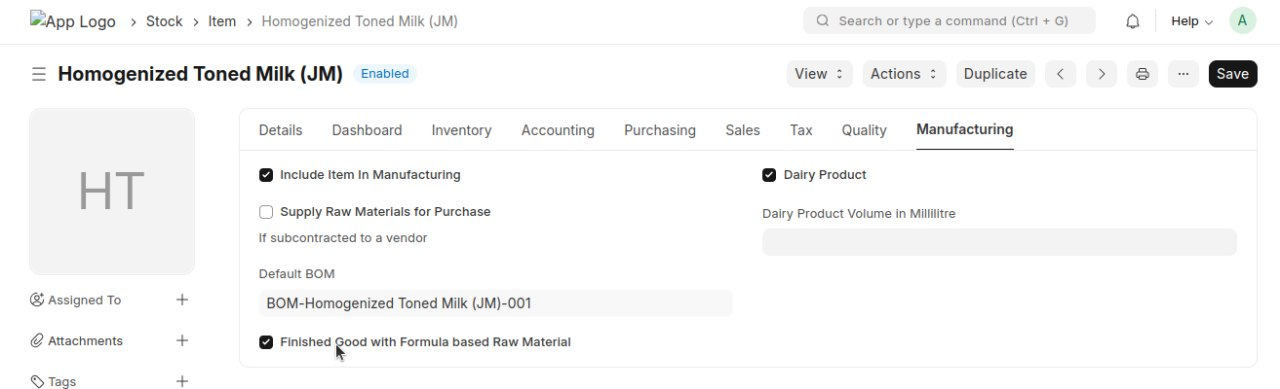
Note: If this checkbox is enabled, the required quantities of raw milk, skimmed milk, and skimmed milk powder will be calculated automatically based on the formula when creating a work order.
Go to Moms Custom Settings and select the items for Raw Milk, Skimmed Milk, and SMP.
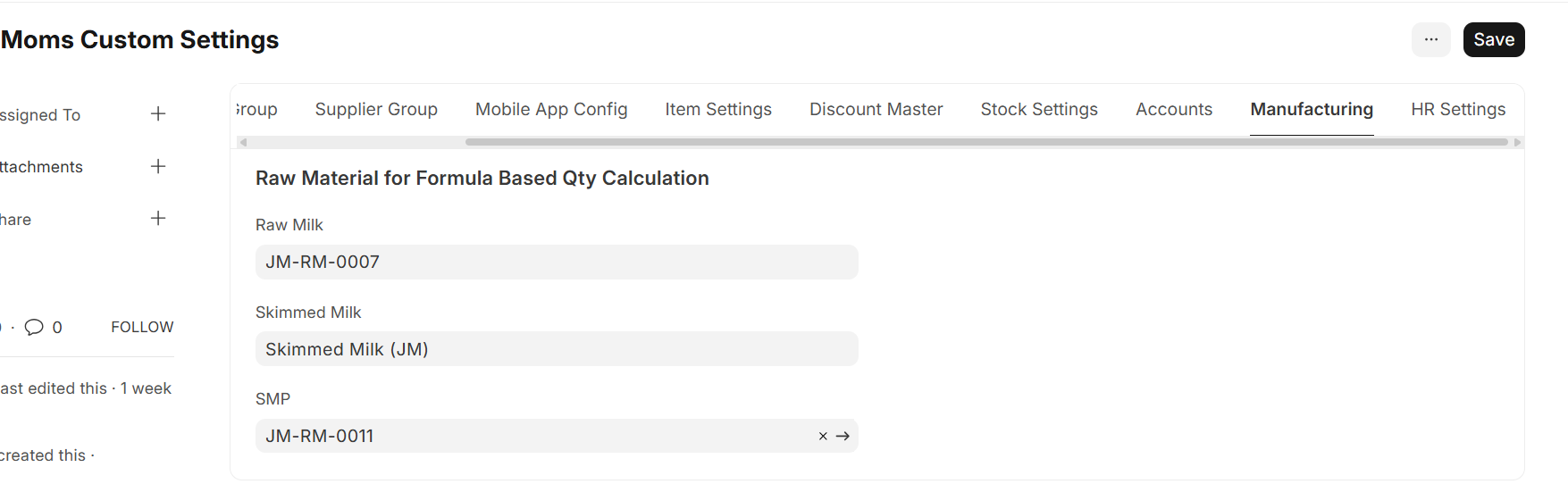
After completing the above prerequisites, go to the BOM, click on the Create button, and select Work Order.
- In the Work Order, enter the Required FAT, Required SNF, Raw Milk FAT, Raw Milk SNF, and Skimmed Milk SNF.
- After entering these details, the required quantities of Raw Milk, Skimmed Milk, and Skimmed Milk Powder (SMP) will be calculated automatically based on the given inputs and the configured formula.
As per Janatha’s requirement, in some cases the required quantity of raw milk, skimmed milk, etc., may need to be adjusted. In such cases, the difference value can be entered in the "Qty Tolerance field."
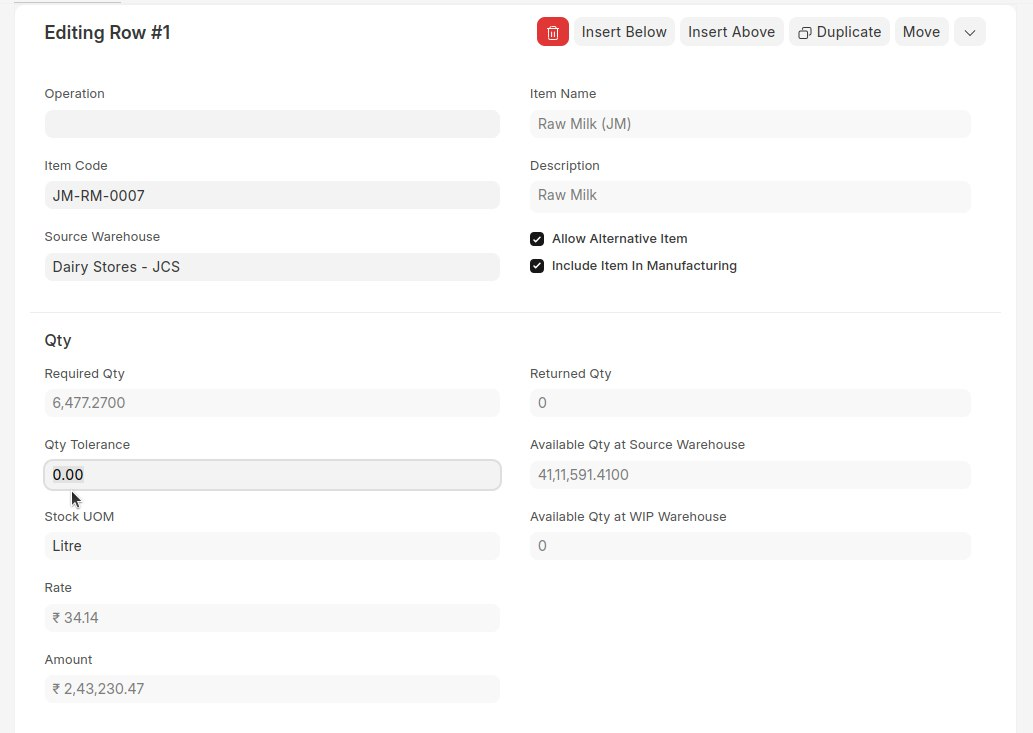
- Select the Source Warehouse for issuing raw materials and specify the Target Warehouse in the Configuration section for storing finished goods, save and submit the workorder
- After submission, click "Finish" button to proceed with production.
- The system will redirect to the Stock Entry (Manufacture) page with details auto-filled.
- Enter the Manufacturer Batch ID (if required), then save and submit the Stock Entry to complete the manufacturing process.
Once the Stock Entry is submitted, the manufactured item will be stored in the Target Warehouse, and the quantity can be checked in the Stock Balance Report.