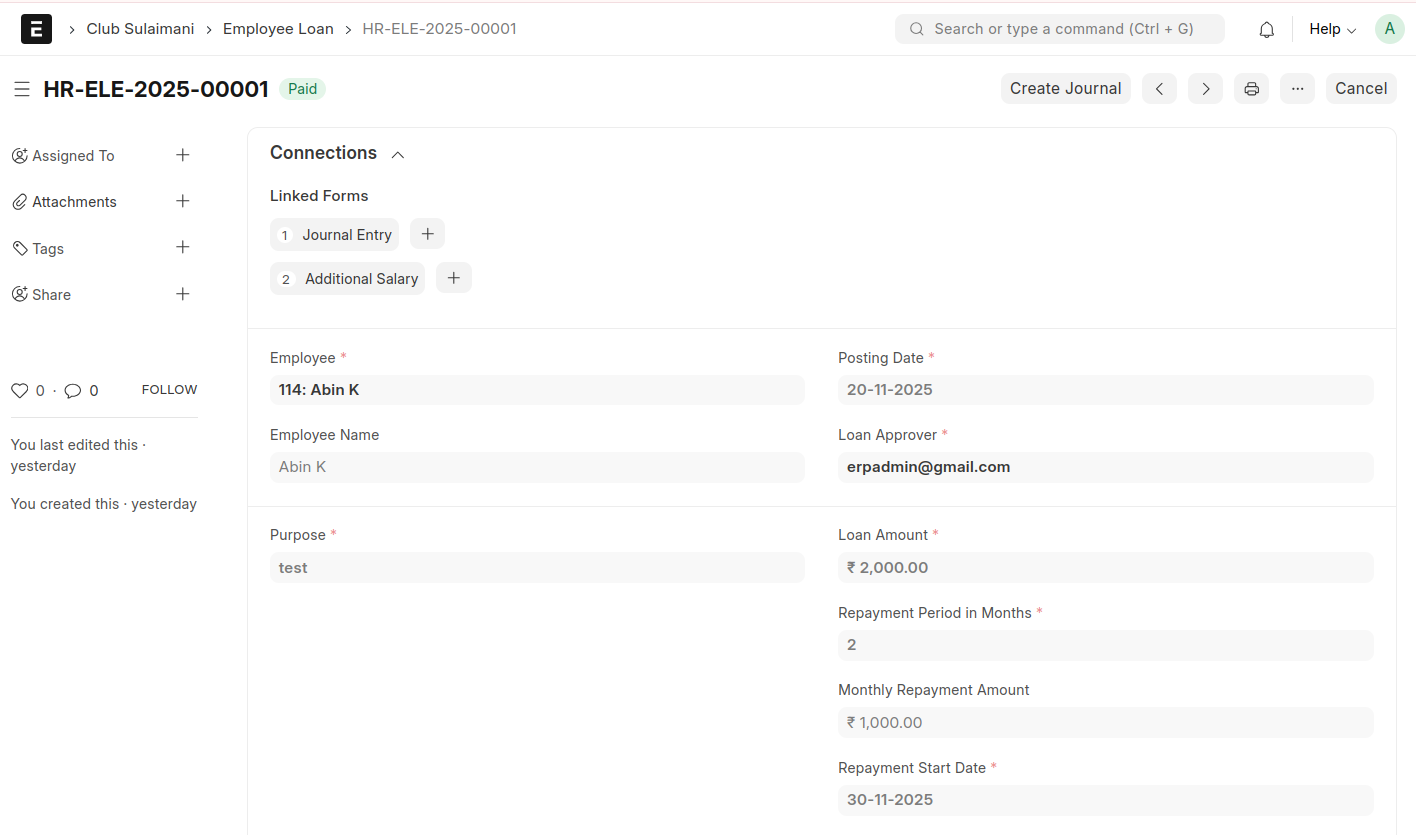
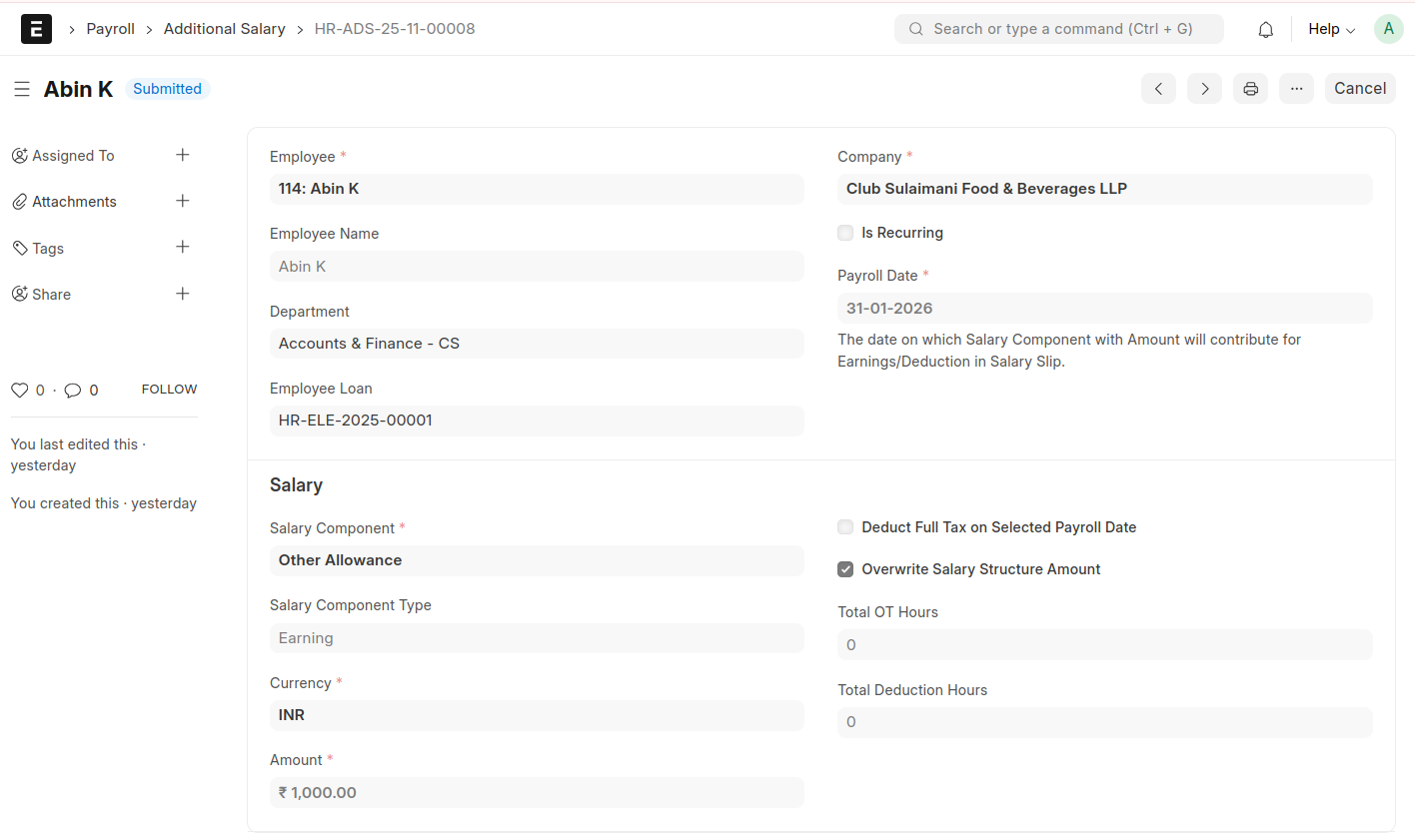
Momscode - Club Sulaimani - Employee Loan
Prerequisites
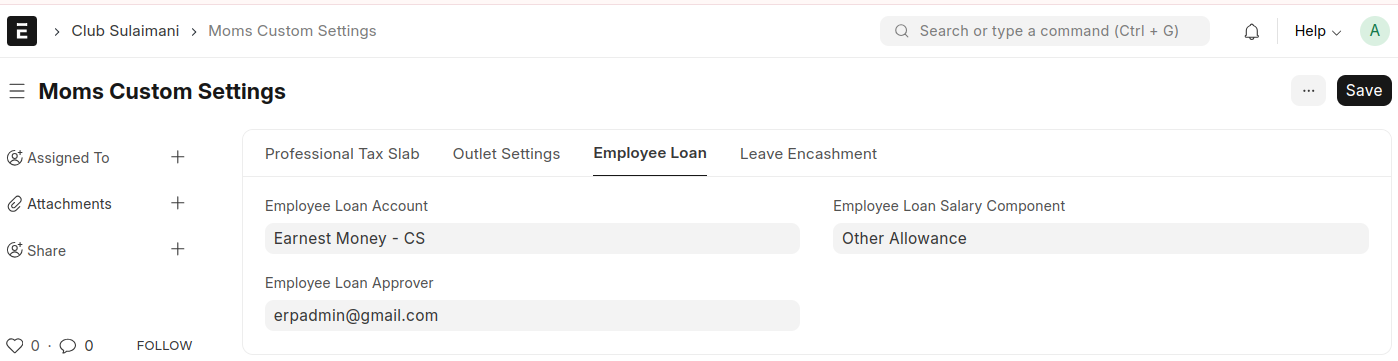
In Moms Custom Settings set values for,
- Employee Loan Account
- Employee Loan Salary Component
- Employee Loan Approver
Employee Loan
- Select an Employee
- Enter the Loan amount
- Enter the Repayment Period in Months
- The Monthly Repayment Amount will be automatically calculated based on the loan amount and the repayment period in months
- Select a Repayment Start Date
- Enter a Purpose
Then Save and Submit
At this stage, the Employee Loan status will be as "Unpaid"
After submitting, click Create Journal
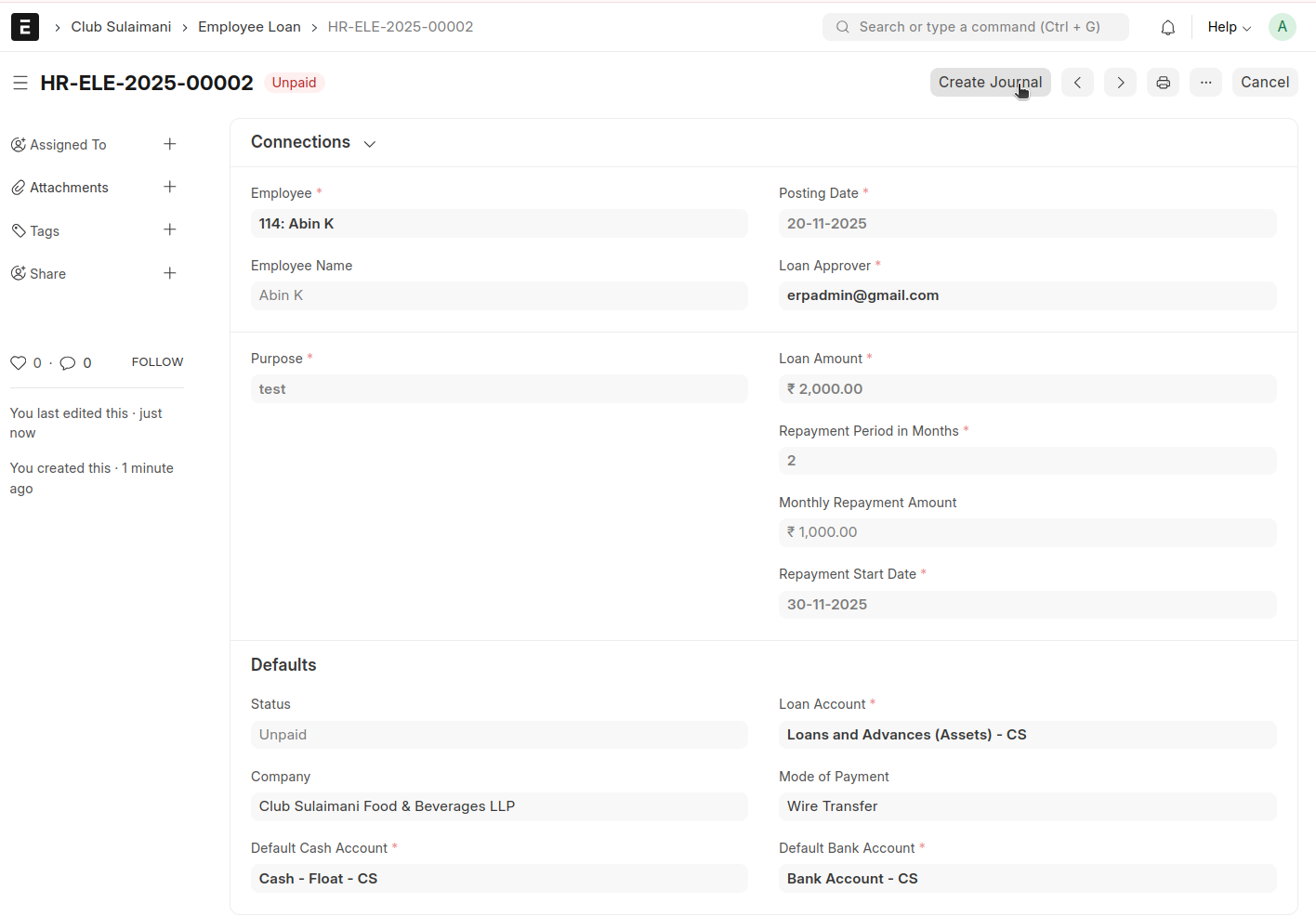
A corresponding journal entry will be generated. Save and submit this journal entry
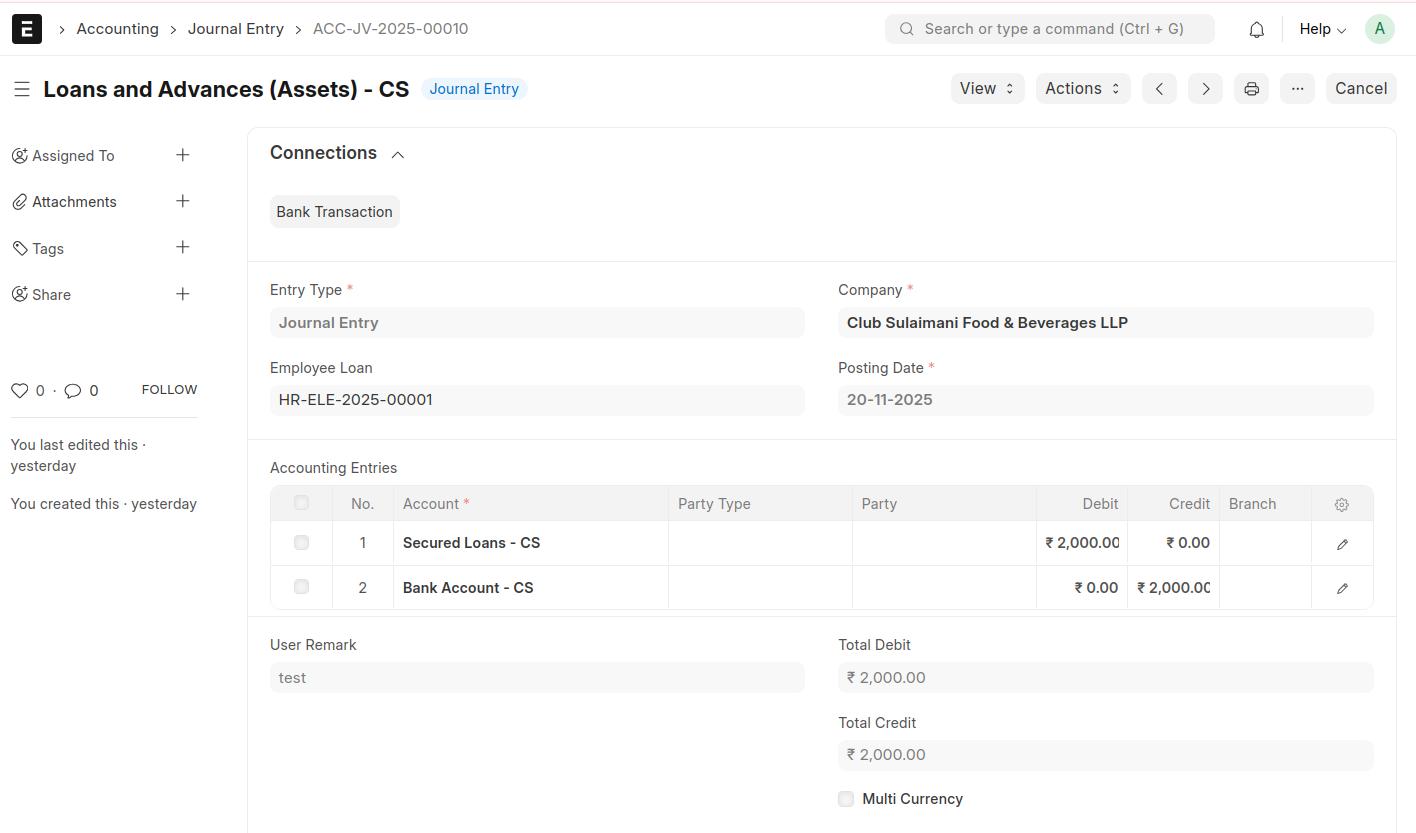
Once the Journal Entry is submitted, the status of Employee Loan will change from "Unpaid" to "Paid"
Employee Loan --> click Repay Schedule
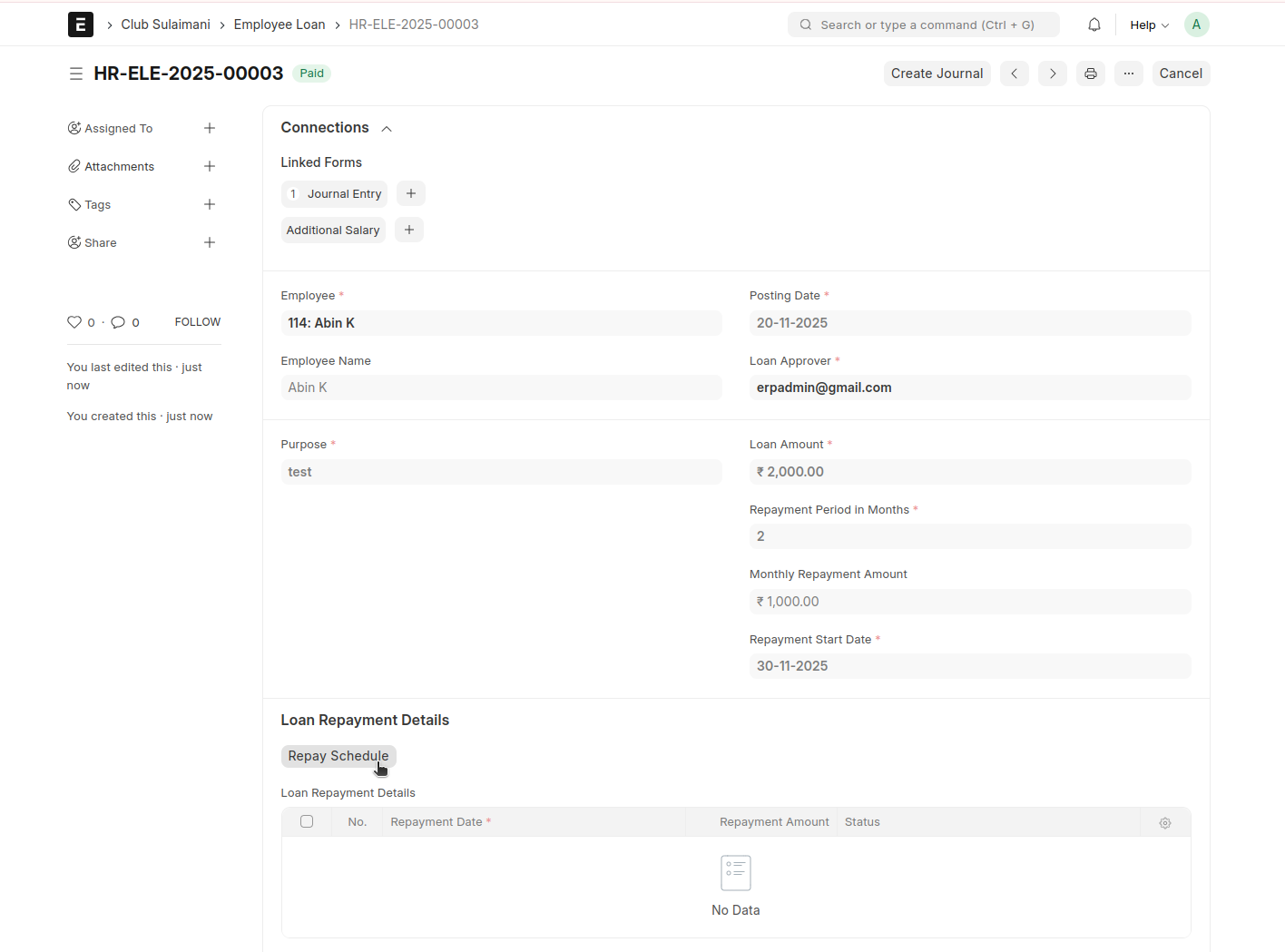
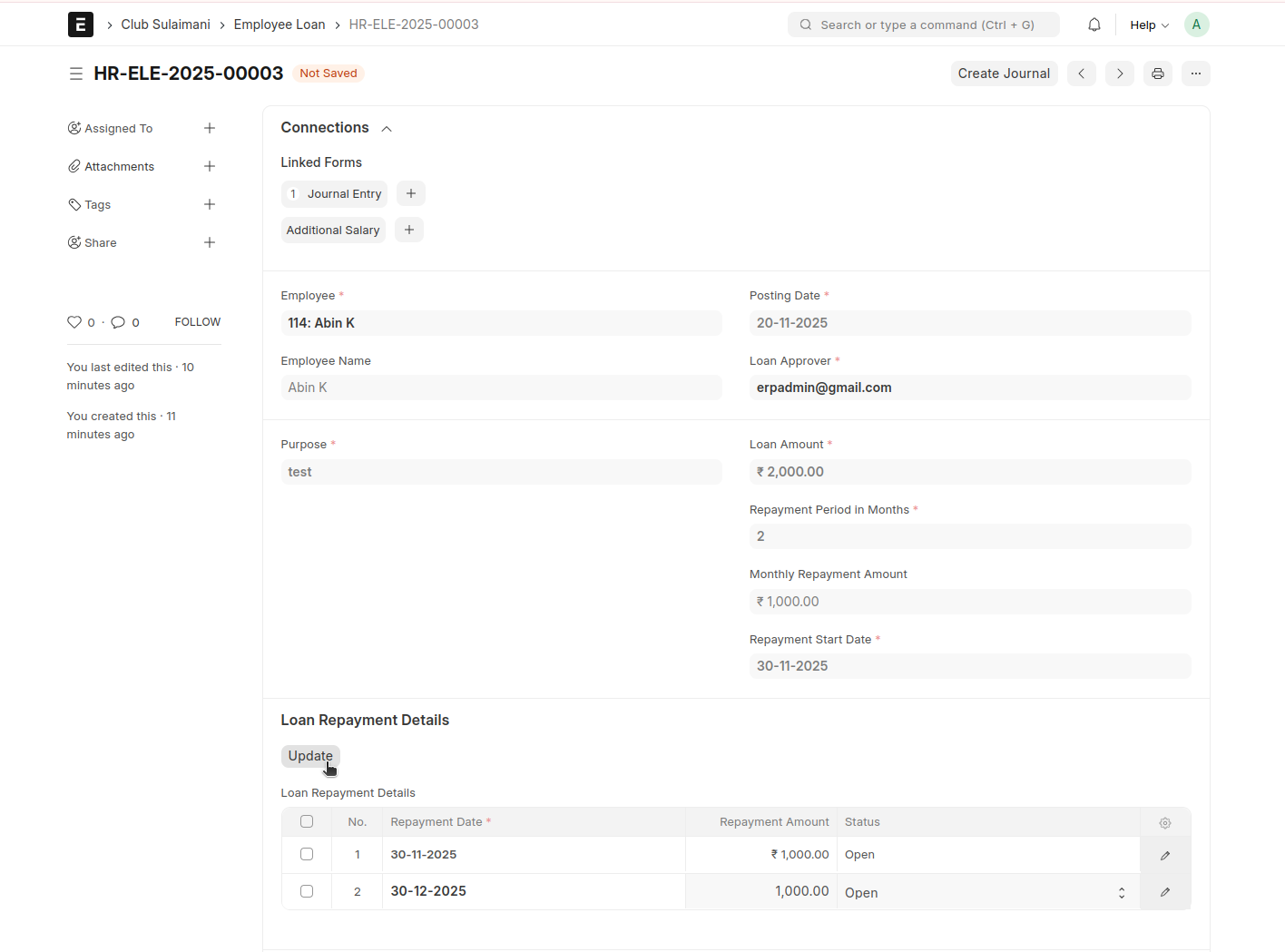
After clicking the Repay Schedule button, the repayment dates will automatically populate in the table based on the number of months specified in the repayment period in months
Then click Update to save
To create Additional Salary against this click "Create Additional Salary"
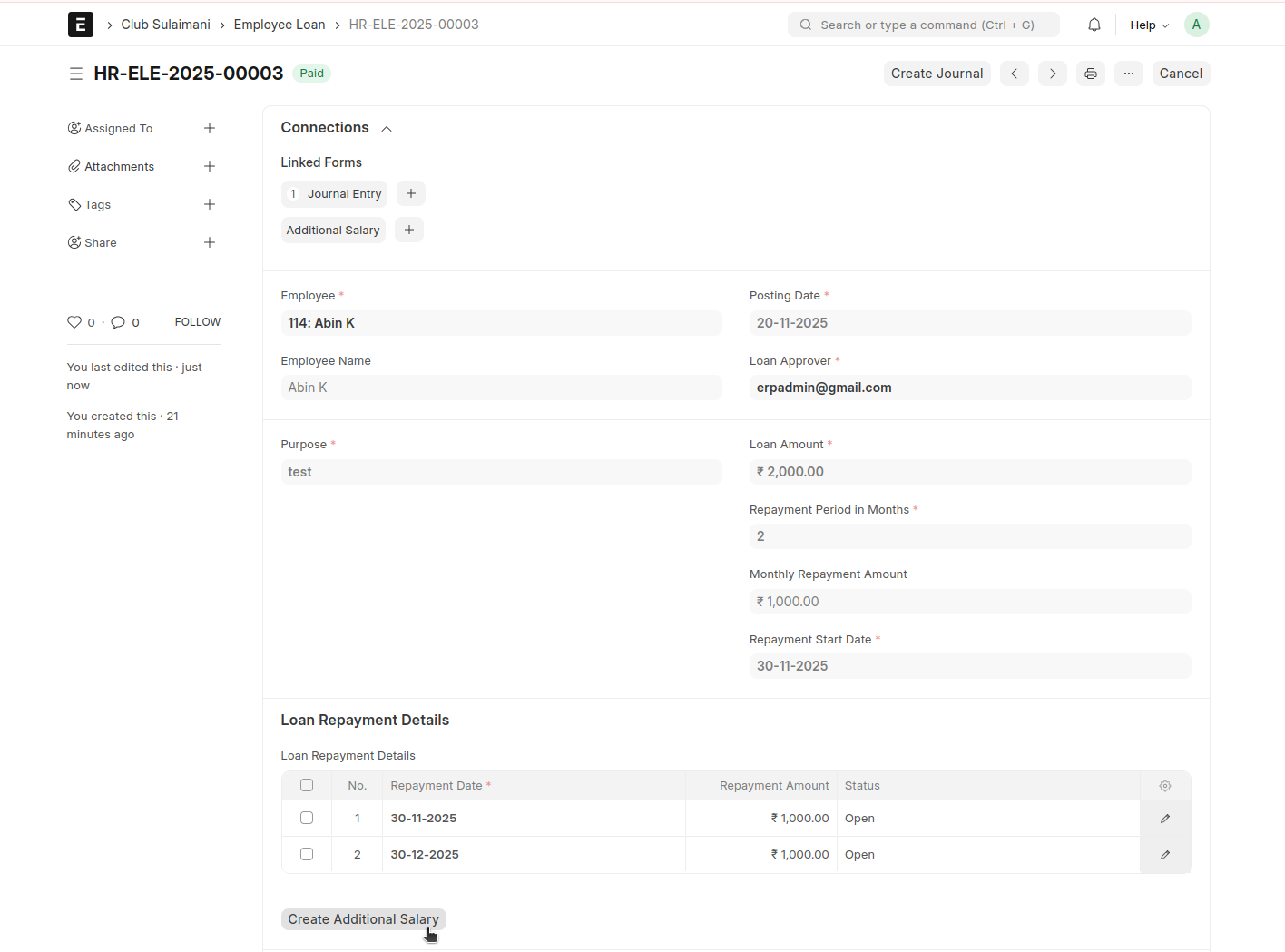
An Additional Salary will be created against this for each month