Momscode - Club Sulaimani - Compute Professional Tax
*Prerequisites
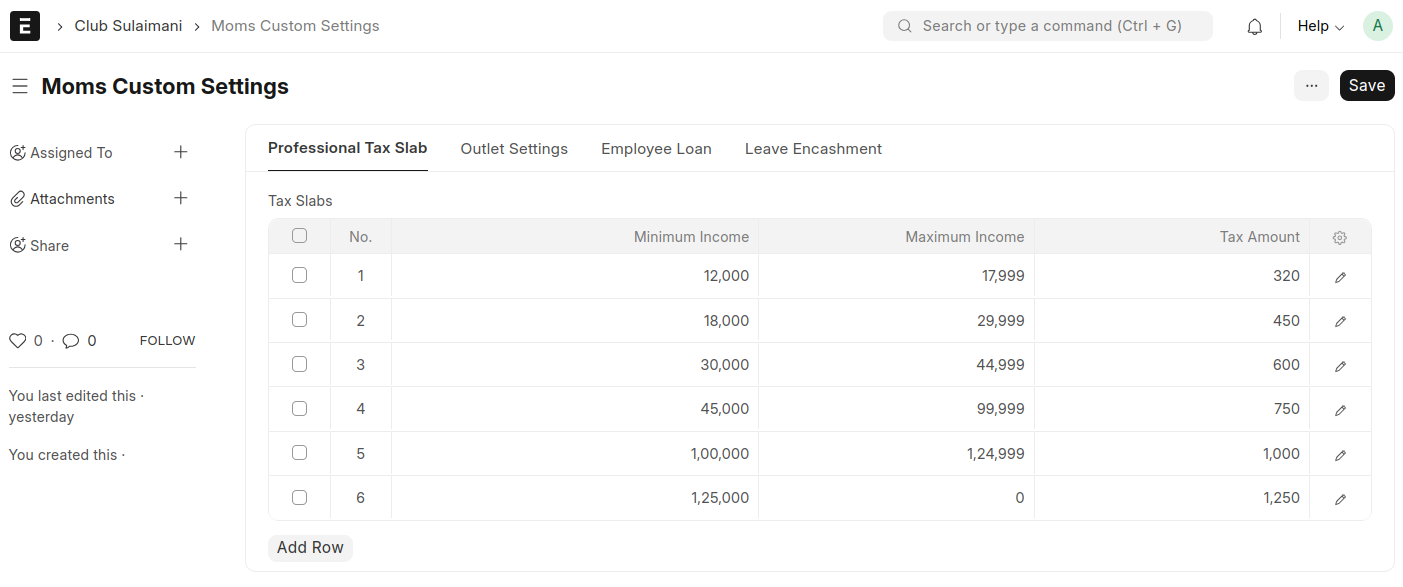
In Moms Custom Settings set values in Professional Tax Slab,
- Minimum Income
- Maximum Income
- Tax Amount
Compute Professional Tax
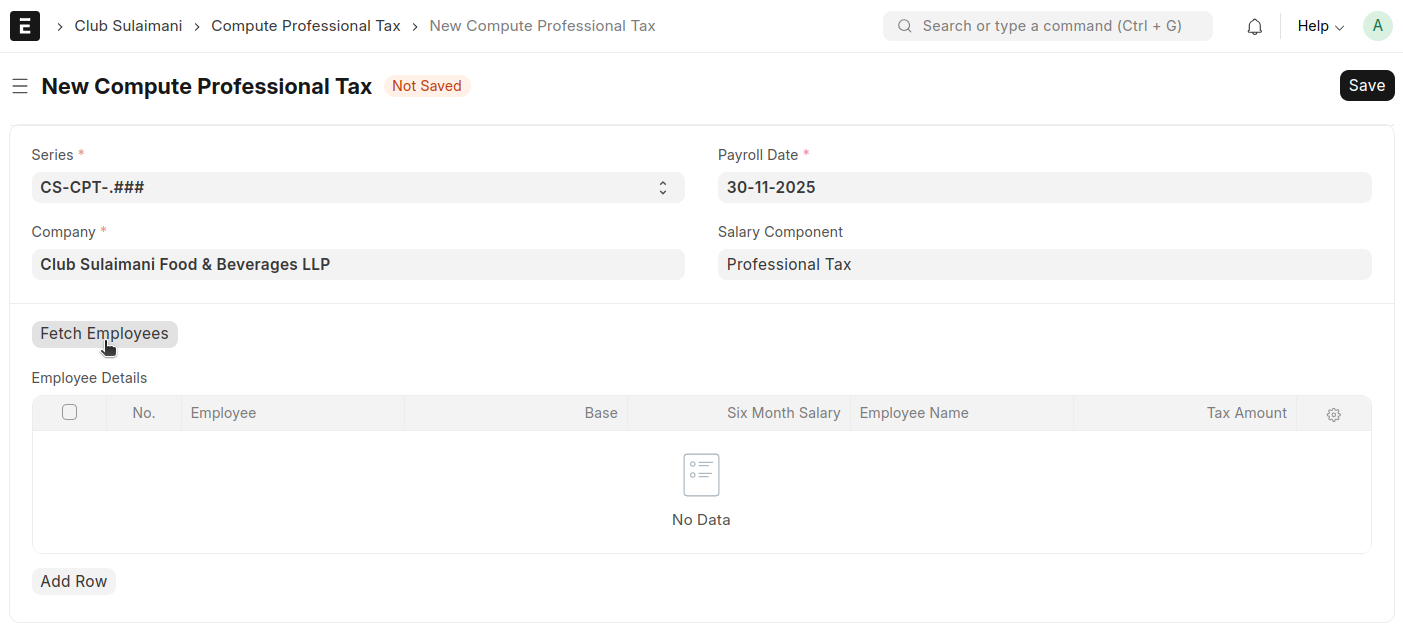
- Add a new Compute Professional Tax
- Company and Salary Component will auto fetch
- Select a Payroll Date
- Click 'Fetch Employees'
All employees will be automatically fetched into the table row-wise. The Base, Six-Month Salary, Employee Name, and Tax Amount will also be populated automatically for each employee. Review the details, then save and submit.
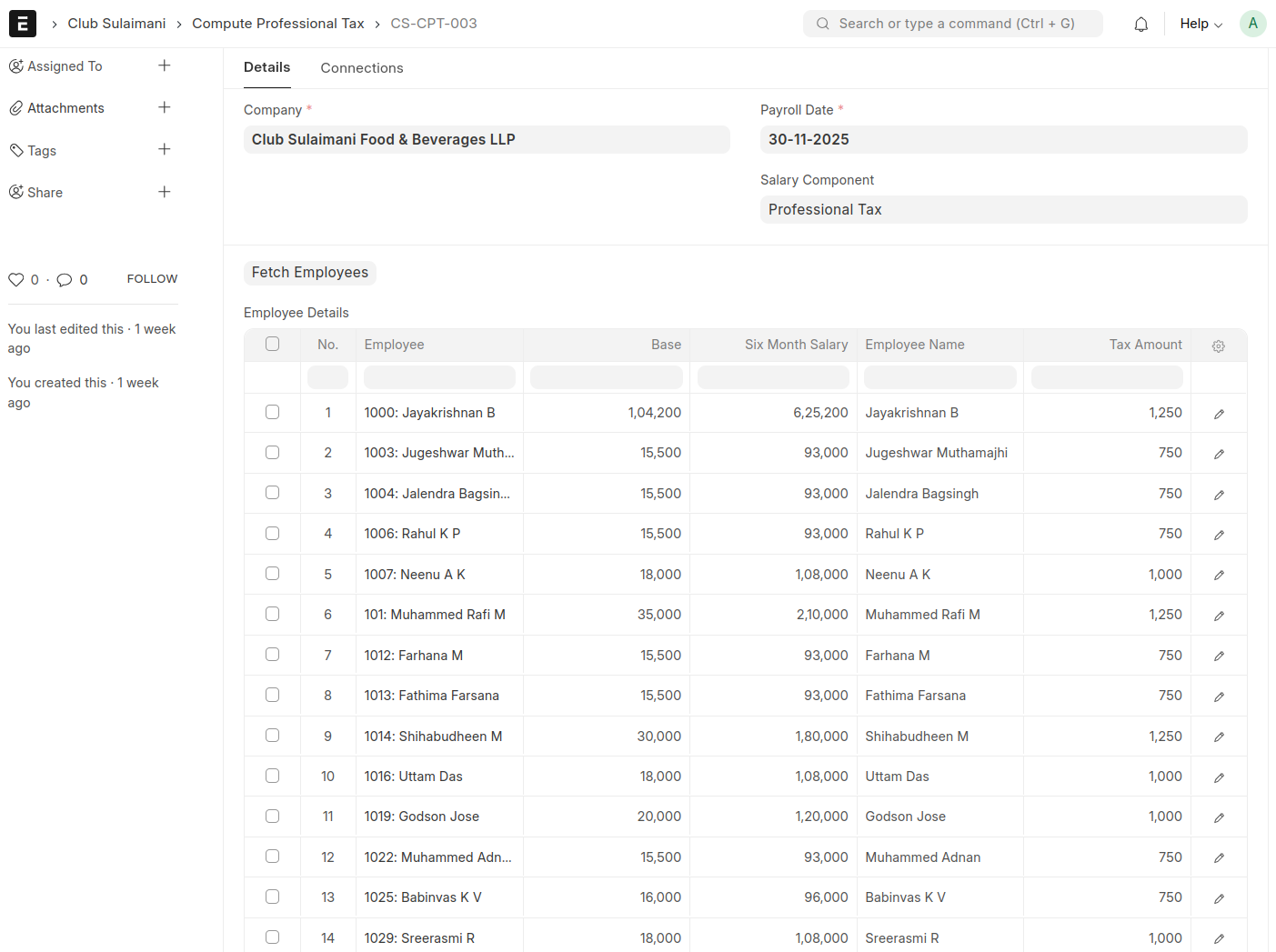
The Tax Amount is retrieved from Moms Custom Settings and is applied to the Six-Month Salary
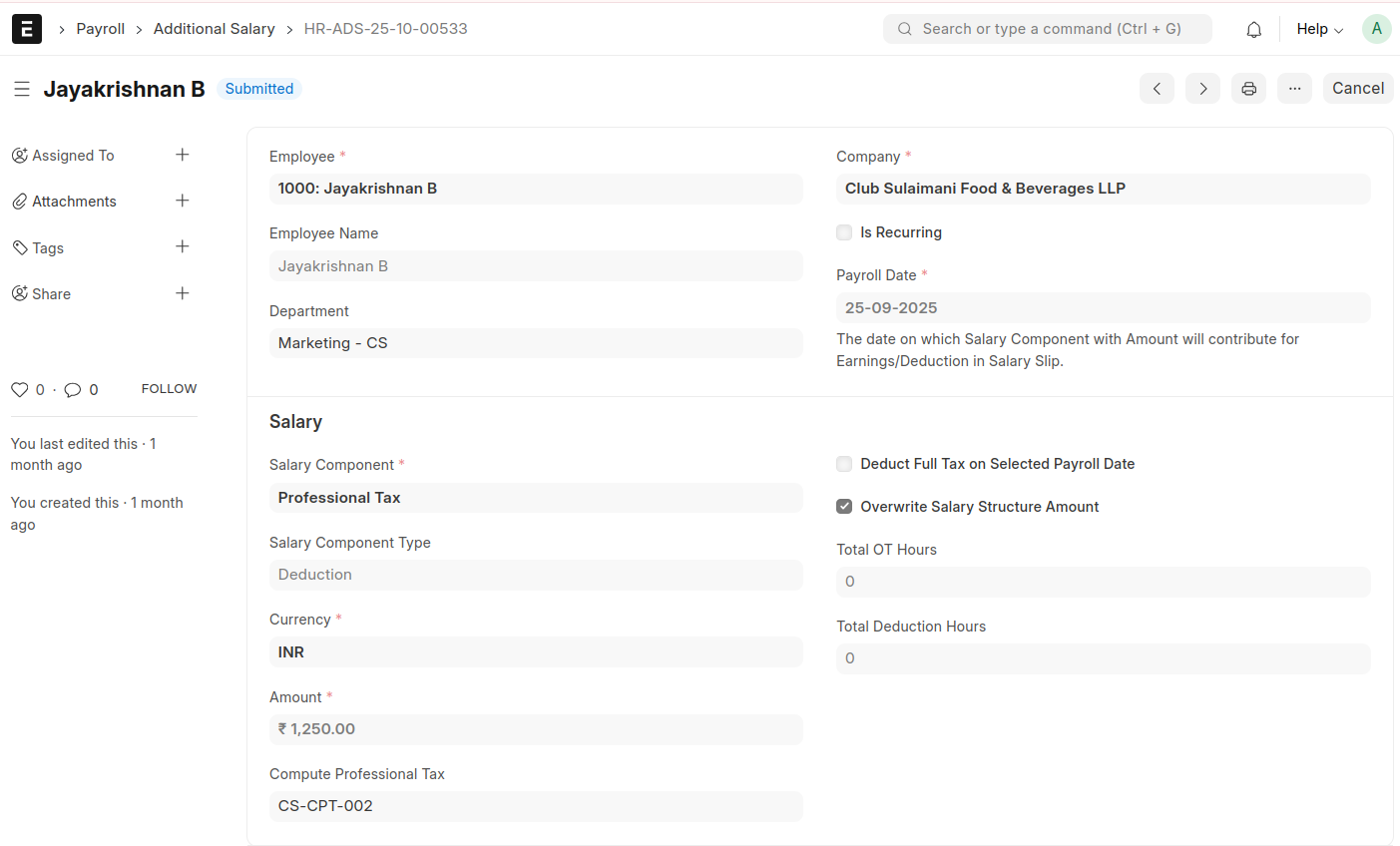
After submission, an Additional Salary entry will be generated for each employee based on the respective Tax Amount