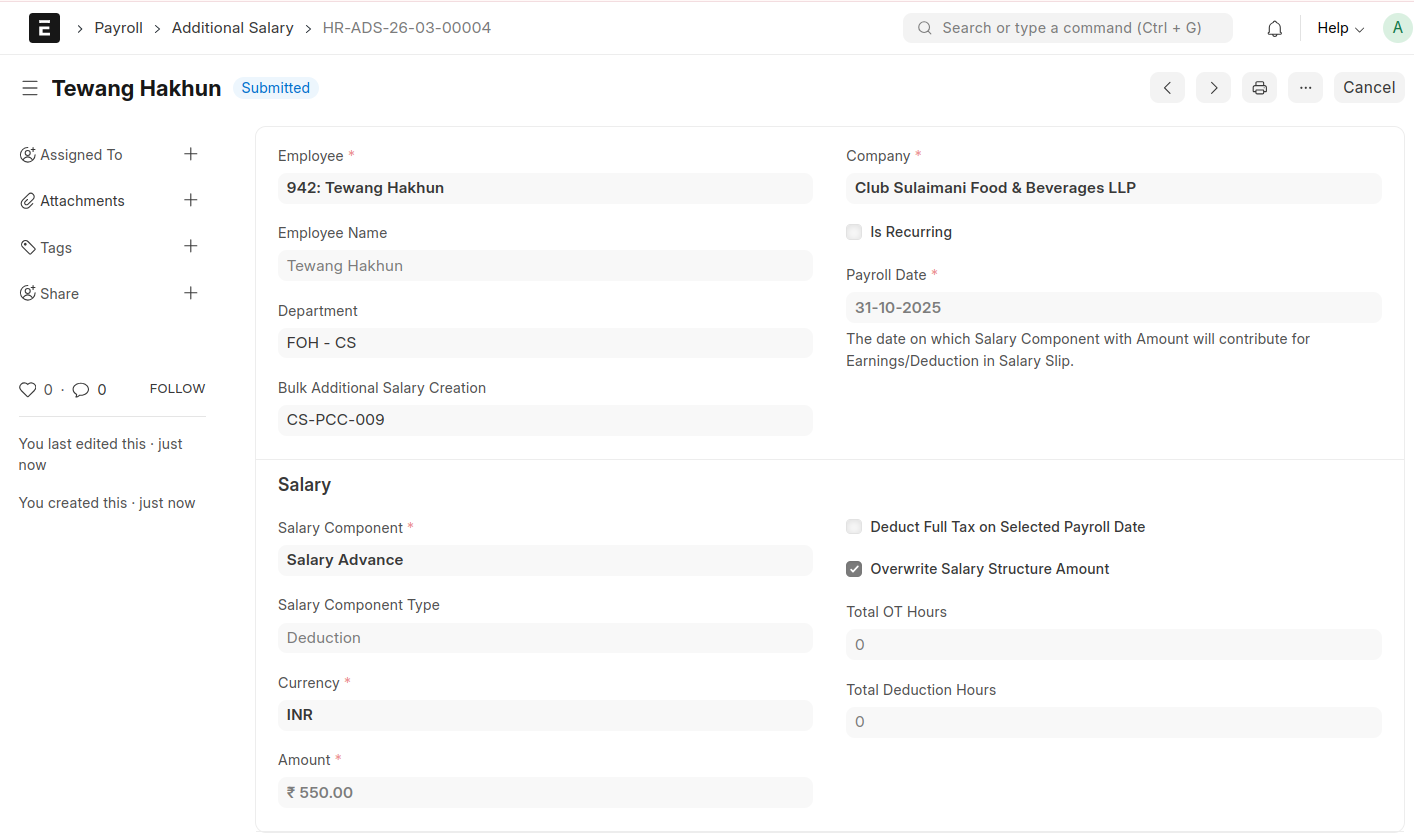
Momscode - Club Sulaimani -Bulk Additional Salary Creation
Bulk Additional Salary Creation
- Add a new Bulk Additional Salary Creation
- Select a Payroll Date
- Select Branch
- Click 'Fetch Employees'
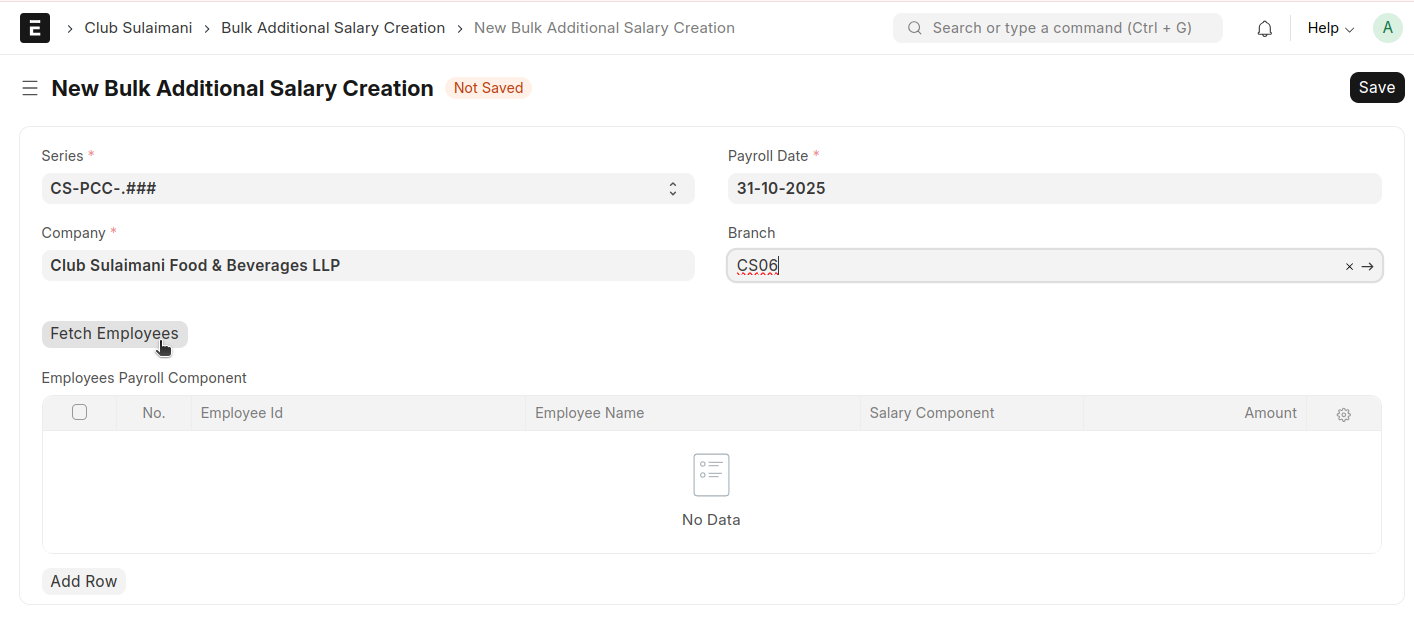
All employees will be automatically fetched that are related to the selected branch along with their Employee ID and Employee Name
Select the Salary Component and enter the Amount
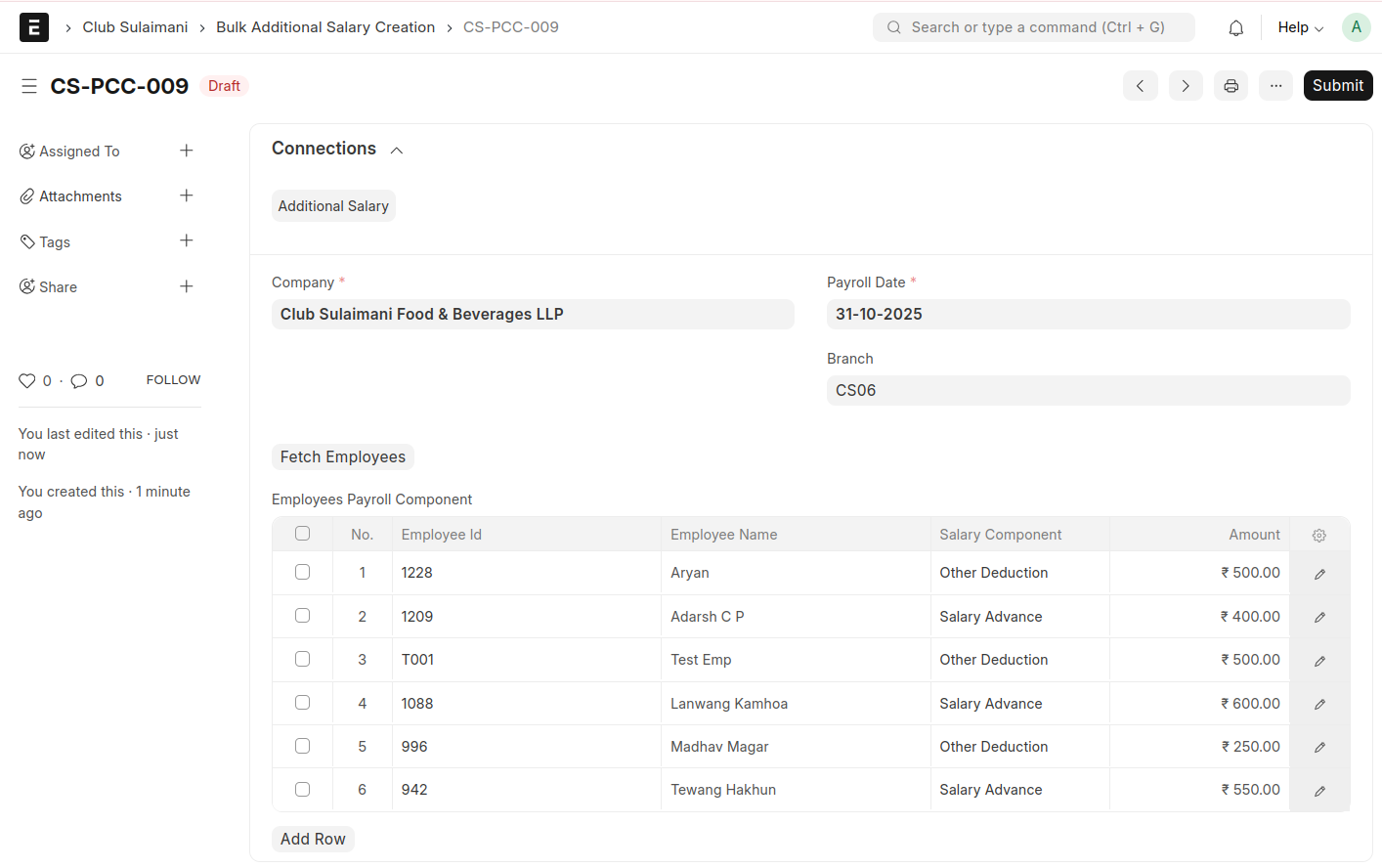
Save and Submit
After submission, an Additional Salary will be generated for these employees based on the specified amount