Momscode - Al Manarah - Milestone
Milestone
A Milestone connects Work Progress to the Billing cycle by linking Project deliverables to the Sales Order
Prerequisites,
- Project
- Sales Order
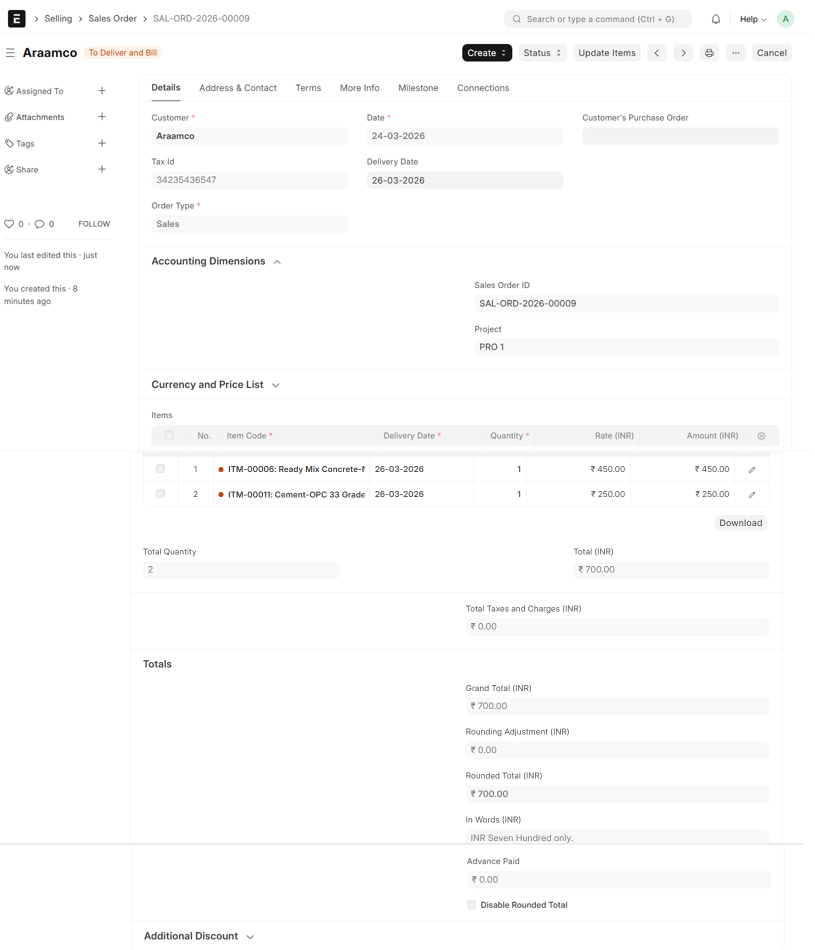
- Go to Sales Order, Select Item and Enter Quantity
- Then Save
- Upon Save, Sales Order ID will be generated
- Under Accounting Dimension, Select the Sales Order ID and Project
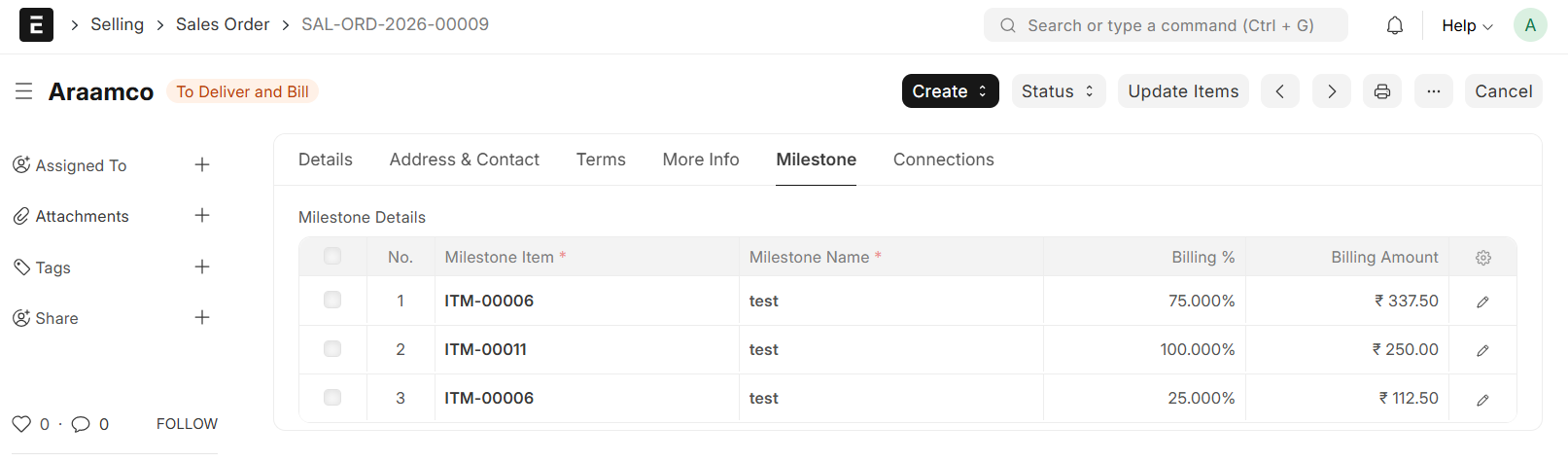
- Under Milestone Section, Select Item
- Enter Milestone Name
- Enter appropriate percentage, the percentage for each Item should be 100%
- The Billing Amount will be auto calculated (Item Amount * Billing %)
- Then, Save and Submit
Note:
The Milestone Table is dynamically filtered to only display Items selected in the primary Item Table in Sales Order
- Navigate to the specific Project related to your Sales Order
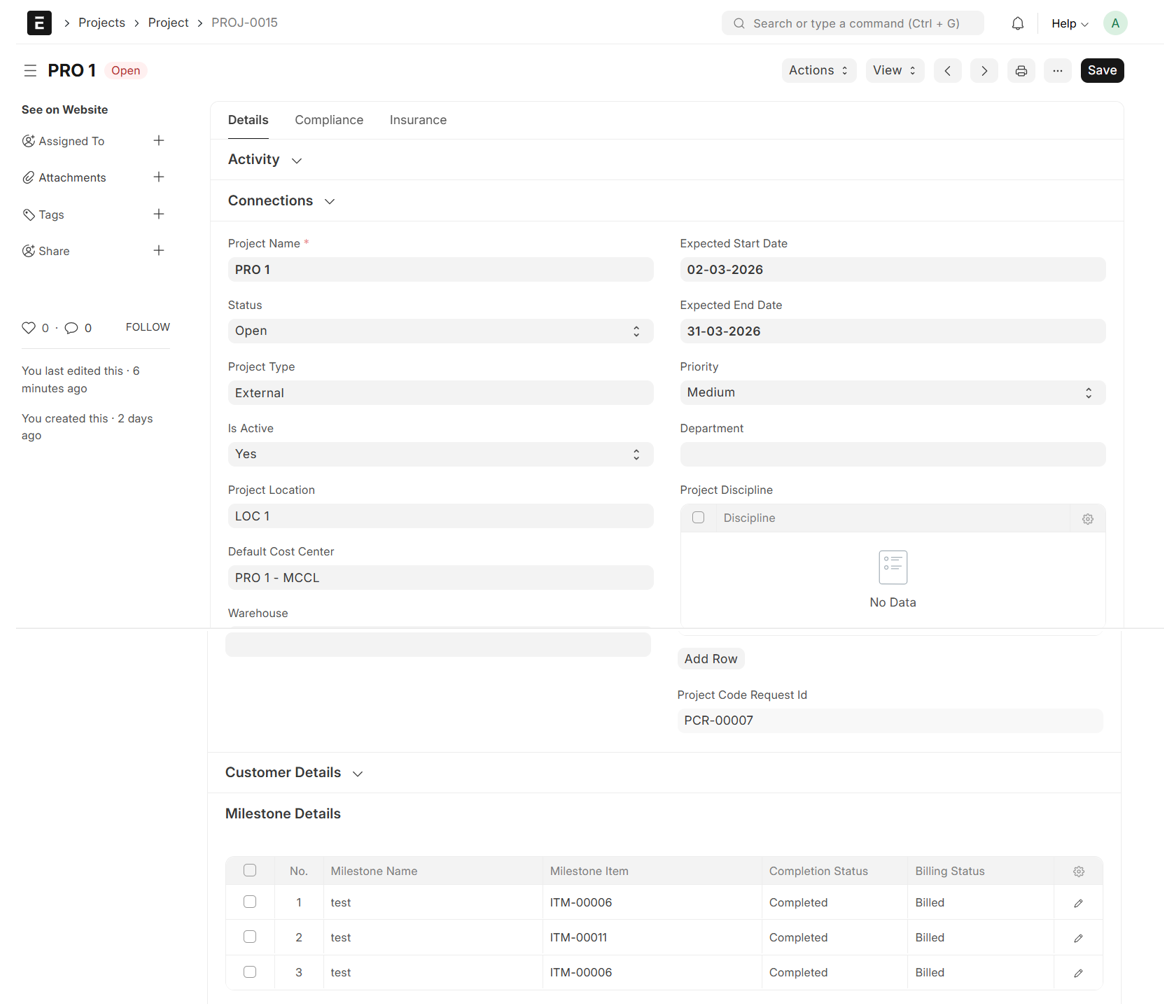
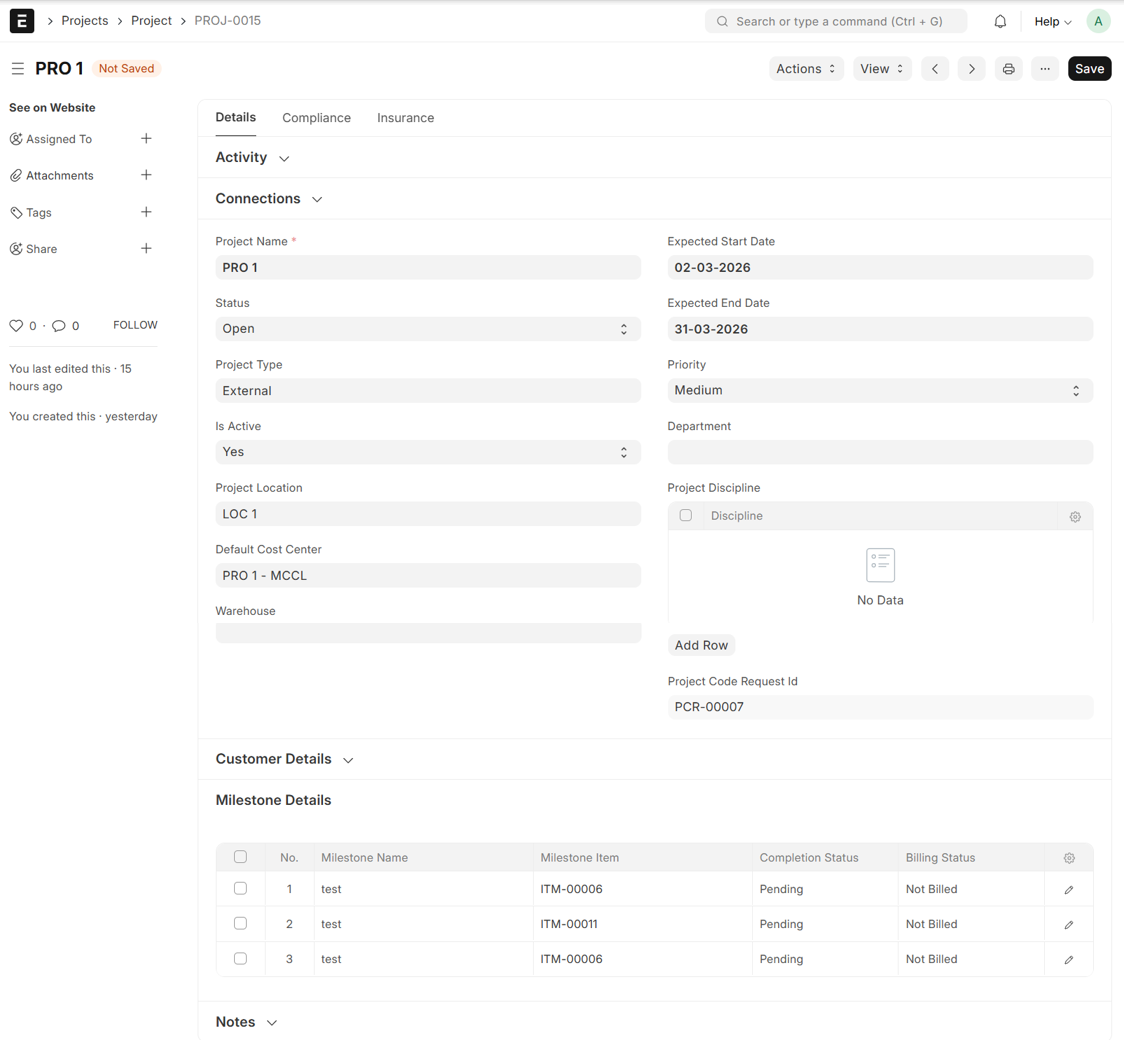
- The Milestone Details will automatically populate from the linked Sales Order
- Completion Status: The status defaults to 'Pending'. It must be manually updated to 'Completed' once the Milestone tasks are finished
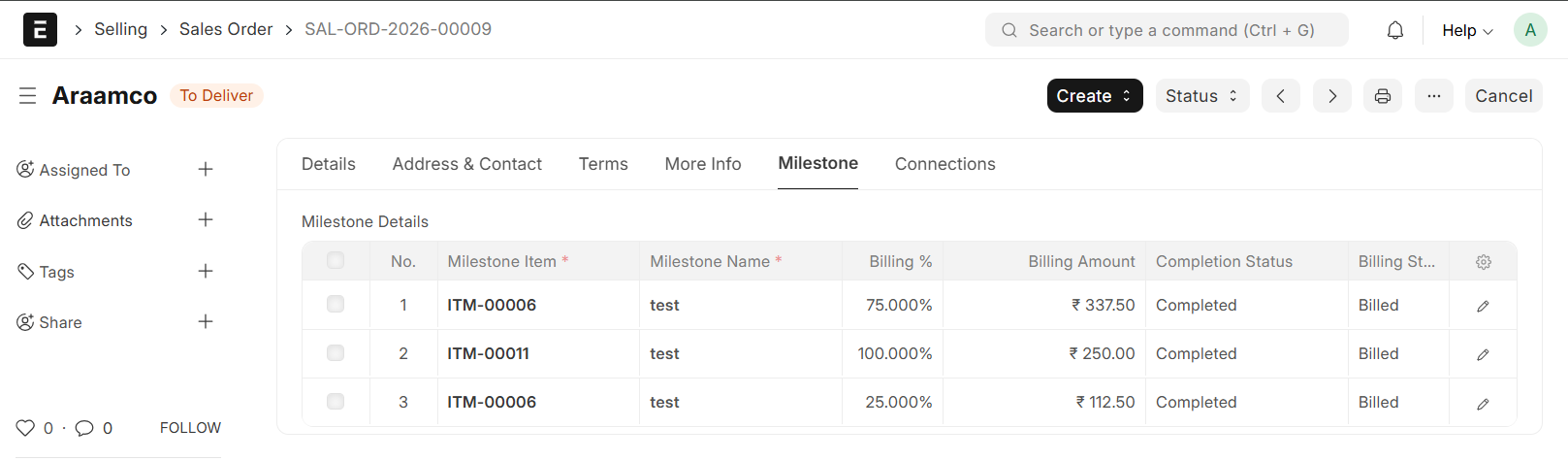
- Billing Status: Remains 'Not Billed' by default and only updates to 'Billed' upon the successful completion of the Milestone
- Go back to Sales Order
- If a Deduction is required, Create it directly from the Sales Order. This entry will be automatically fetched when generating the Sales Invoice
- From Sales Order → Create → Sales Invoice
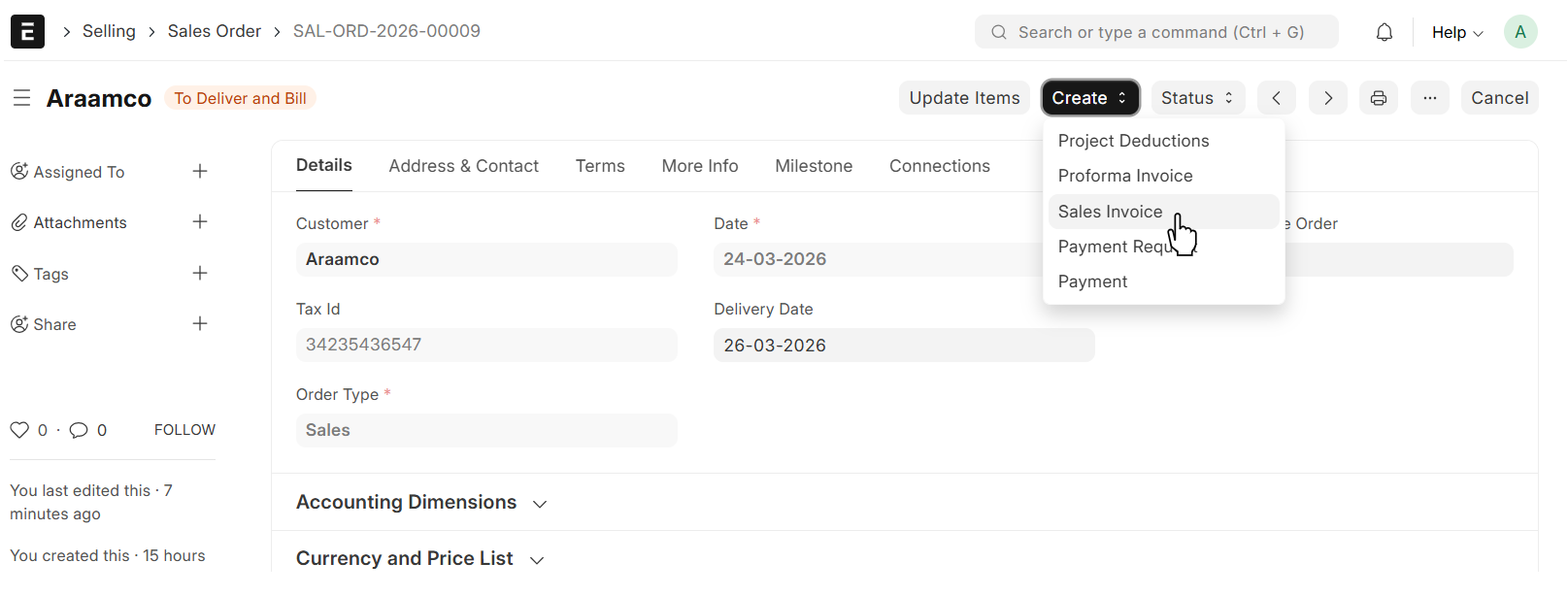
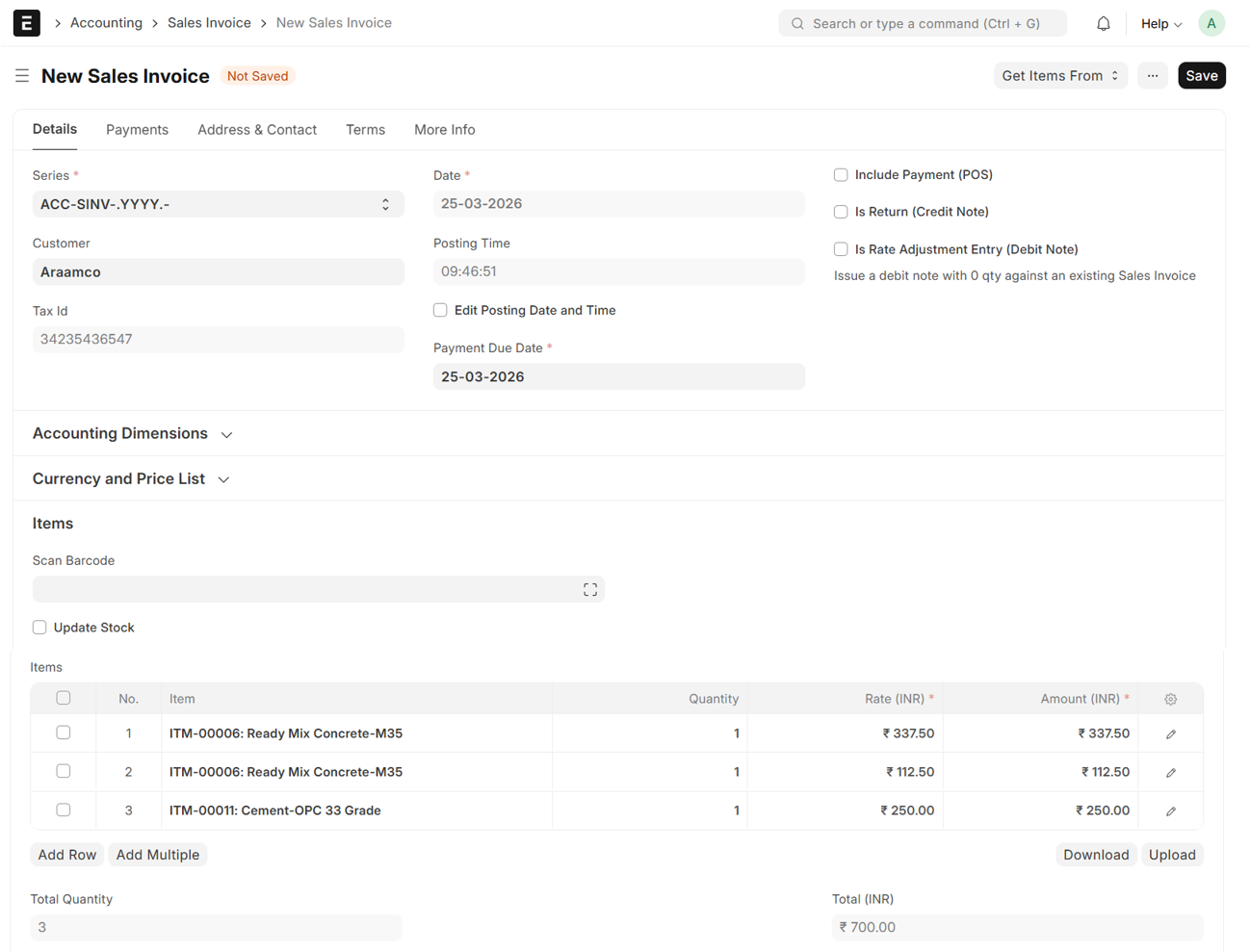
- The Details will be auto fetched from Sales Order
- Save and Submit
- Upon Submission of the Sales Invoice, the Sales Order Billing Status will automatically transition to 'Billed'
- Simultaneously, the linked Project Status will also transition to 'Billed'