Momscode - Al Manarah - Manpower Mobilization Record
Project
Manpower Mobilization Record
The Manpower Mobilization Record is the official log of Employees arriving at the project site. It moves workers from "Available" to "Allotted" in the system, ensuring that their time and costs are correctly charged to the specific Project they are working on
Prerequisites,
- Project
- Employee
- Outsourced Employee Record
- Manpower Requisition Form
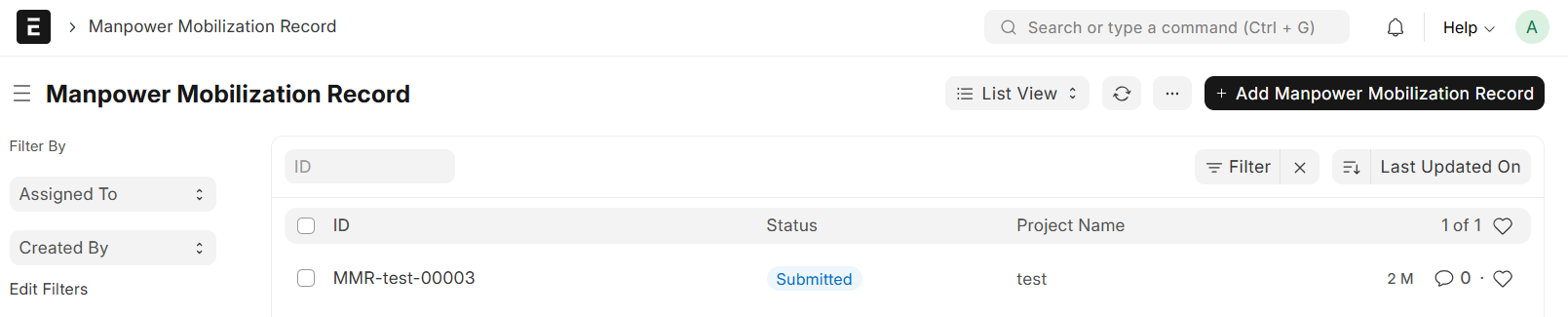
Go to Manpower Mobilization Record List and Click on "Add Manpower Mobilization Record"
- Select Project
- Project Name and Cost Center will be auto fetched
- Set Date
- In Owned Employee Mobilization Table, Select Employee
- The Employee Details will be fetched from Employee master (Employee Name, Iqama Number, Passport Number, Job Title, Direct/Indirect)
- In Rental Employee Mobilization Table, Select Employee
- The Employee Details will be fetched from Outsourced Employee Record
- Fill in all other Required Details
- Save and Submit
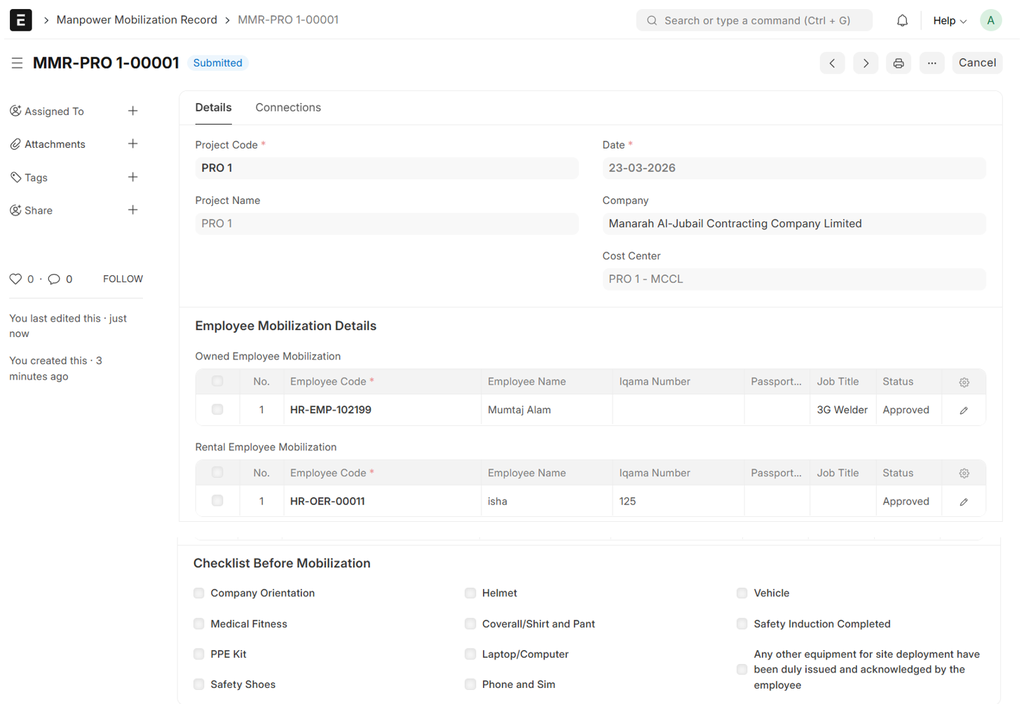
- The Project Team will review the record and Update the status to either Approved or Rejected
- Click on "Update"
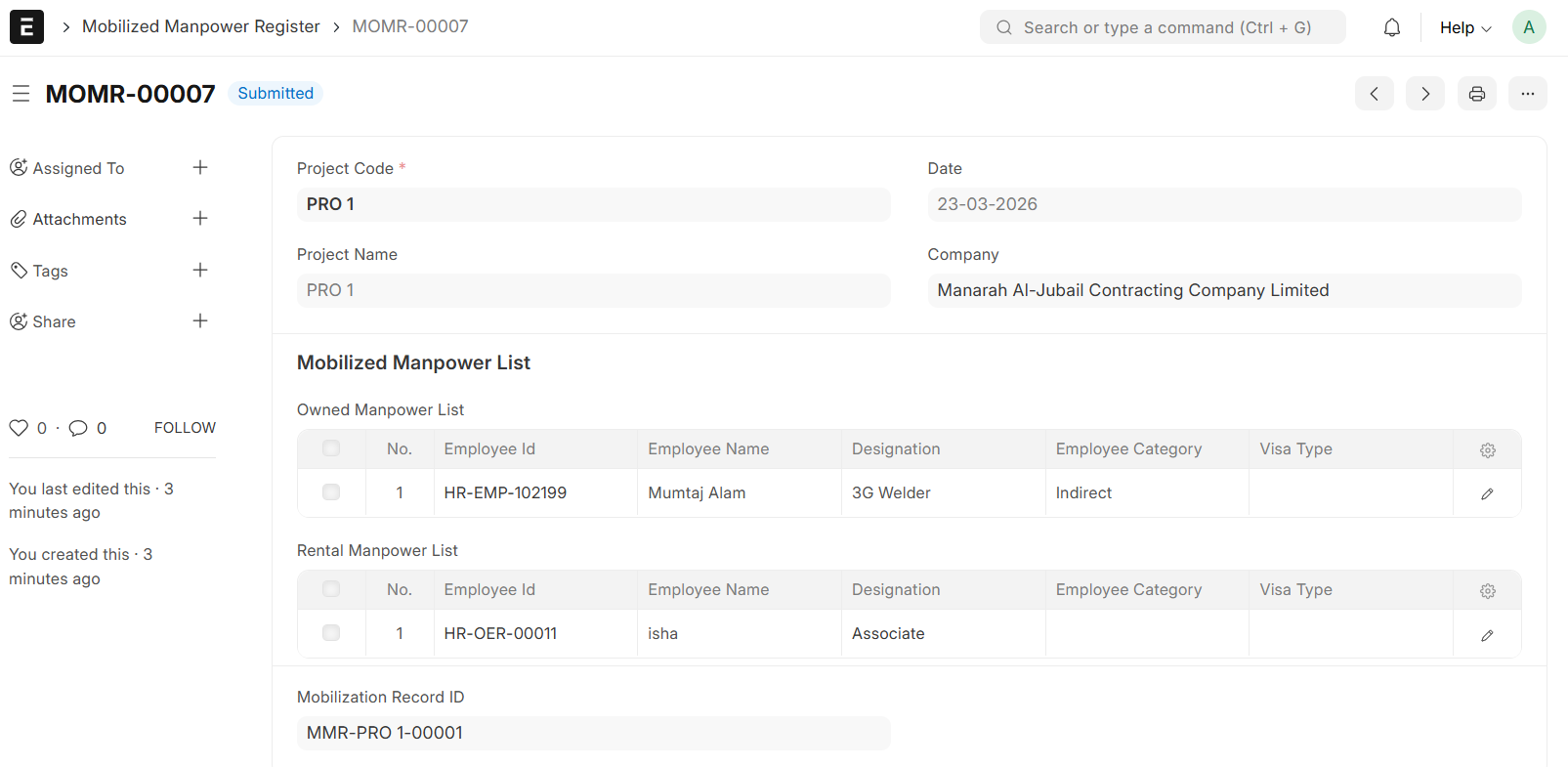
- Upon Clicking "Update", the Mobilized Manpower Register will be auto generated
- The system will only permit the Mobilization of Employees whose Status is set to "Approved"
- Upon finalization, system automatically Updates the Project Allotment Status in the Employee Master and Outsourced Employee Record from 'Available' to 'Allotted'
Note:
The system prevents Submission if the Mobilization Quantity exceeds the limit defined in the Manpower Requisition Form