Momscode - Al Manarah - Item Creation
Item Creation
Item Creation is the process of adding a New Product, Material, or Service to the company’s Master database
Prerequisites,
- Item Group
- Default Unit of Measure
- Item Category
- Sub Category
- Material Name
- Specification
- Size
- Standard
- Brand
- Asset Category
Go to the Item list and Click on "+ Add Item"
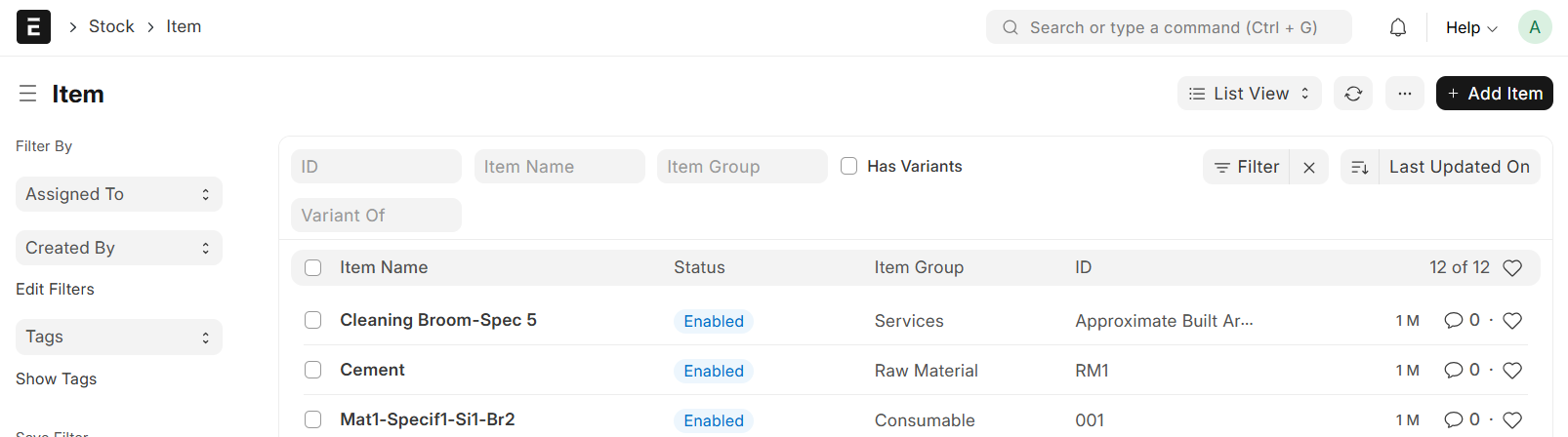
- Enter Item Code
- Select Item Group
- Set Default Unit of Measure
- Fill in all other Required Details
- For Items that are neither Services nor Fixed Assets, both Material Name and Specification must be provided
- Then Save
- The Item Name is generated using Material Name, Specification, Size, Standard, and Brand. The Item Name will contain whichever of these fields are filled
- Material Name - Specification - Size - Standard - Brand
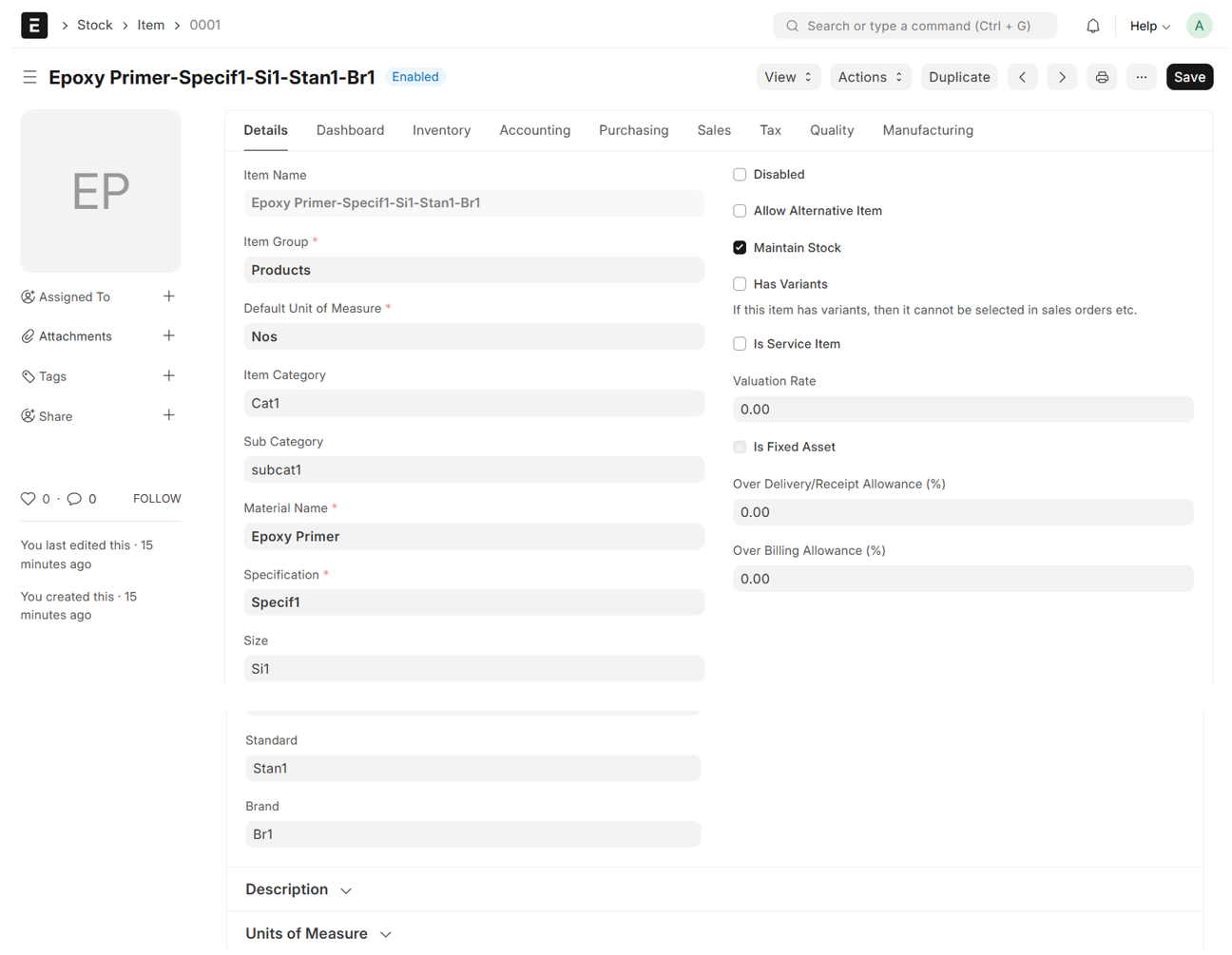
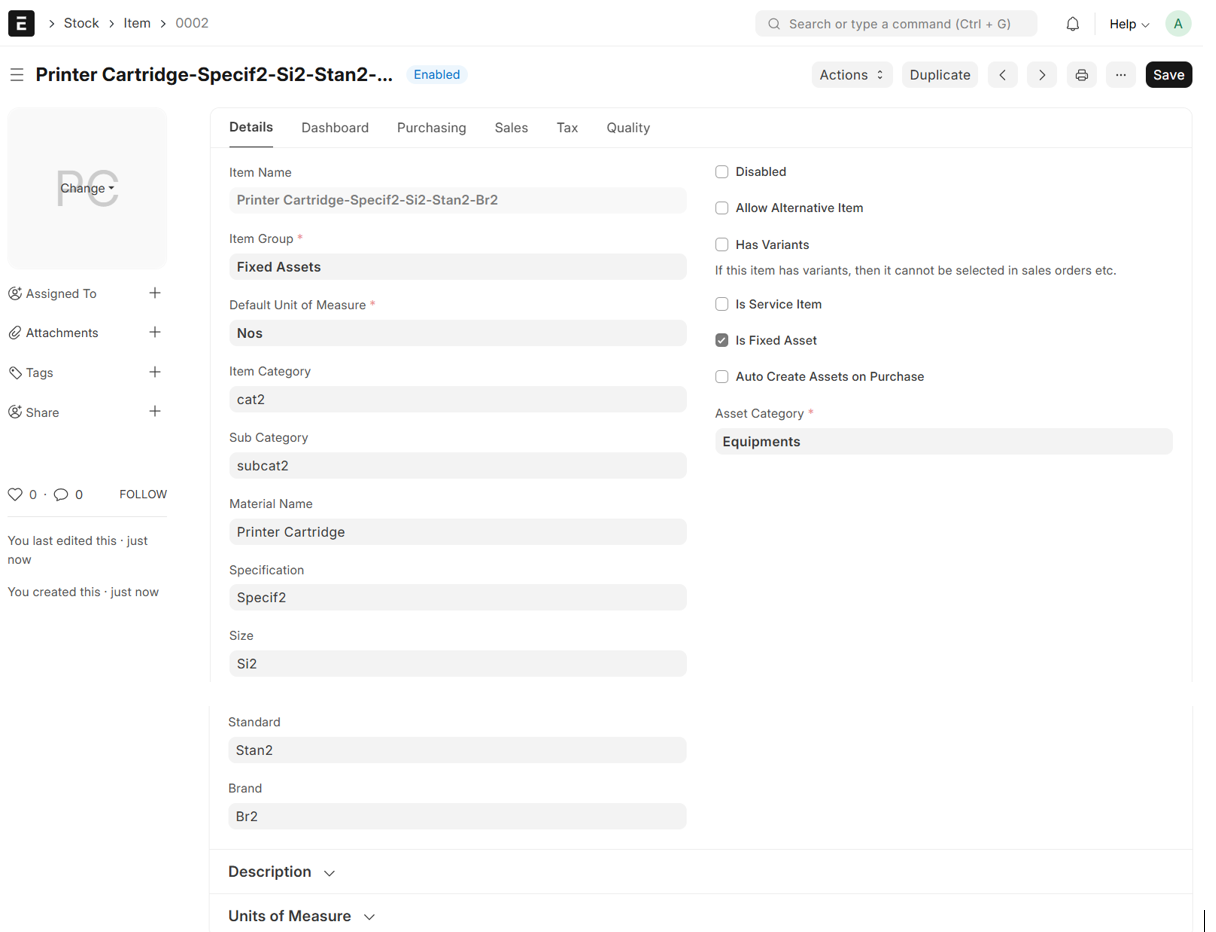
- If the Item is Fixed Asset, Tick the Check box "Is Fixed Asset"
- Select Asset Category
- If the Item is Service, Tick the Check box "Is Service Item"
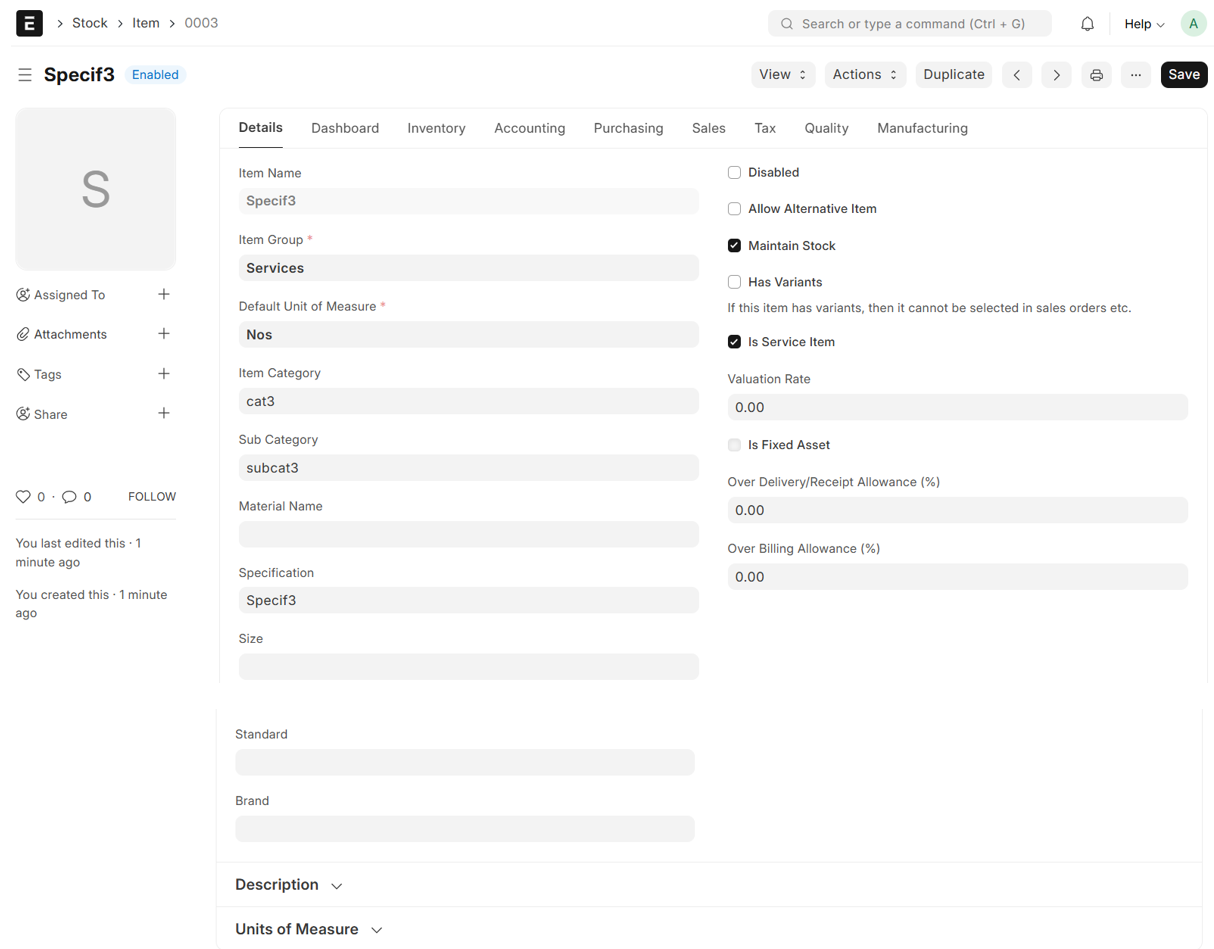
Note:
- For Service items and Fixed Asset, Material Name and Specification are optional
- However, to generate the Item Name, at least the Material Name must be provided