Momscode - Al Manarah - Exit Interview
Exit Interview
An Exit Interview is a survey Interview conducted for an Employee who is leaving the Organization to gather feedback about the workplace, reasons for leaving, and suggestions for improvement
Prerequisites,
- Employee
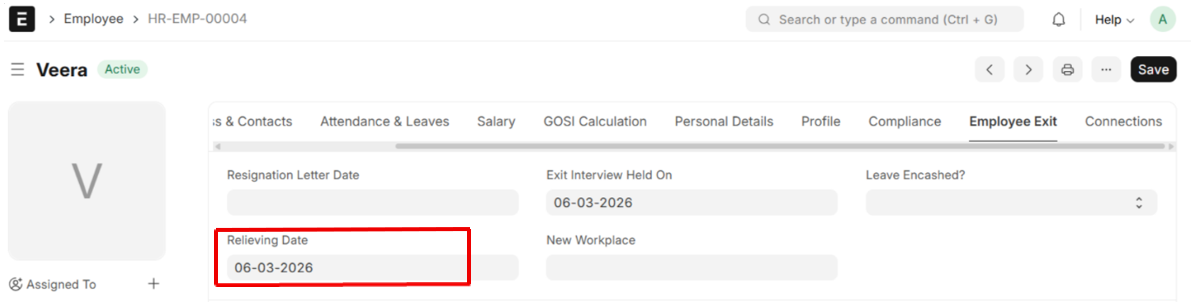
- Set the Relieving Date for the Employee in the Employee master
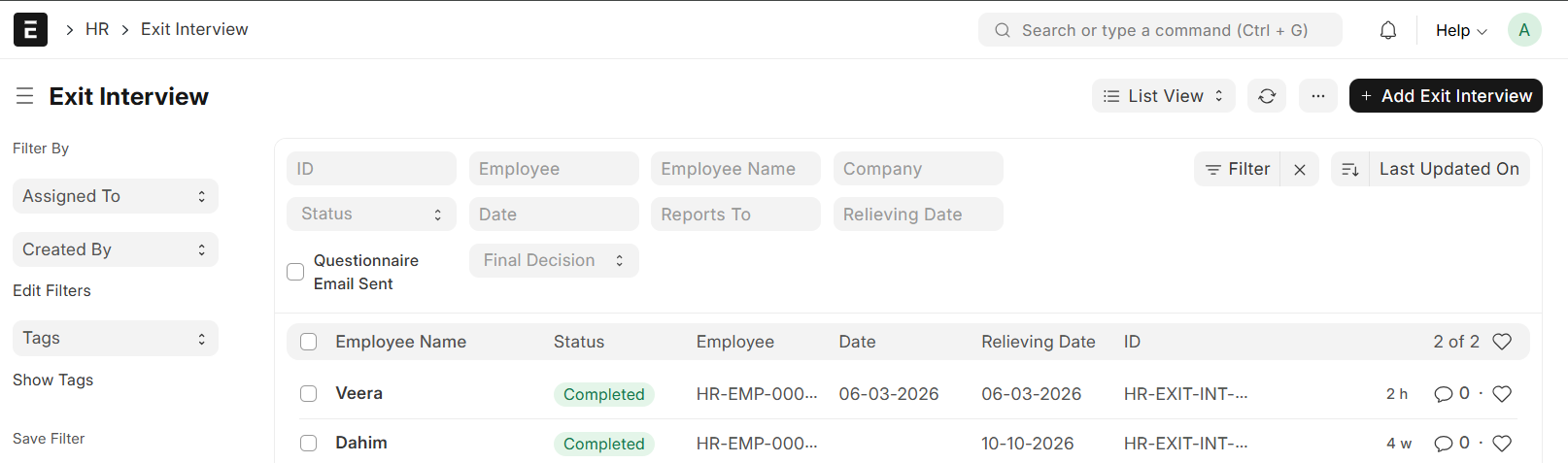
Go to the Exit Interview list and Click on "+ Add Exit Interview"
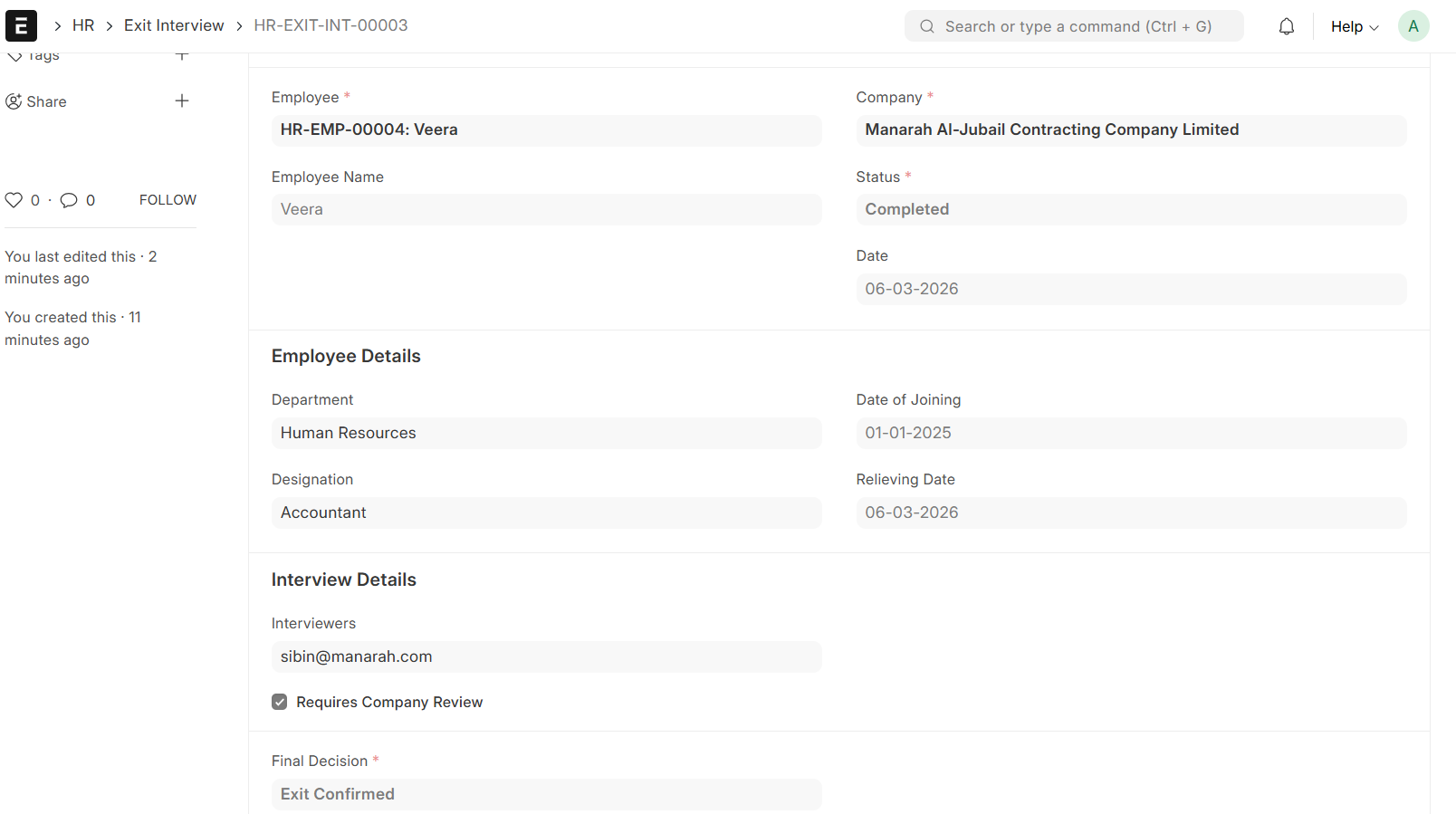
- Select Employee
- Employee Details will be auto fetched
- The status will be Pending by default
- When the Interview is scheduled, Set the Date, Select the Interviewers, and change status to Scheduled
- Tick the Check box if Company Review Requires
- Once the Exit Interview is completed, you can change the status to Completed. Final Decision can be recorded on completion (Employee Retained / Exit Confirmed)
- Only job offers with 'Completed' status can be submitted
- Then Save & Submit
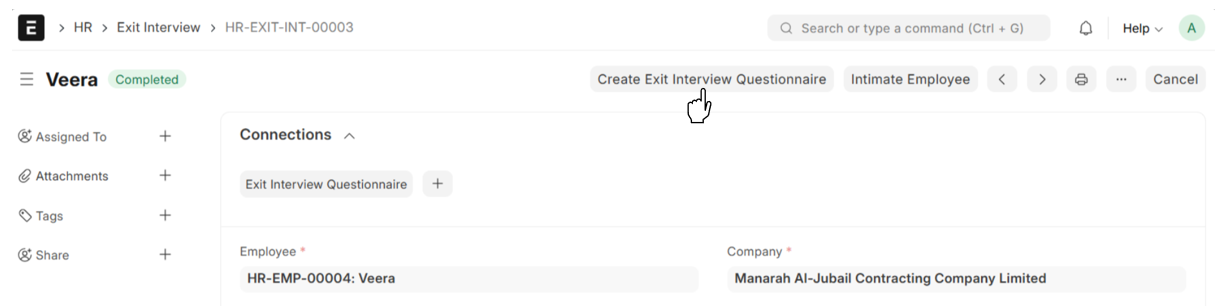
- From Exit Interview → Create Exit Interview Questionnaire
Exit Interview Questionnaire
Prerequisites,
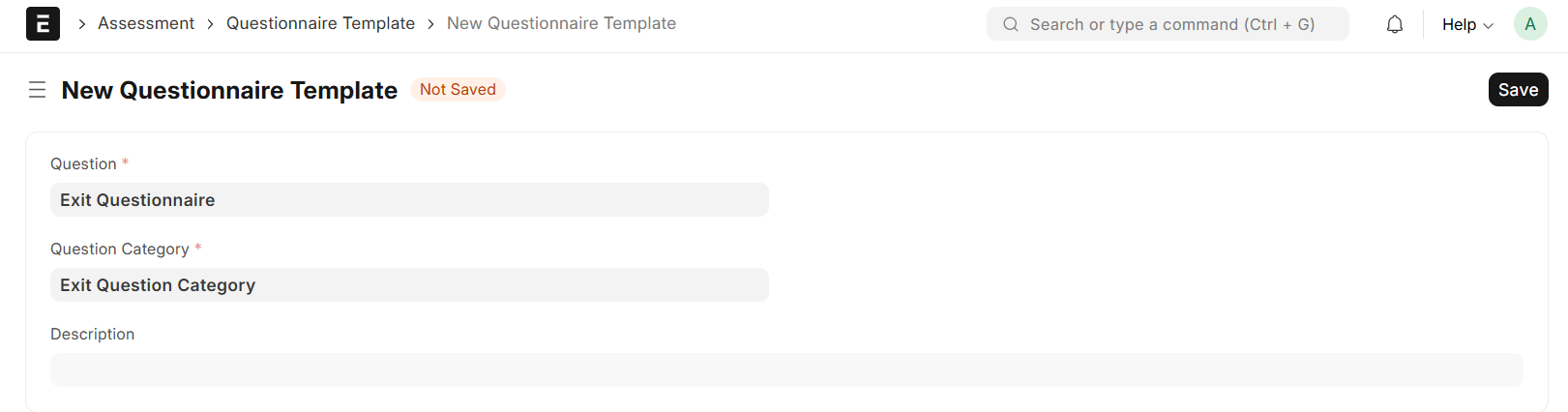
- Questionnaire Template
- Question Category
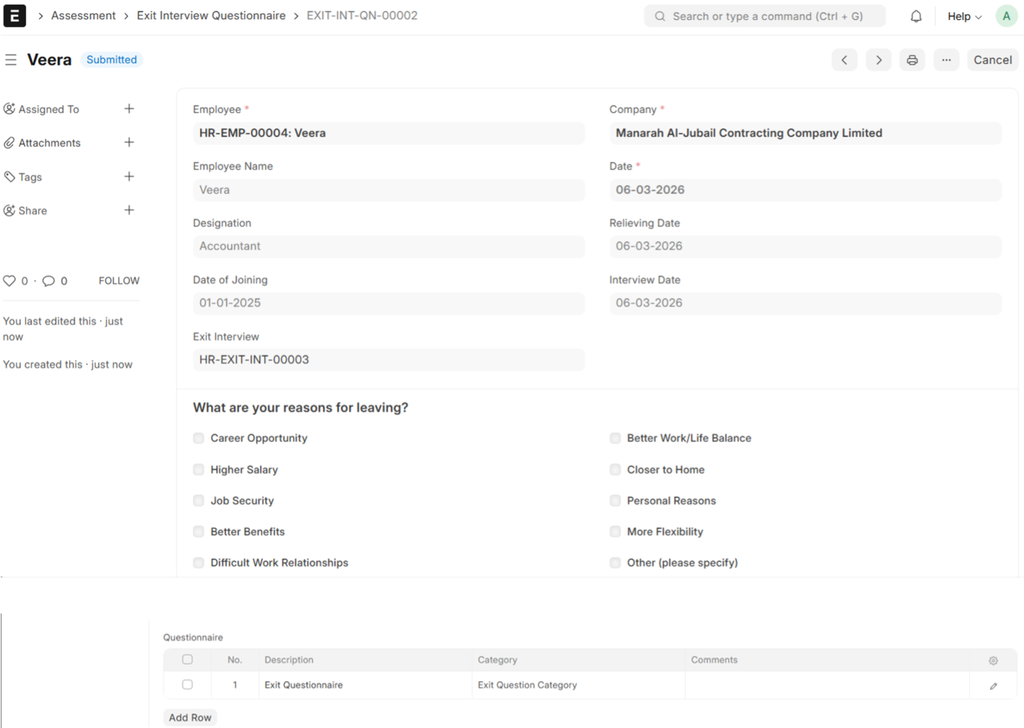
- Details will be auto fetched from the Exit Interview
- Set Interview Date
- If the "Requires Company Review" Checkbox is ticked in Exit Interview, the Company Review table will be displayed
- Select Questionnaire Template, the Question Category will be auto fetched
- Fill in all other Required Details
- Then, Save and Submit
- Go Back to Exit Interview
- From Exit Interview → Intimate Employee
Intimate Employee
When a Job Offer is submitted, the system will notify the employee by sending them an E-mail with the relevant details