Momscode - Al Manarah - Equipment Mobilization Record
Project
Equipment Mobilization Record
The Equipment Mobilization Record is the official "Check-in" for machinery and vehicles arriving at a project site. It moves Equipment from the Main Inventory into the Project's specific control, ensuring that usage hours and costs are correctly tracked against the Project's Budget
Prerequisites,
- Project
- Project Budget
- Equipment Budget
- Equipment or Vehicle Type
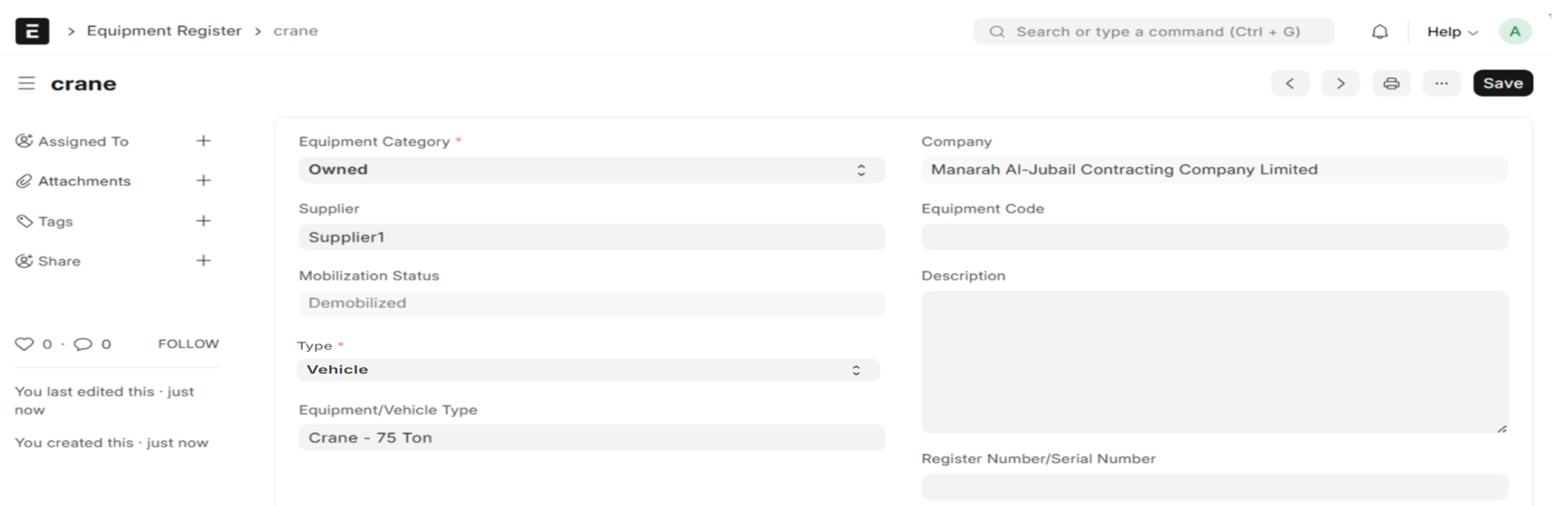
- Equipment Register - this will be updated the while submitting the asset register of vehicle or equipment.For Rental equipment, need to update manually.
Note:
Select an Equipment/Vehicle Type and Equipment Category, either Owned or Rental in the Equipment Register
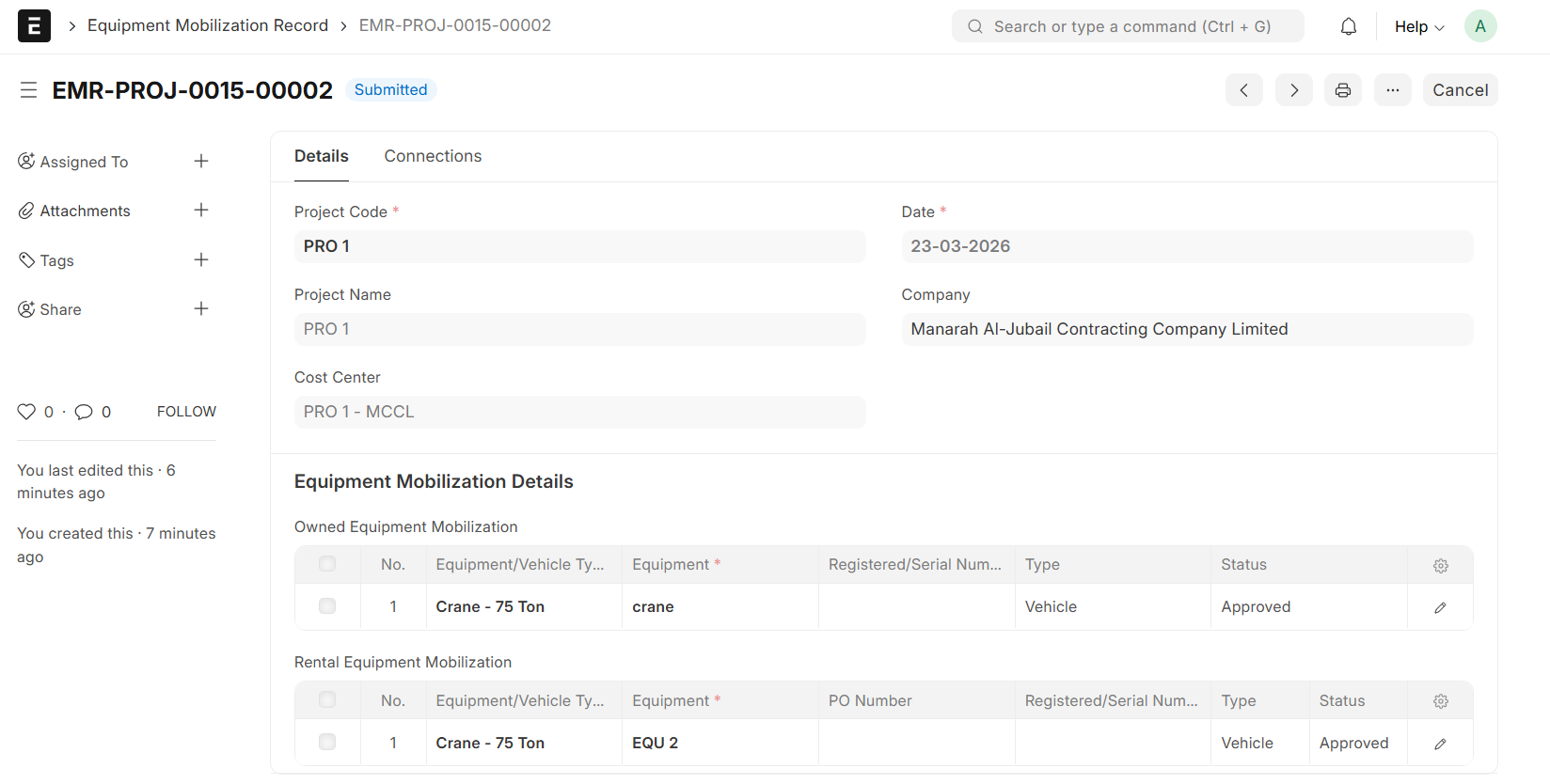
- Go to Equipment Mobilization Record List and Click on "Add Equipment Mobilization Record"

- Select Project
- Project Name and Cost Center will be auto fetched
- Set Date
- In the Owned Equipment Mobilization Table, Select Equipment or Vehicle Type
- Select Equipment, the Equipment Details will be auto fetched from Equipment Register
- The same process applies to Rental Equipment Mobilization
- Save and Submit
- The Project Team will Update the record status to Approved or Rejected
- Click on 'Update'
Note:
- Equipment/Vehicle Type Selections are restricted to Items allocated within the Project's corresponding Equipment Budget
- Equipment Selection will be filtered to the Equipment Category, chosen Equipment/vehicle Type and Demobilized Equipment
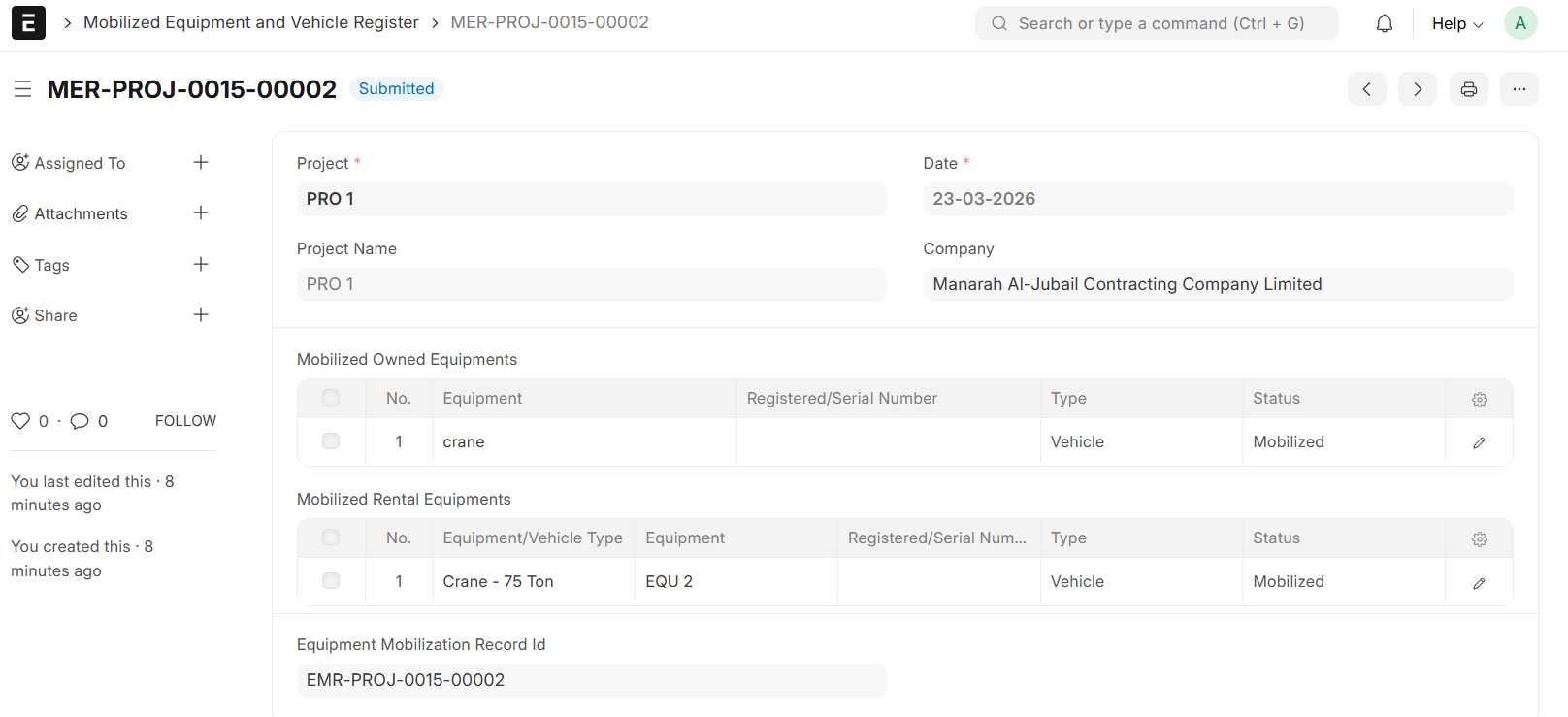
- Upon Update, Mobilized Equipment and Vehicle Register will be auto generated
Note:
- The system only allows the Mobilization of Equipment with an 'Approved' Status
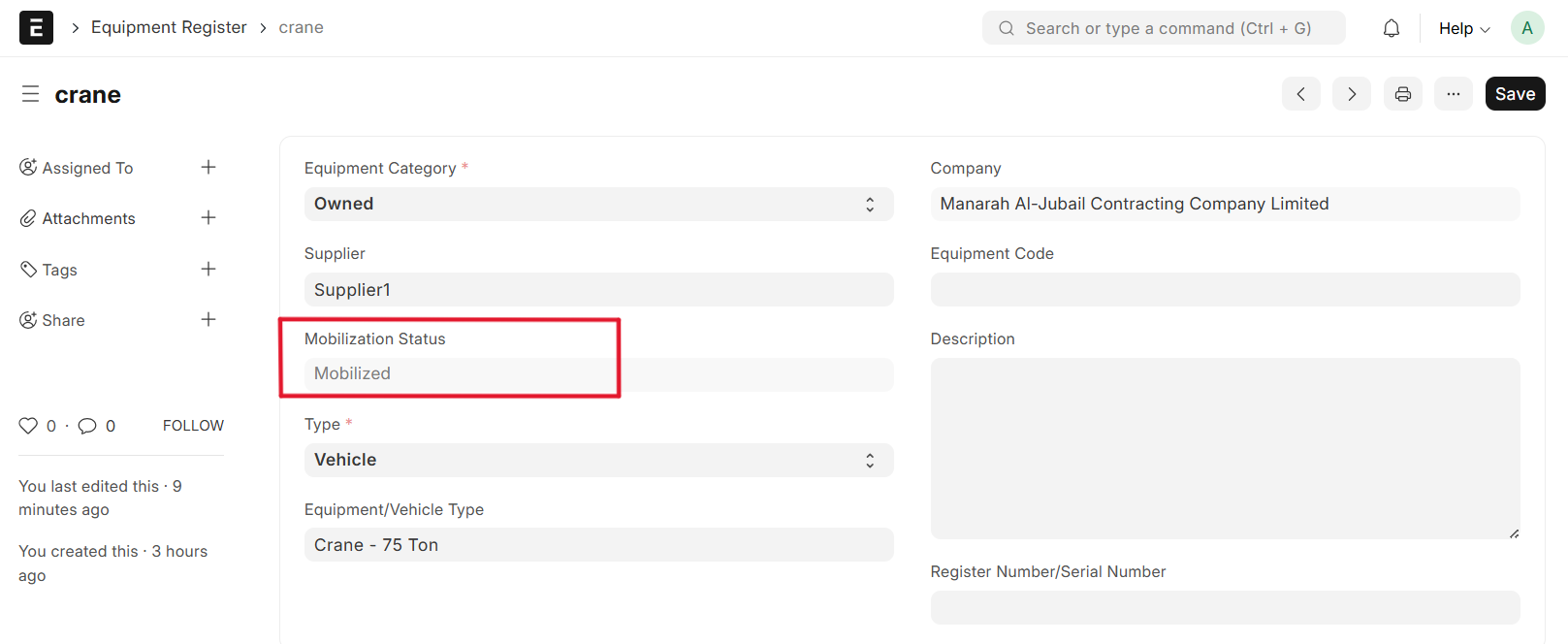
- On Document submission, the Status will show 'Mobilized' Status
- On document submission, the Status is automatically transitioned to Mobilized in the Equipment Register