Momscode - Al Manarah - Employee Master
Employee Master
The Employee Master serves as the central directory for all staff-related data, acting as the foundation for Payroll, Compliance, and Human Resources Management
Prerequisites,
- Employee
Employee List → Employee
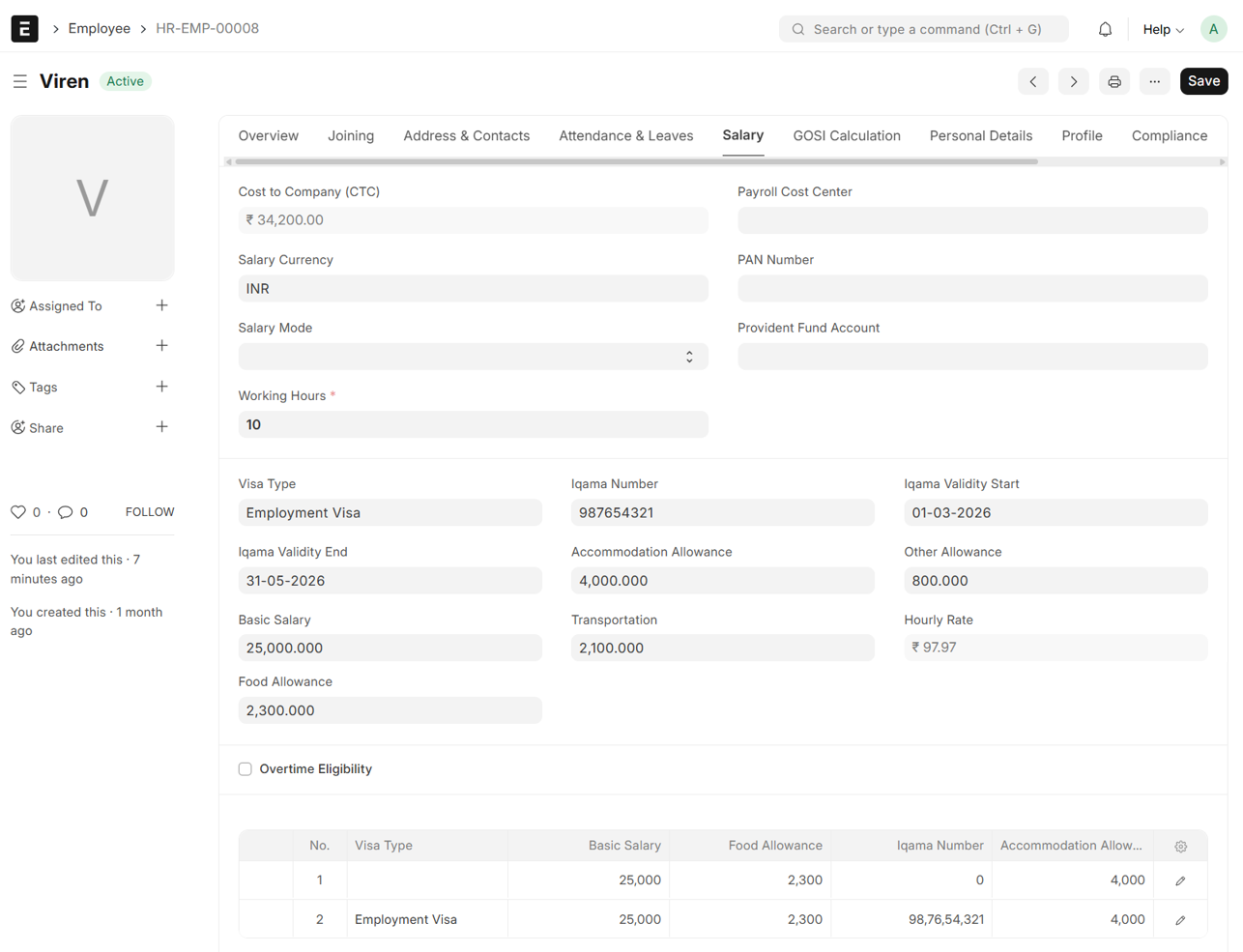
- Under Salary section, Enter Working Hours, Visa Type, Iqama Number, Validity Start and End Date, Basic Salary and Allowances
- Click on 'Confirm'
- The Details will be fetched To the Table
- Each time you Update the Salary Details, the new Information is Added as a new row in the table, while all previous records are preserved for historical tracking
- The Hourly Rate will be auto calculated
- Hourly Rate calculated using this formula, (Basic Salary + Accomadation Allowance + Other Allowance)*12/365/working Hours
- CTC is the Sum of All Allowances and Basic Salary
- Save