Momscode - Al Manarah - Employee Advance
Employee Advance
The primary purpose of an Employee Advance is to provide staff with short-term financial assistance before their next pay cycle.
Prerequisites,
- Employee
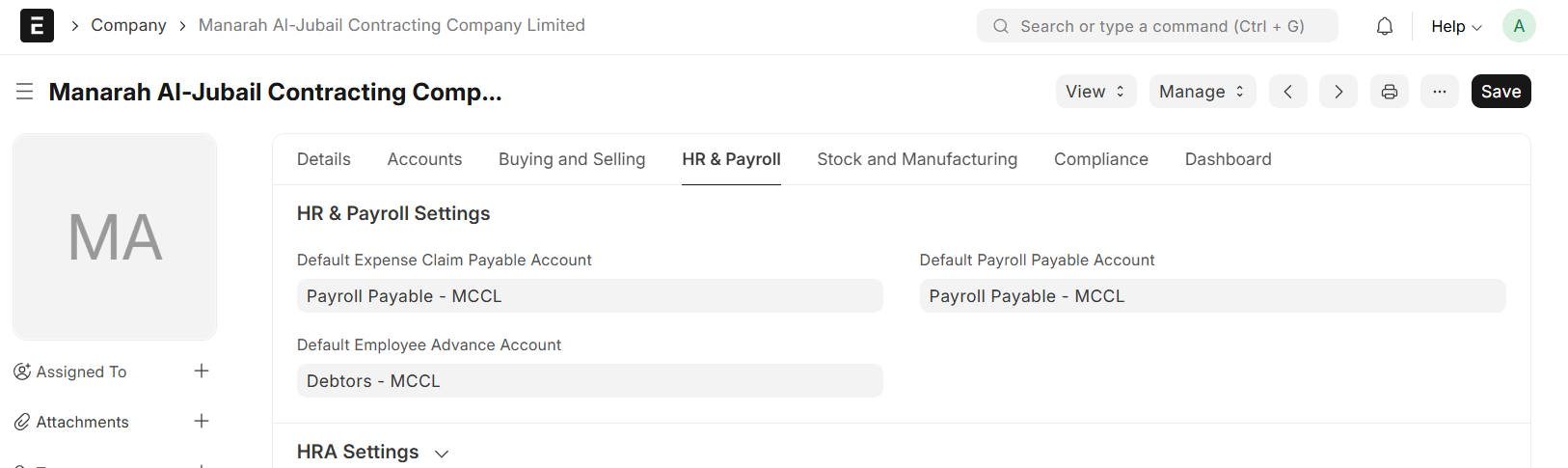
- In Company Master - Set Default Employee Advance Account
- The Employee Advance will be recorded under the Chosen Account Head defined in the Company Master
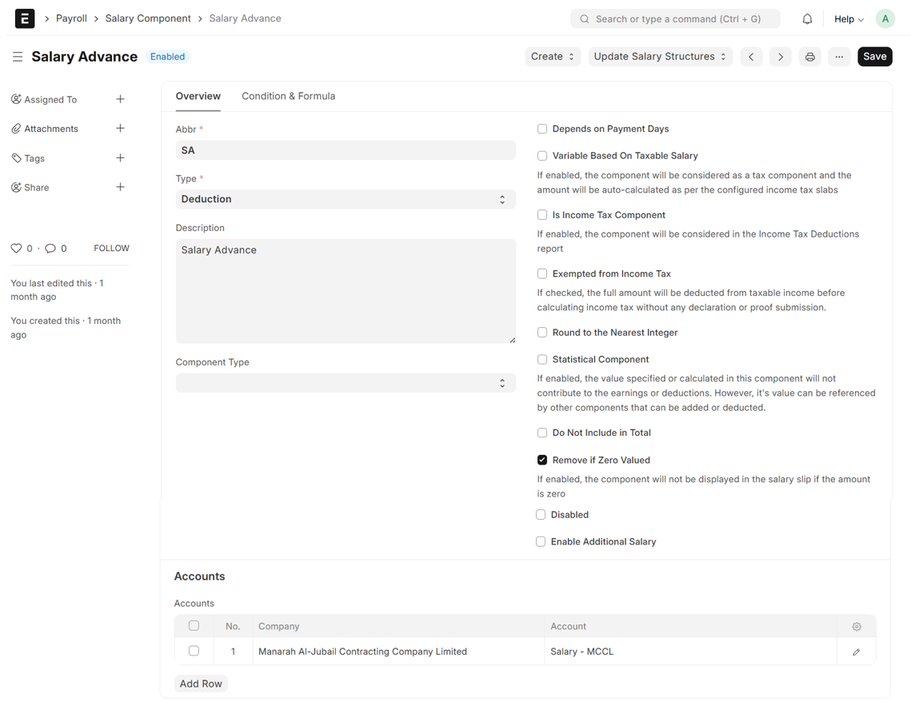
- Salary Component
- Create Salary Component by Entering Name, Abbr, Set Type as 'Deduction' and Link to Appropriate Account Head to ensure Employee Advance repayments are deducted from Payroll
Custom Settings:
- Set Employee Advance Component

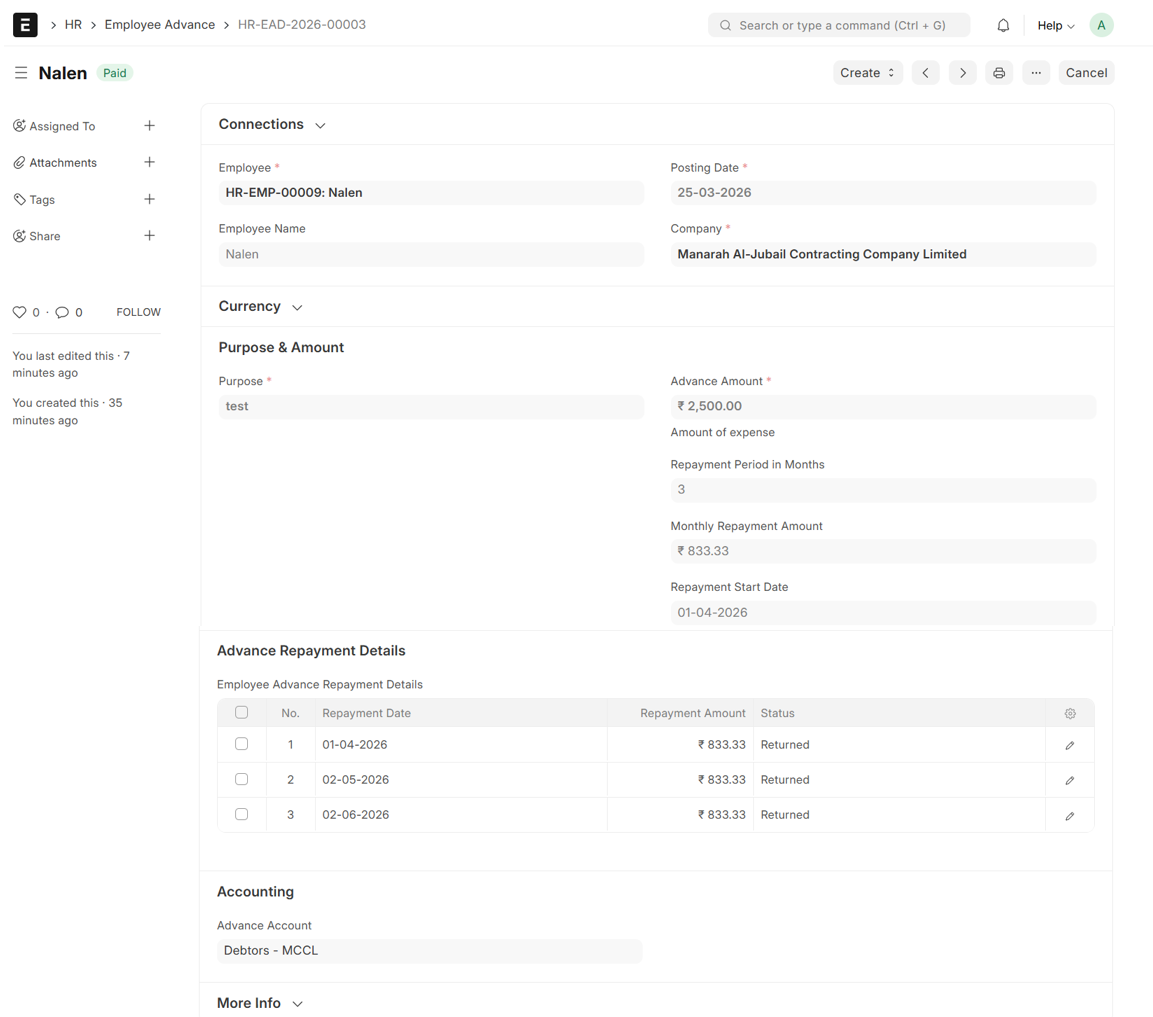
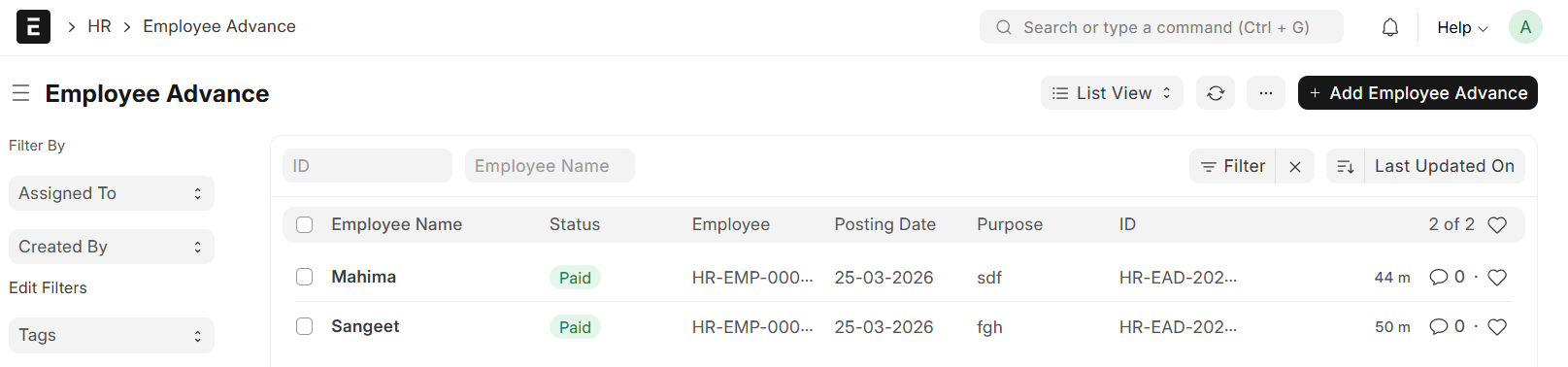
Go to Employee Advance List and Click on "Add Employee Advance"
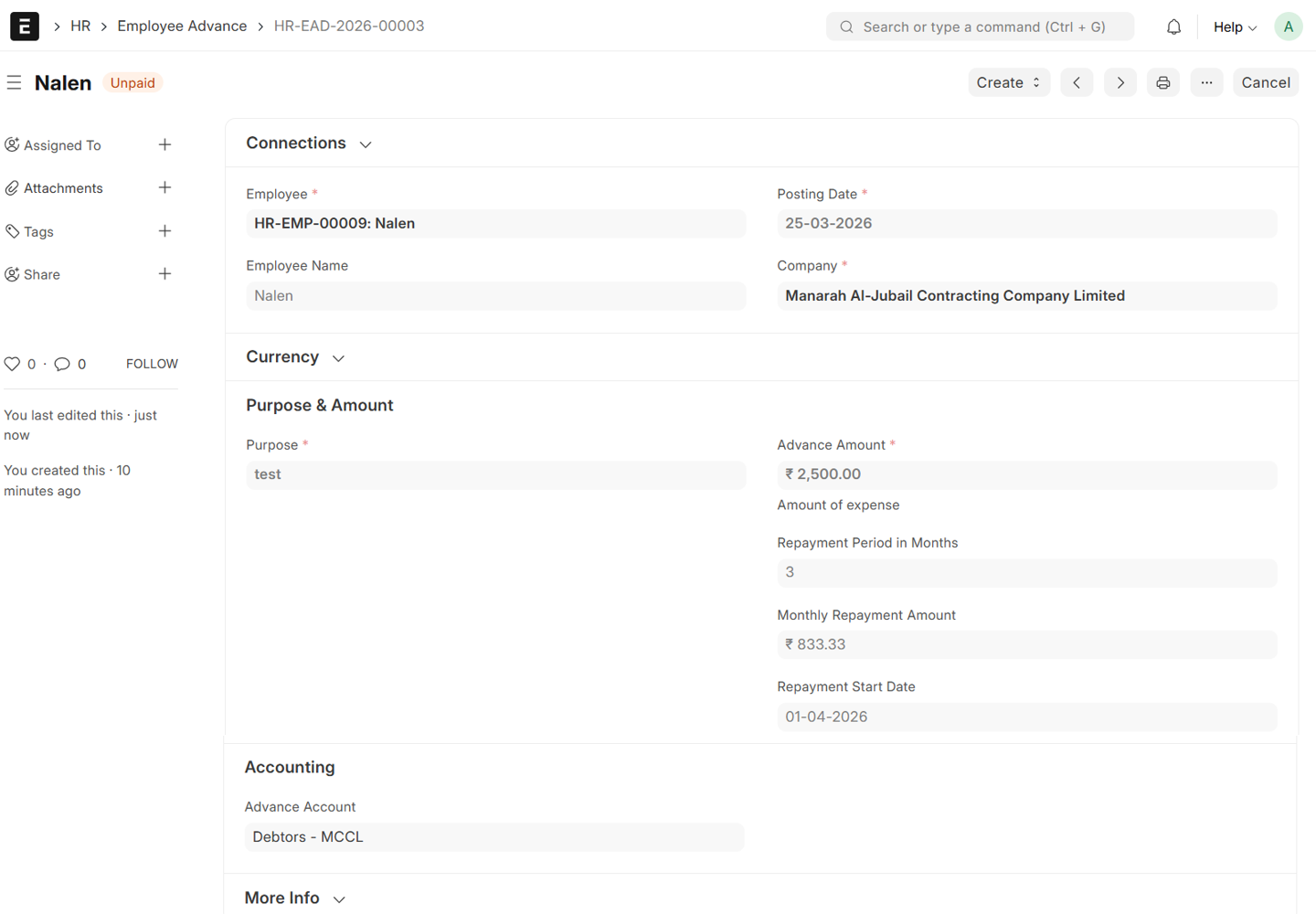
- Select Employee, Employee Name will be auto fetched
- Set Posting Date
- Enter Advance Amount
- Enter purpose
- Enter Repayment Period in Months
- Monthly Repayment Amount will be auto calculated (Advance/Repayment Period)
- Set Repayment Start Date
- The Advance Account will be auto fetched from Company Master
- Then, Save and Submit
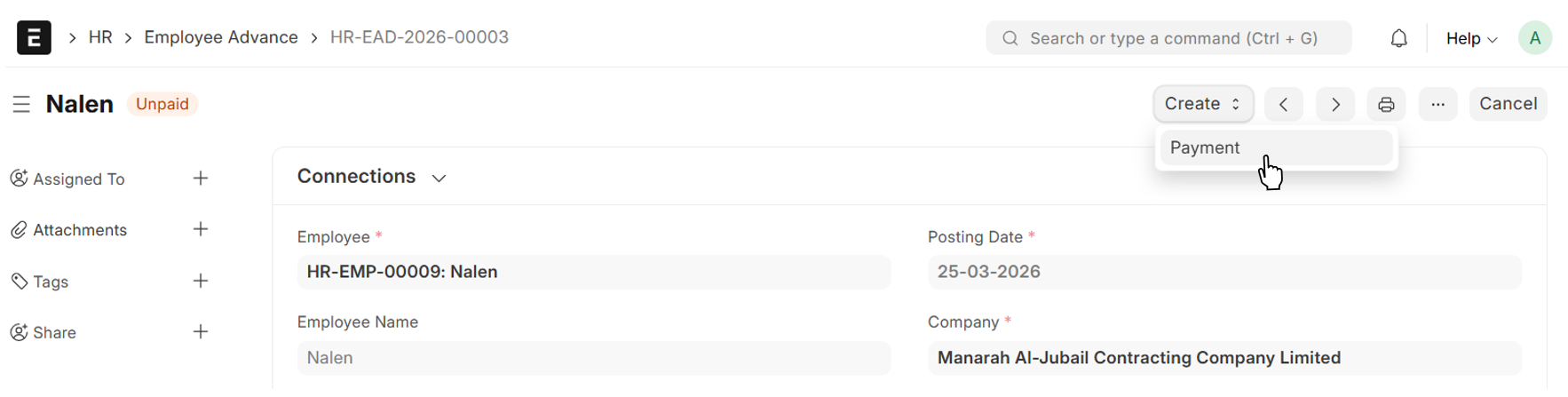
From Employee Advance → Create → Payment
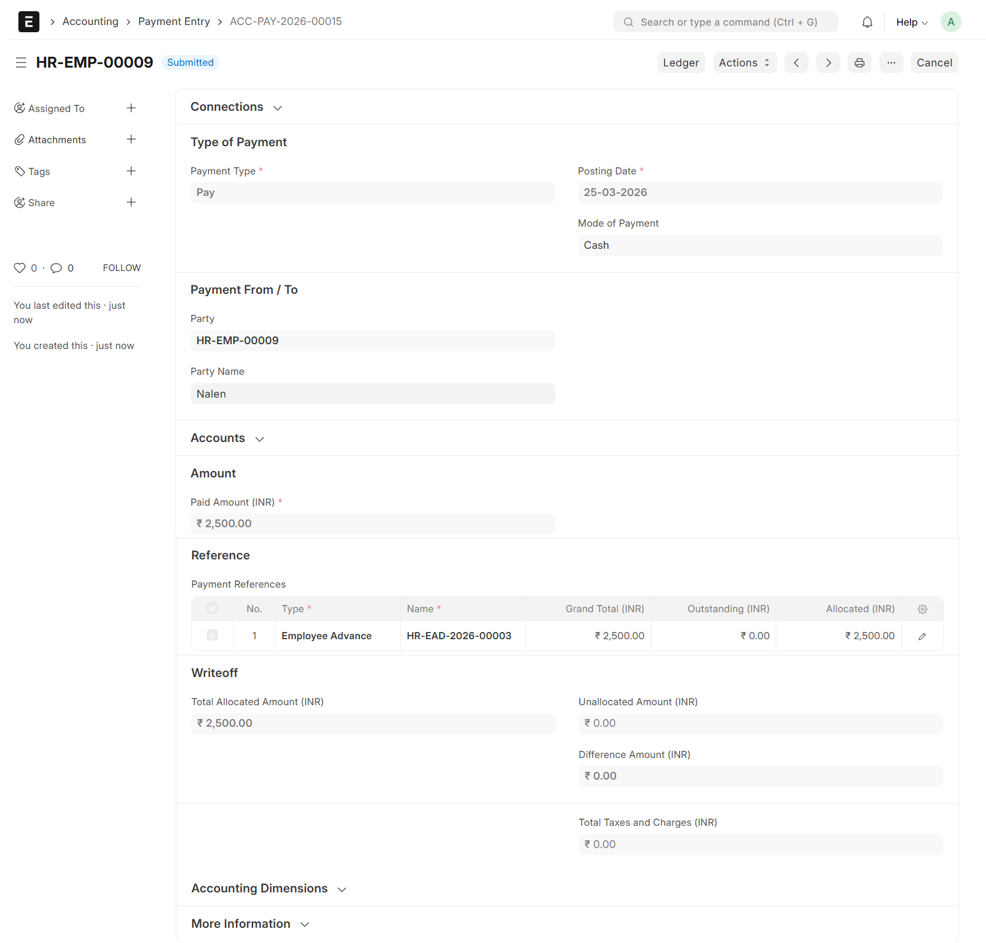
- Select Mode of Payment
- The Details will be auto fetched from Employee Advance
- Save & Submit
Return to the Employee Advance, Advance Repayment Details Table will appear upon Submission of Payment
- Click on 'Repay Schedule'
- The Repayment Schedule tracks the Date, Amount, and Payment Status for each Installment throughout the Repayment Period
- The Initial Status will be 'Open'
- Click on 'Update'
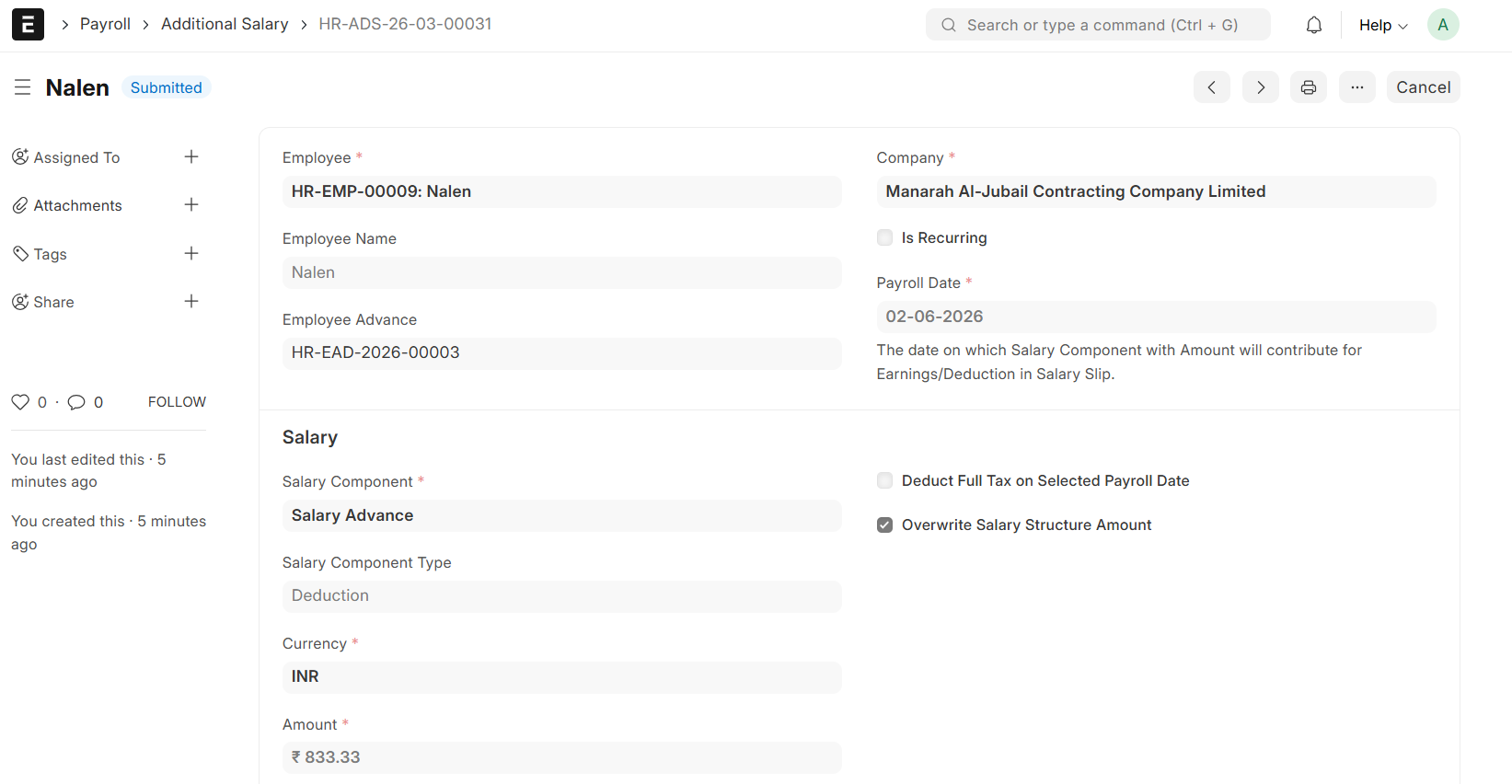
- Click on 'Create Additional Salary'
- An Additional Salary entry will be generated for each installment
- Once the Additional Salary is created, the Installment Status will automatically transition to 'Returned', indicating the recovery is scheduled