Momscode - Al Manarah - Demobilization Request
Project
Demobilization Request
The Demobilization Request is used to officially release Employees, Equipment, or Vehicles from a specific Project
Prerequisites,
- Project
- Project Budget
- Employee
- Outsourced Employee Record
- Mobilized Manpower Register
- Mobilized Equipment and Vehicle Register
- Equipment Register
Go to Demobilization Request List and Click on "Add Demobilization Request"

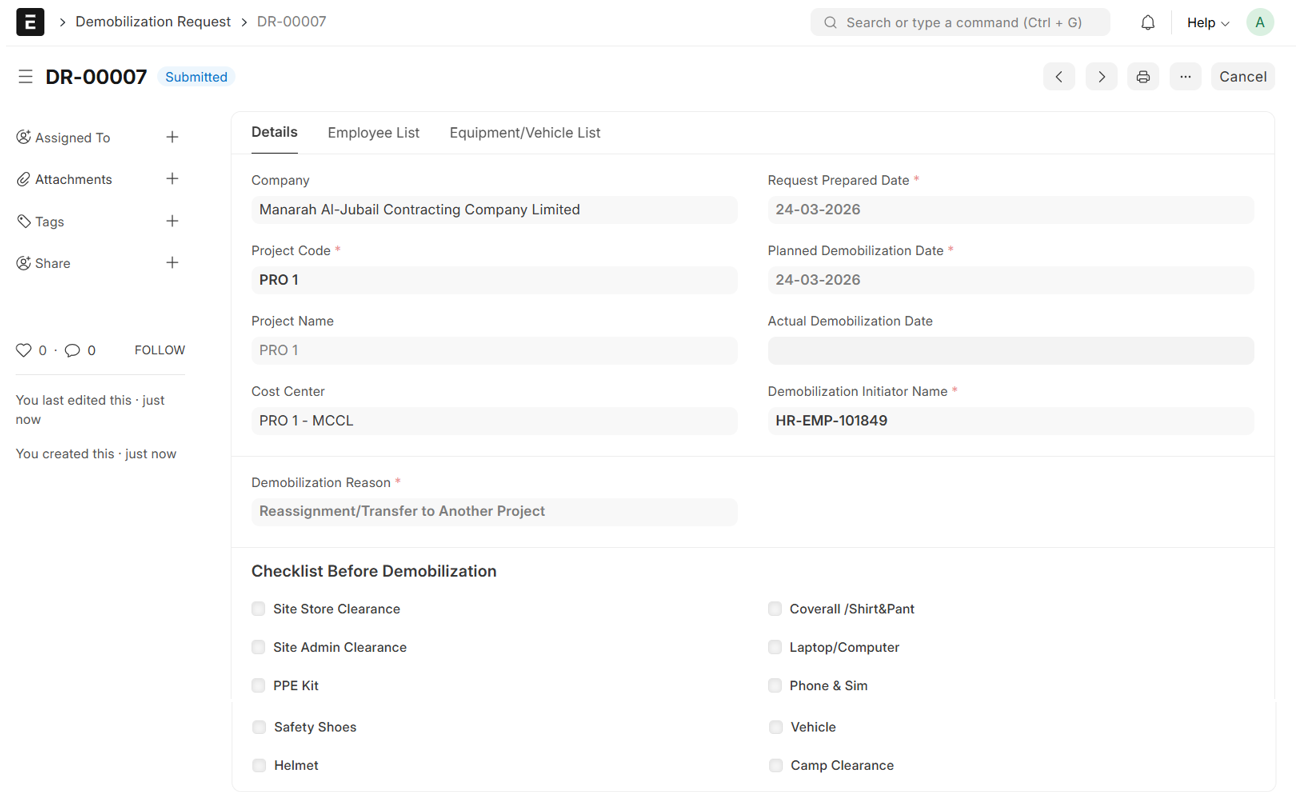
- Set Request Prepared Date
- Select Project
- Project Name and Cost Center will be auto fetched
- Set Planned Demobilization Date
- Select Demobilization Initiator Name (Employee with Designation - Project Manager)
- Select Demobilization Reason
- Fill in all other Required Details
- Then, Save and Submit
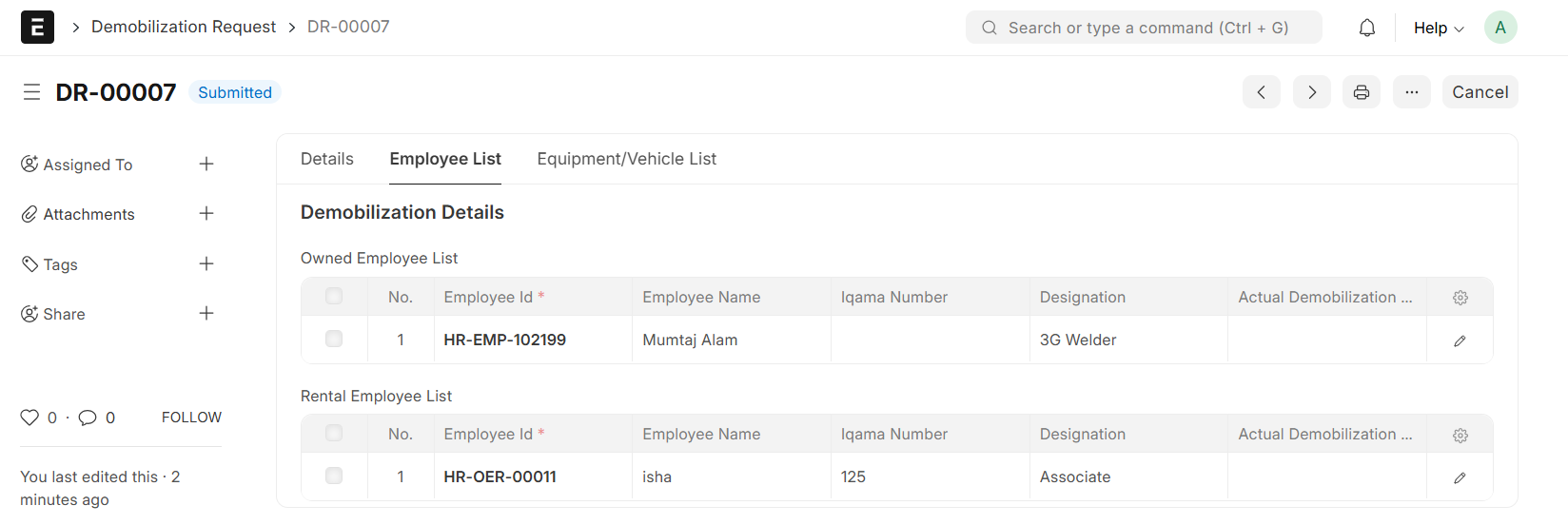
- The Employee List will automatically populate with Mobilized Employee Details corresponding to the Selected Project from the Mobilized Manpower Register
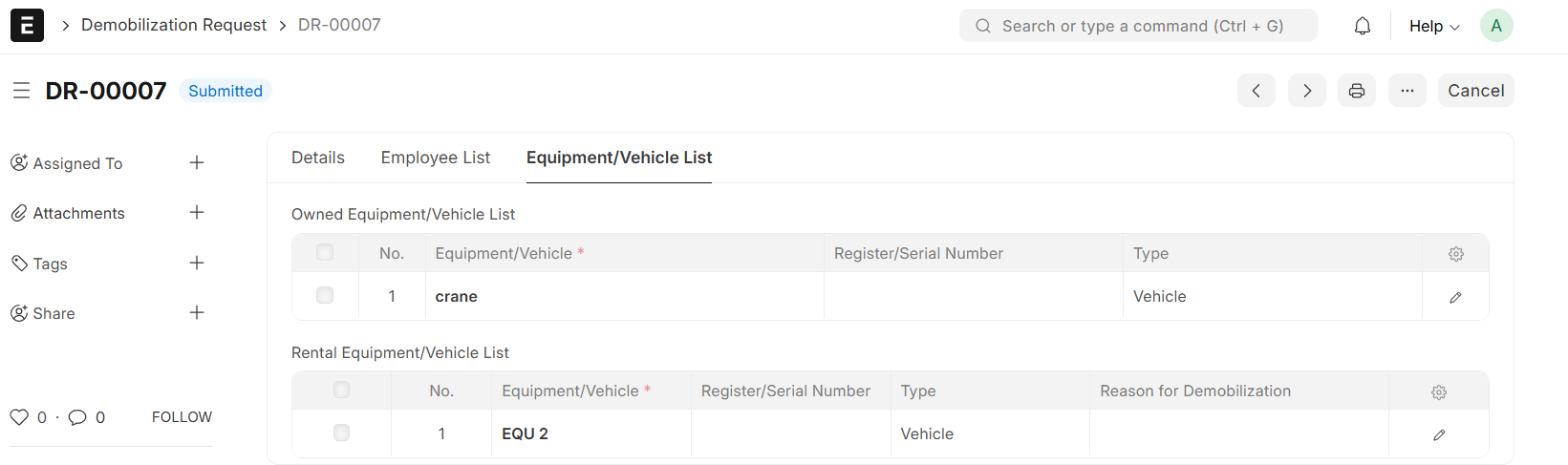
- The Equipment/Vehicle List will automatically populate Mobilized Equipment/Vehicle Details Corresponding to the Selected Project from the Mobilized Equipment and Vehicle Register
Note:
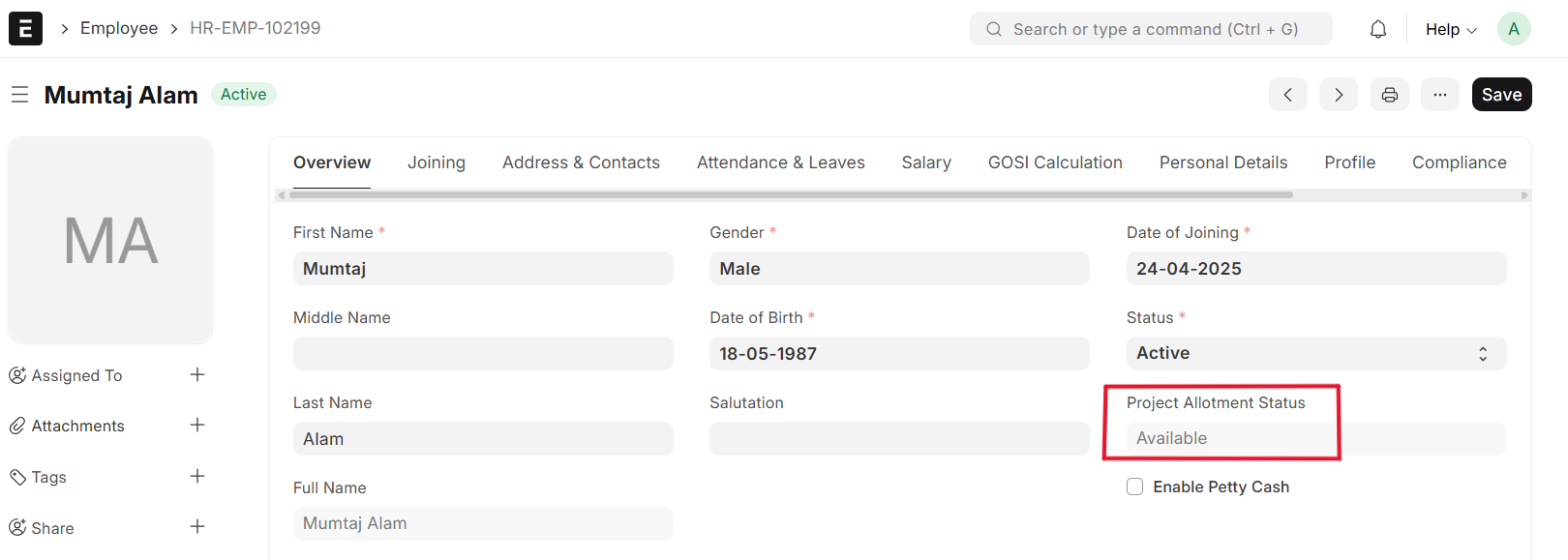
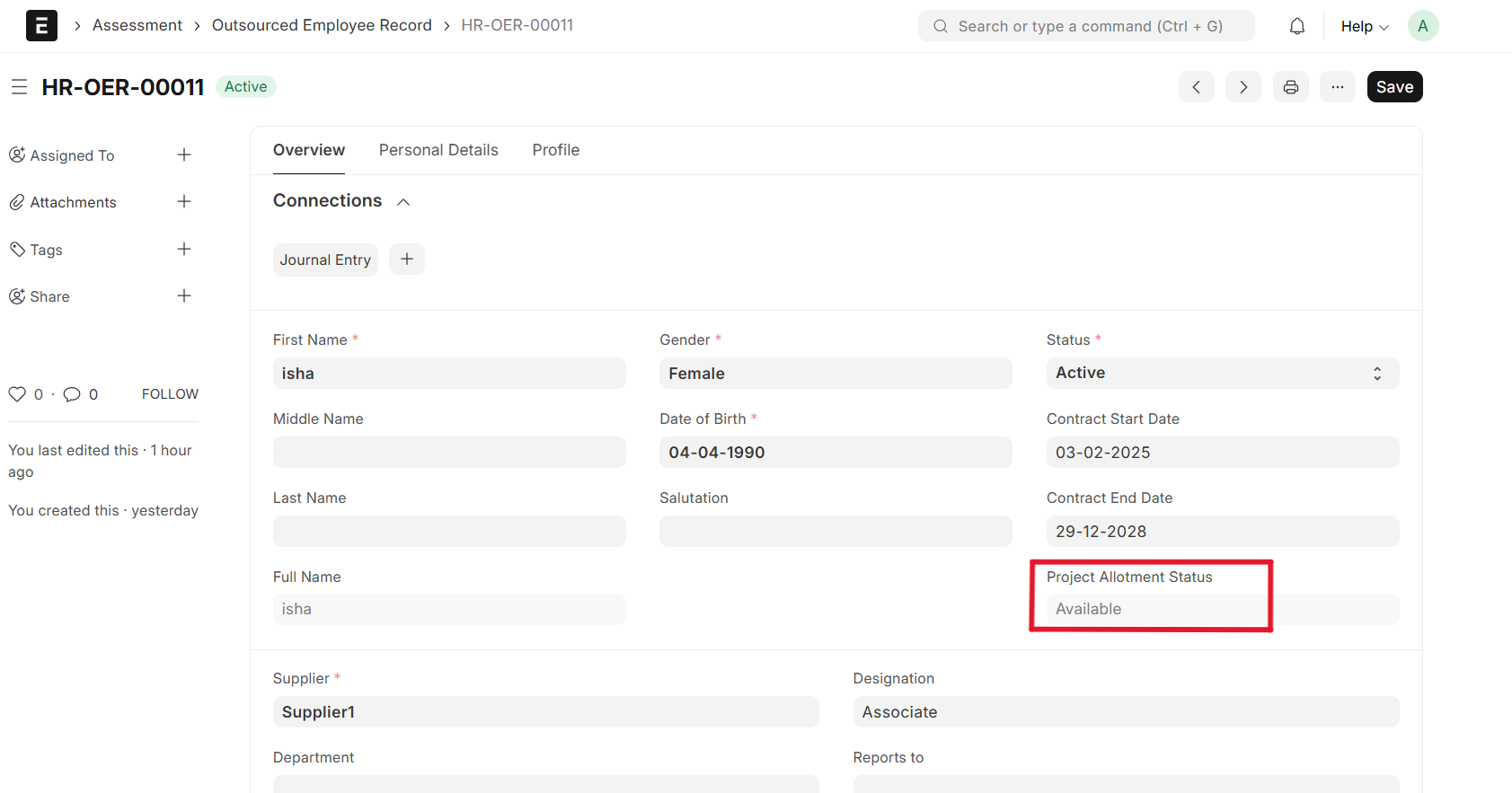
Once the Request is Submitted, the Employee Project Allotment Status in Employee Master and Outsourced Employe Record transitions to 'Available', allowing for future Mobilization
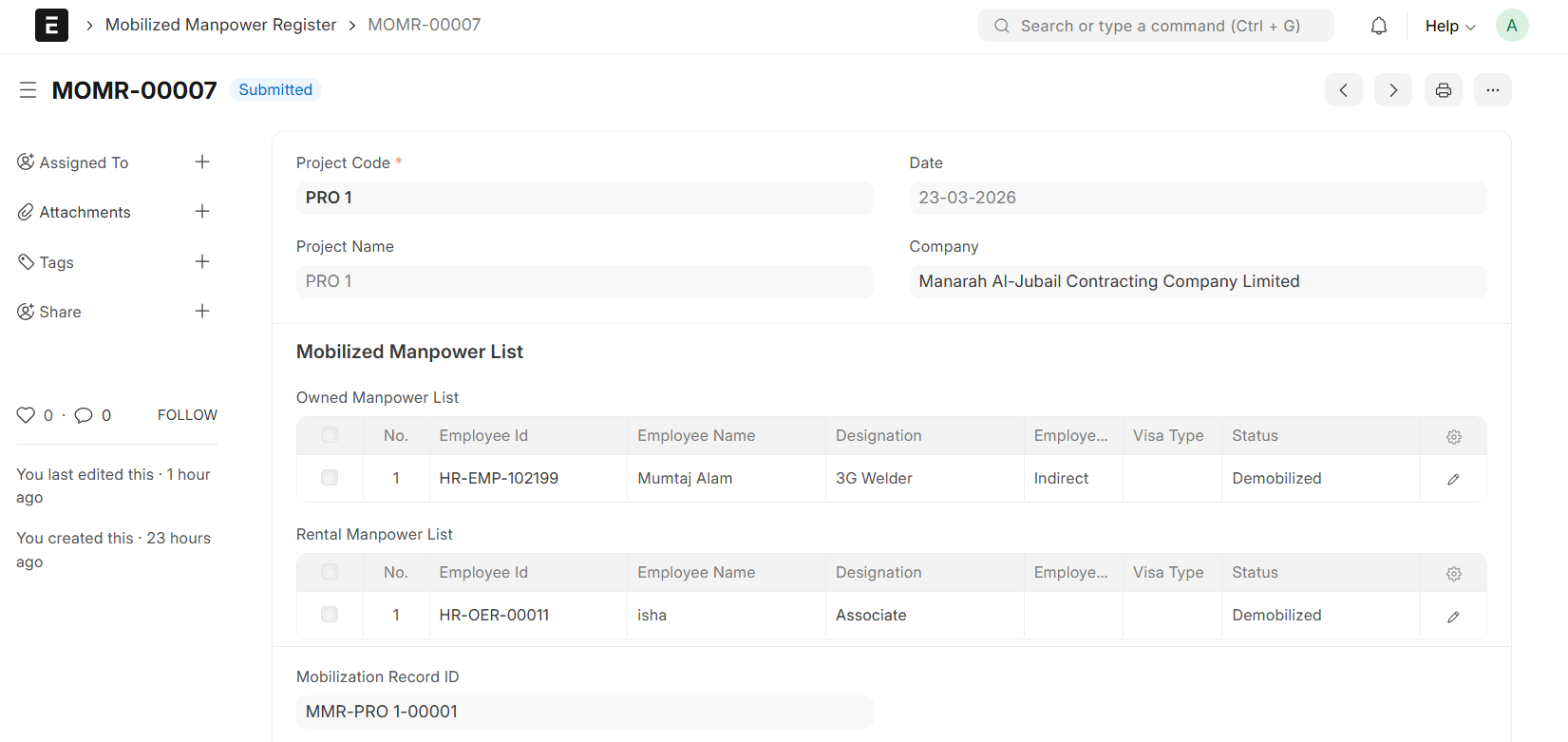
Upon Demobilization Request Submission, the Mobilized Manpower Register updates the Status to 'Demobilized'
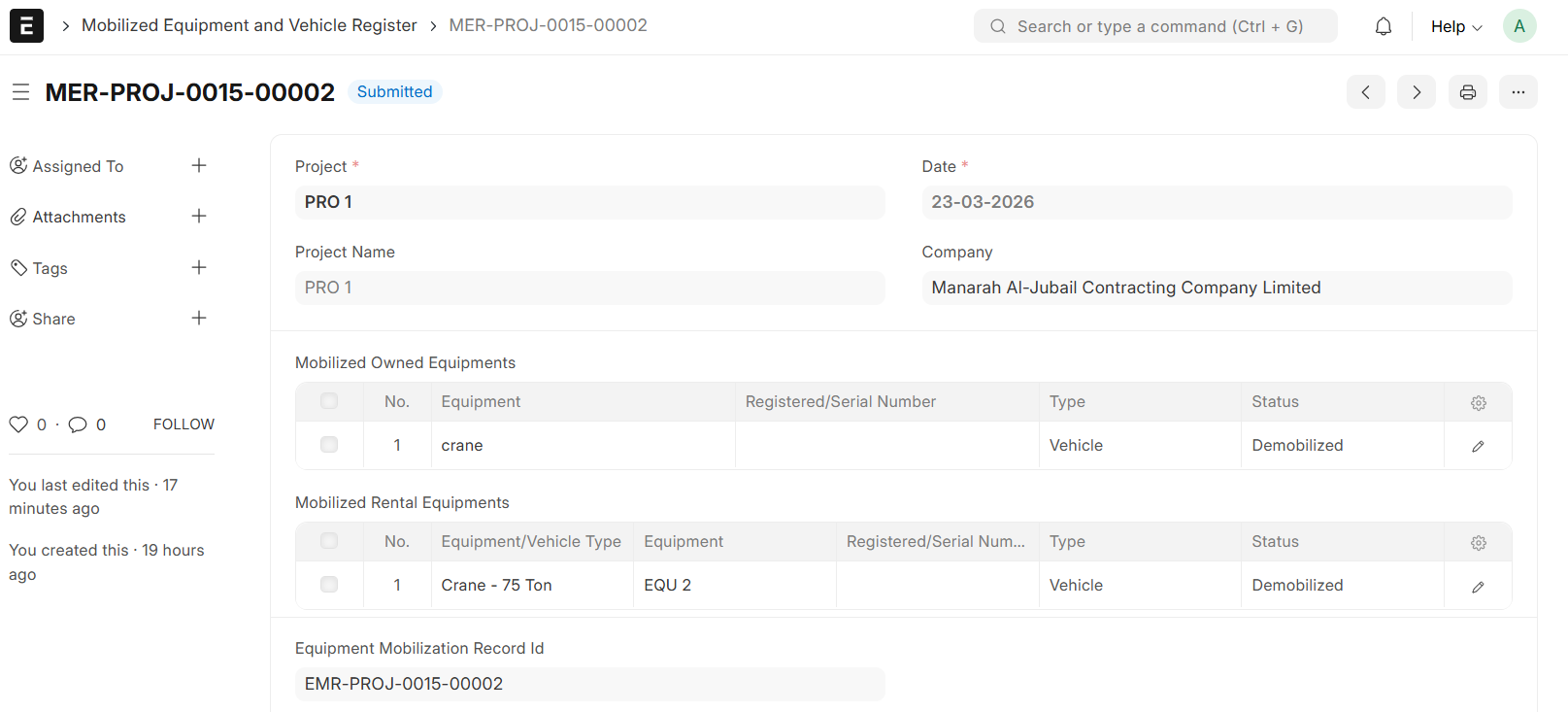
In the Mobilized Equipment and Vehicle Register, the Status of selected Equipment will automatically transition to 'Demobilized' upon Submission of Demobilization Request
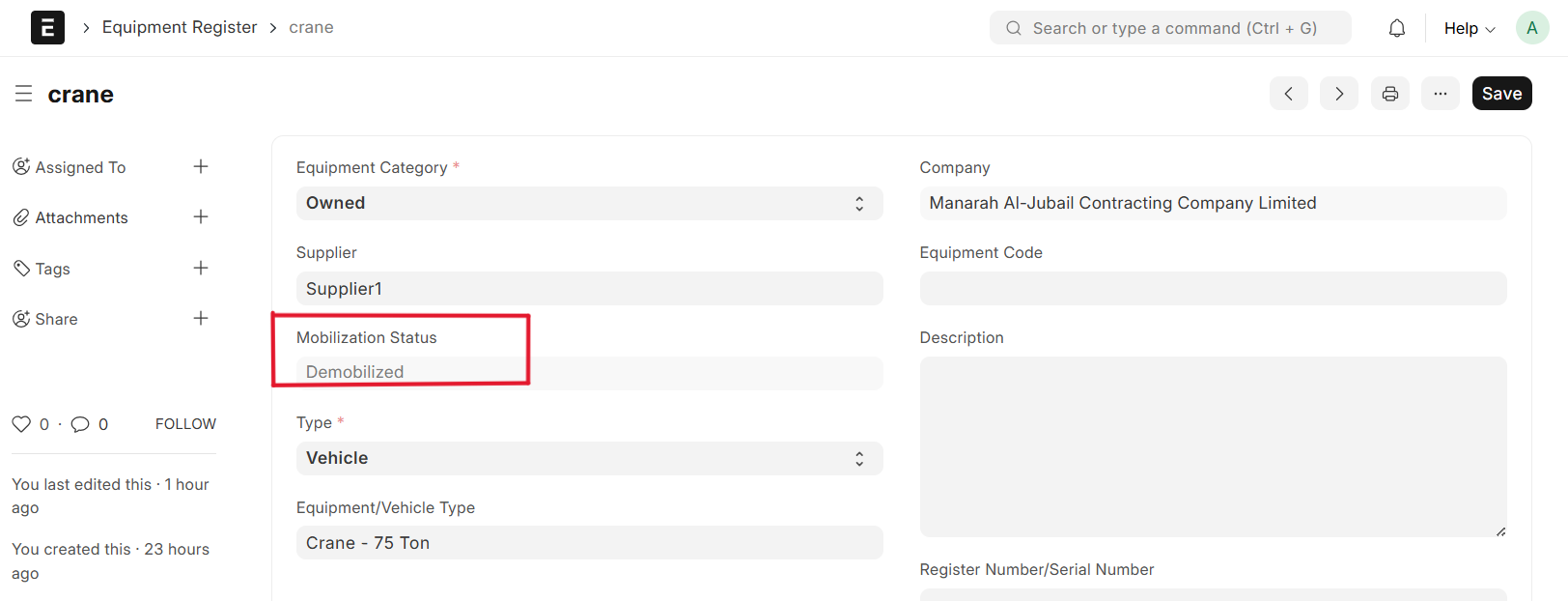
Upon Demobilization Request Submission, the Equipment Register updates the Equipment Status to 'Demobilized'