Momscode - Al Manarah - Bulk Leave Policy Assignment
Bulk Leave Policy Assignment
The Bulk Leave Policy Assignment is a tool used to assign Leave rules to a large group of employees all at once. Instead of updating each person individually, this module uses their Contract Period to automatically calculate and allocate their leave balance for the year
Prerequisites,
- Employee
- Leave Type
- Leave Policy
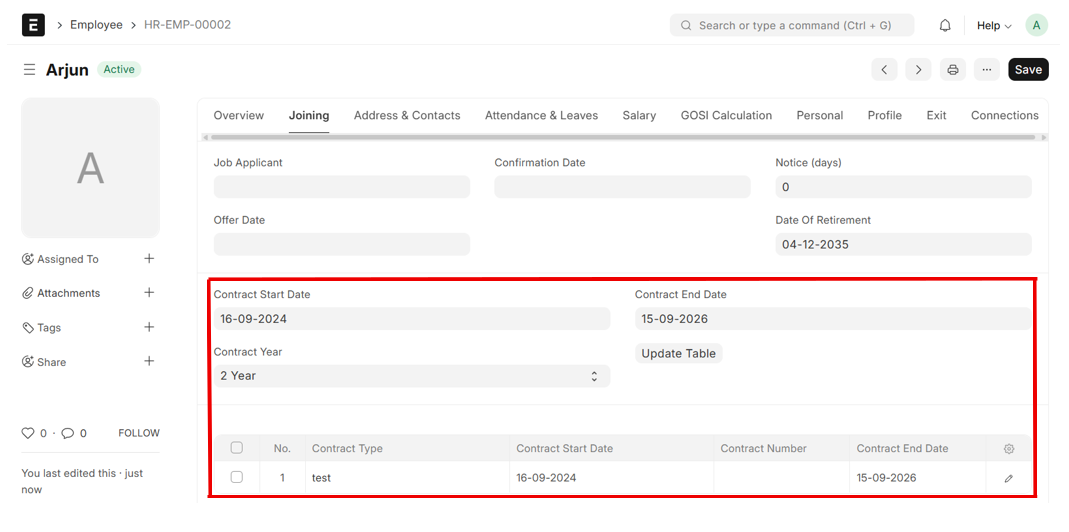
- Set Contract Start Date, Contract End Date, Contract Year in Employee Master and Click on "Update Table"
Note:
Leave Policy Assignment will be created based on the Contract Period, not on the Leave Period as usual
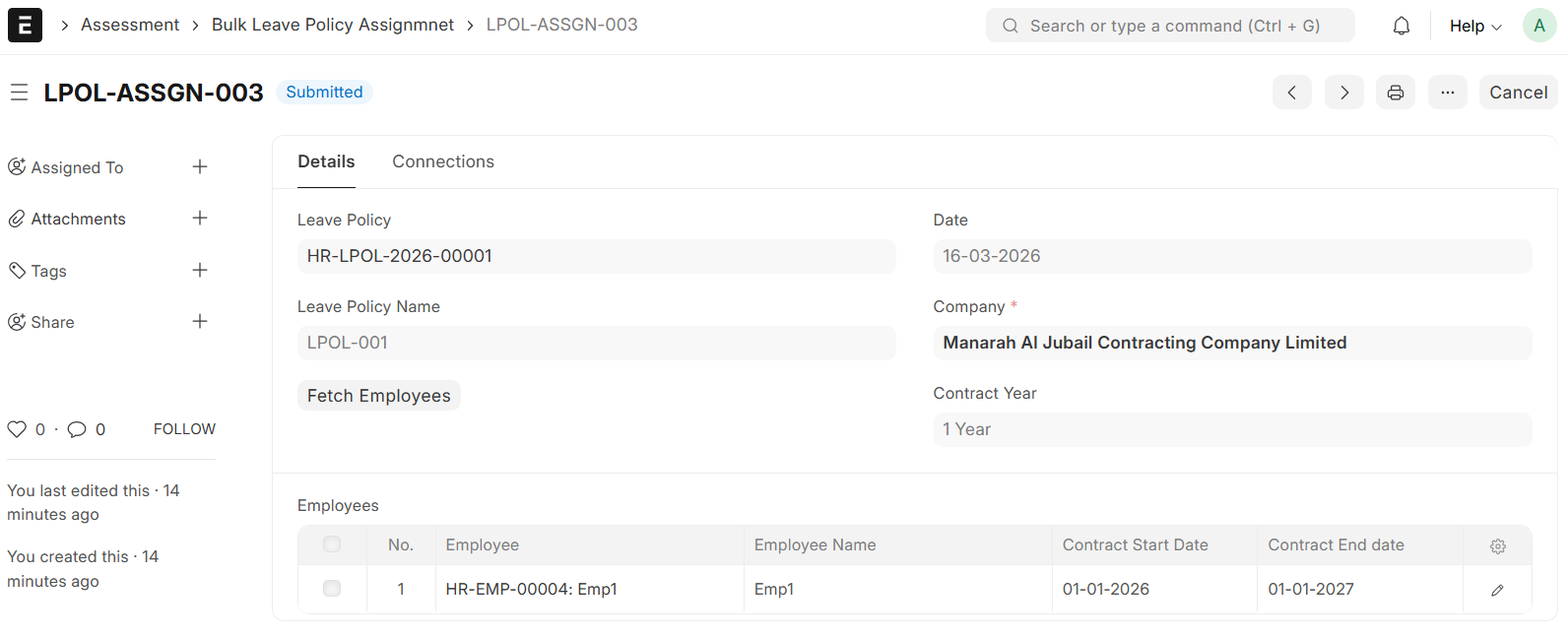
- Go to the Bulk Leave Policy Assignment List and Click on "Add Bulk Leave Policy Assignment"

- Set Date
- Select Leave Policy
- Leave Policy Name will be auto fetched
- Select Contract Year (Either 1 year or 2 year)
- Click on "Fetch Employees"
- Employee, Employee Name, Contract Start Date and Contract End Date will be fetched to the Employee Table
- Then, Save & Submit
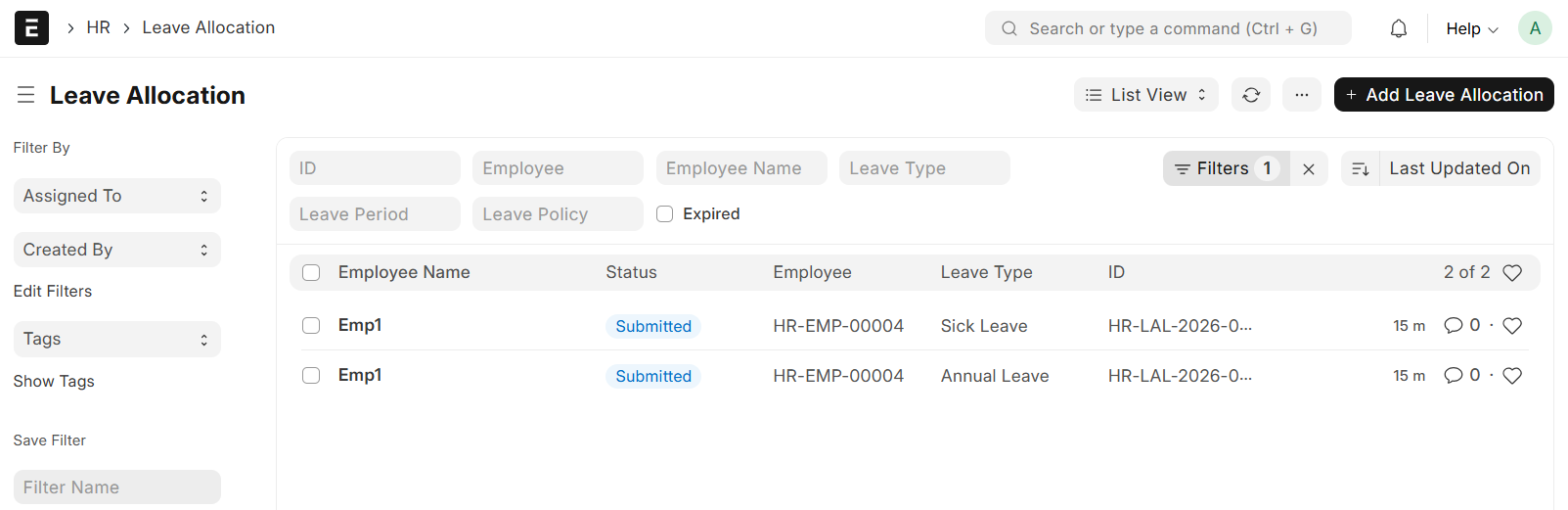
On Submission, Leave policy Assignment and Leave Allocation will be auto generated